Operating the device
DLT-V83 Operating Instructions V2.00 59 / 157
9.4.2. Device with 26 front keys
Left on the device:
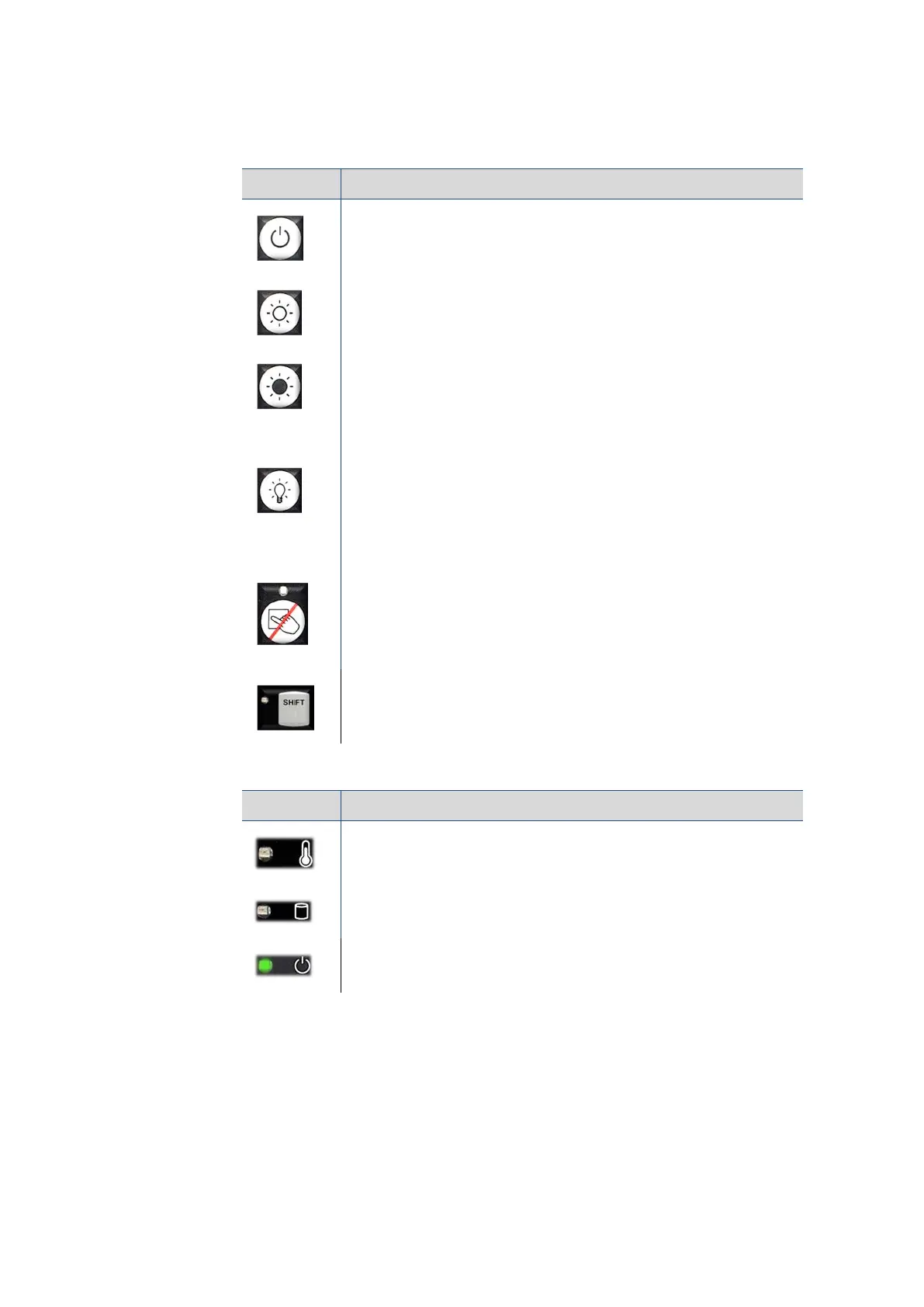
Key Explanation
<Power> button, switch device on/off
Manual brightness control: Display brighter
Manual brightness control: Display darker
Switch the backlight on/off
Note: The DLT-V83 will continue to react to keyboard, mouse and
touchscreen inputs even if the backlight is switched off. This means that
entries can still be made even when the screen display is not visible.
Touchscreen activate/deactivate
LED on (orange): Touchscreen deactivated
LED off: Touchscreen activated
<Shift> key; if the LED is illuminated, it indicates that the <Shift> is
activated
LED Explanation
LED (red): Indicates a device temperature outside the normal range.
LED (green): Indicates access to the flash drive.
LED (green): Display of available internal supply voltage.



 To Next Page