EasyManua.ls Logo

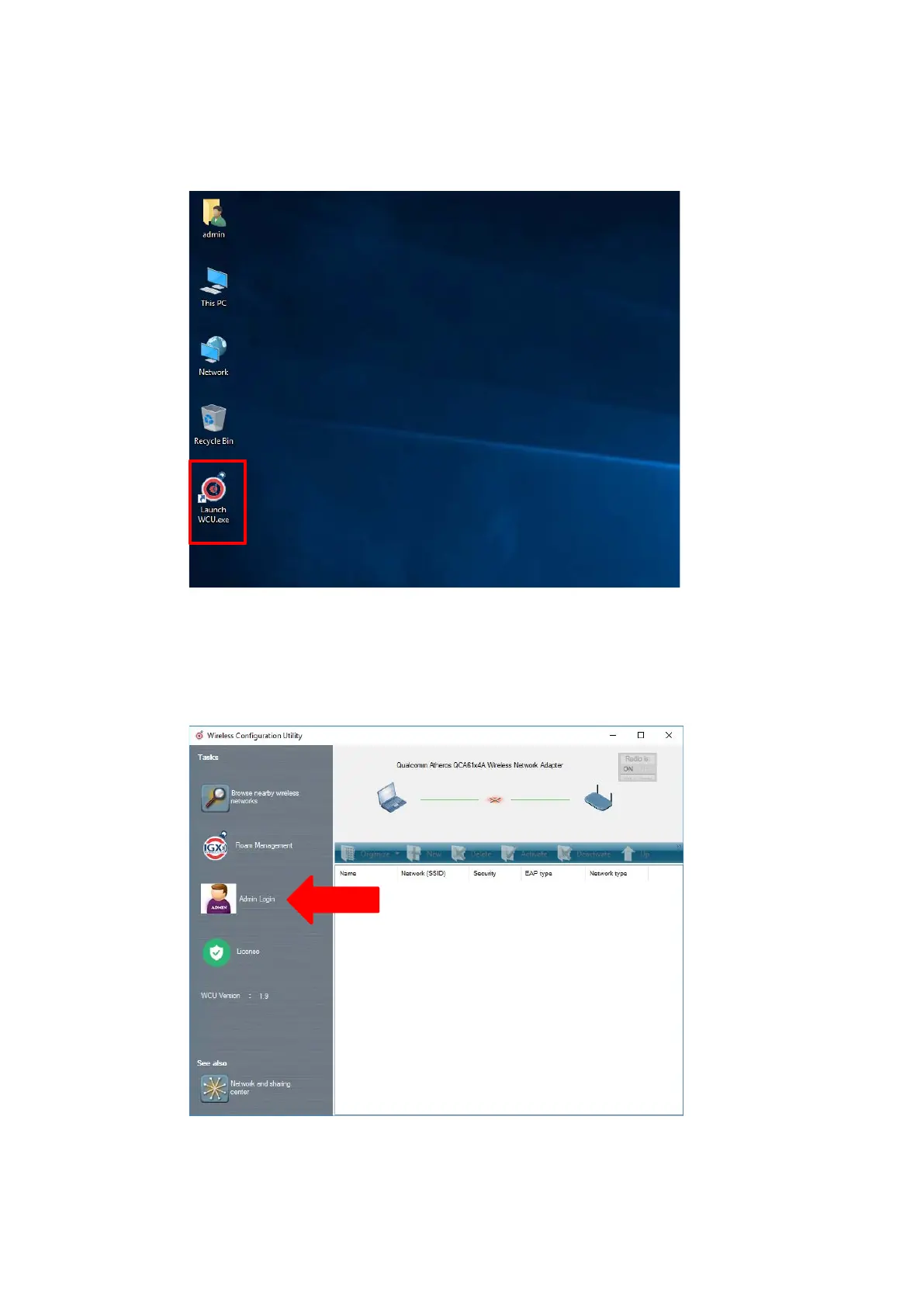
Advantech-DLoG DLT-V8312 - 11.6.6. Start WLAN Client Manager, Login; Figure 11.11: WCU Icon on the Desktop; Figure 11.12: WCU Main Window, Admin Login

Default Icon
157 pages
Print Icon
To Next Page IconTo Next Page
To Previous Page IconTo Previous Page
Loading...
WLAN configuration
86 / 157 DLT-V83 Operating Instructions V2.00
11.6.6. Start WLAN Client Manager, Login
Launch the WLAN Client Manager by double-clicking the Launch WCU icon:
Figure 11.11: WCU icon on the desktop
You must login as "WCU_Administrator" first.
To do this, click Admin Login.
Figure 11.12: WCU main window, Admin Login

Table of Contents

Other manuals for Advantech-DLoG DLT-V8312

Related product manuals