WWAN configuration
DLT-V83 Operating Instructions V2.00 115 / 157
12.6.2. QUECTEL EC25 Trouble Shooting
12.6.2.1. Test virtual COM ports
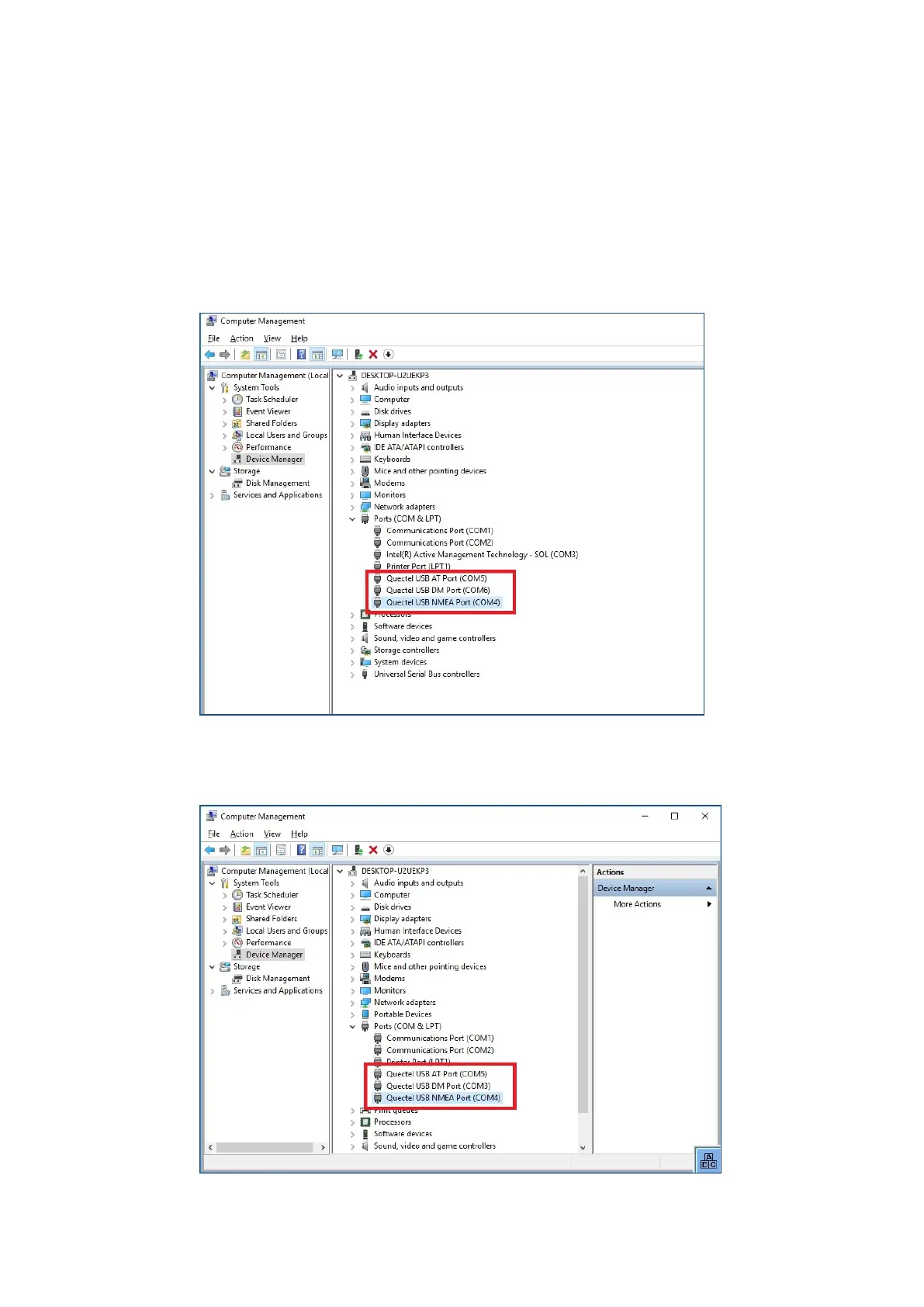
In the device manager it is possible to test that the virtual COM ports are correctly set.
If they are not correctly set, they must be modified as appropriate.
DLT-V83 with i5 processor
The virtual COM ports must be set up as shown in the figure:
Fig. 12.21: QUECTEL EC25 - Virtual COM ports DLT-V83 with i5 processor
DLT-V83 with Celeron processor
The virtual COM ports must be set up as shown in the figure:
Fig. 12.22: QUECTEL EC25 - Virtual COM ports DLT-V83 with Celeron processor



 To Next Page