WLAN configuration
96 / 157 DLT-V83 Operating Instructions V2.00
11.6.10. Roam Management
11.6.10.1. General
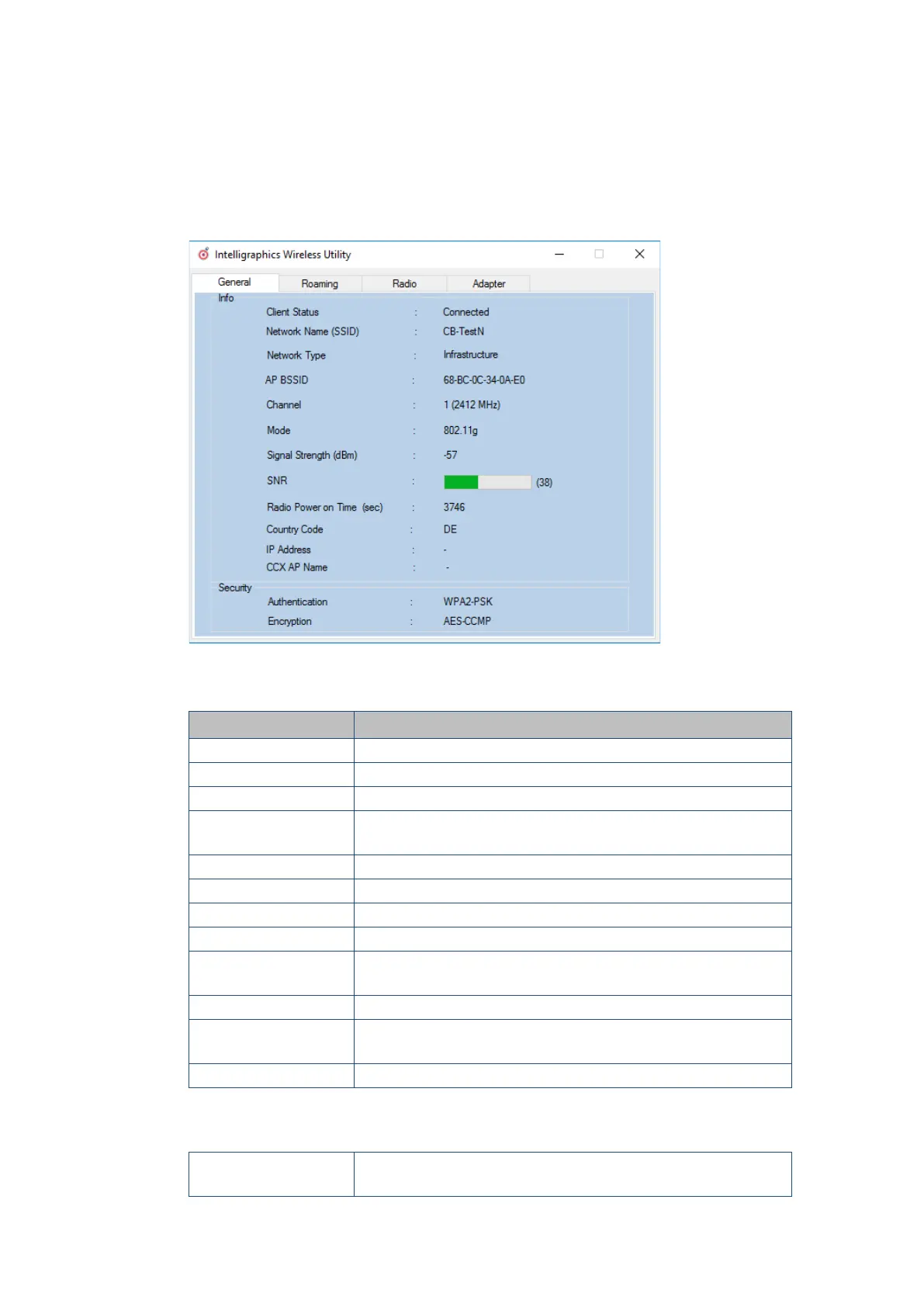
After clicking the General dialog, the following information is displayed on the screen:
Figure 11.25: General dialog in the Roam Management menu
General
Info Meaning of the display
Client Status
Current connection status
Network Name SSID SSID of the currently connected access points
Network Type
Network type
or
AP BSSID Corresponding MAC address of the currently connected access
points
Channel Displays the configured channel used in the access point
Mode Frequency band used, e.g. "802.11g"
Signal Strength (dBm) Current signal strength of the connected access points in (dBm)
SNR Relative signal strength (SNR) as bar chart
Radio Power on Time
(sec)
Display of the current elapsed operating time of the Radio card
Country Code The country code supplied by the access point such as US, DE, JP
IP Address The Client IP address configured by the access point (DHCP) or
manually (static) assigned
CCX AP Name SSID of the Cisco CCX Access Points (if present)
Security
Authentication
The authentication process used, e.g. WPA2-PSK (Pre-Shared-
Key)



 To Next Page