WWAN configuration
DLT-V83 Operating Instructions V2.00 113 / 157
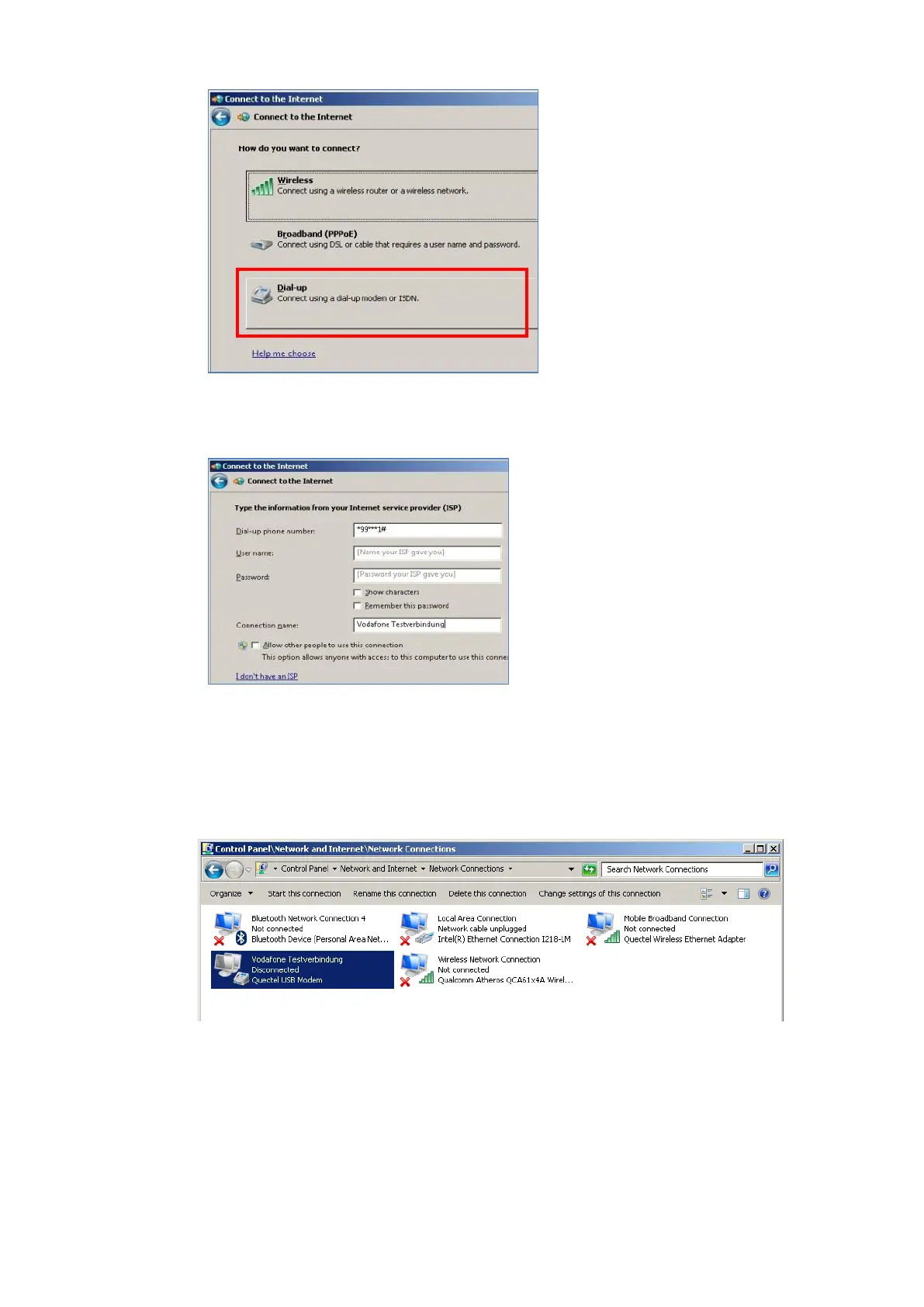
Click Dial-up.
Fig. 12.16: QUECTEL EC25 - Connect to the Internet - Dial-up
Specify as a telephone number, e.g.
*99***1#.
Enter a connection name, e.g.
Vodafone test connection.
Username and password are not
required in the example. (Provider-
dependent)
Fig. 12.17: QUECTEL EC25 - Connect to the Internet - Telephone number
Open the Vodafone test connection under Network connections.
Fig. 12.18: QUECTEL EC25 - Network connections - Vodafone test connection



 To Next Page