WLAN configuration
DLT-V83 Operating Instructions V2.00 97 / 157
Encryption
Display of the corresponding encryption process, e.g. (AES-CCMP,
TKIP)
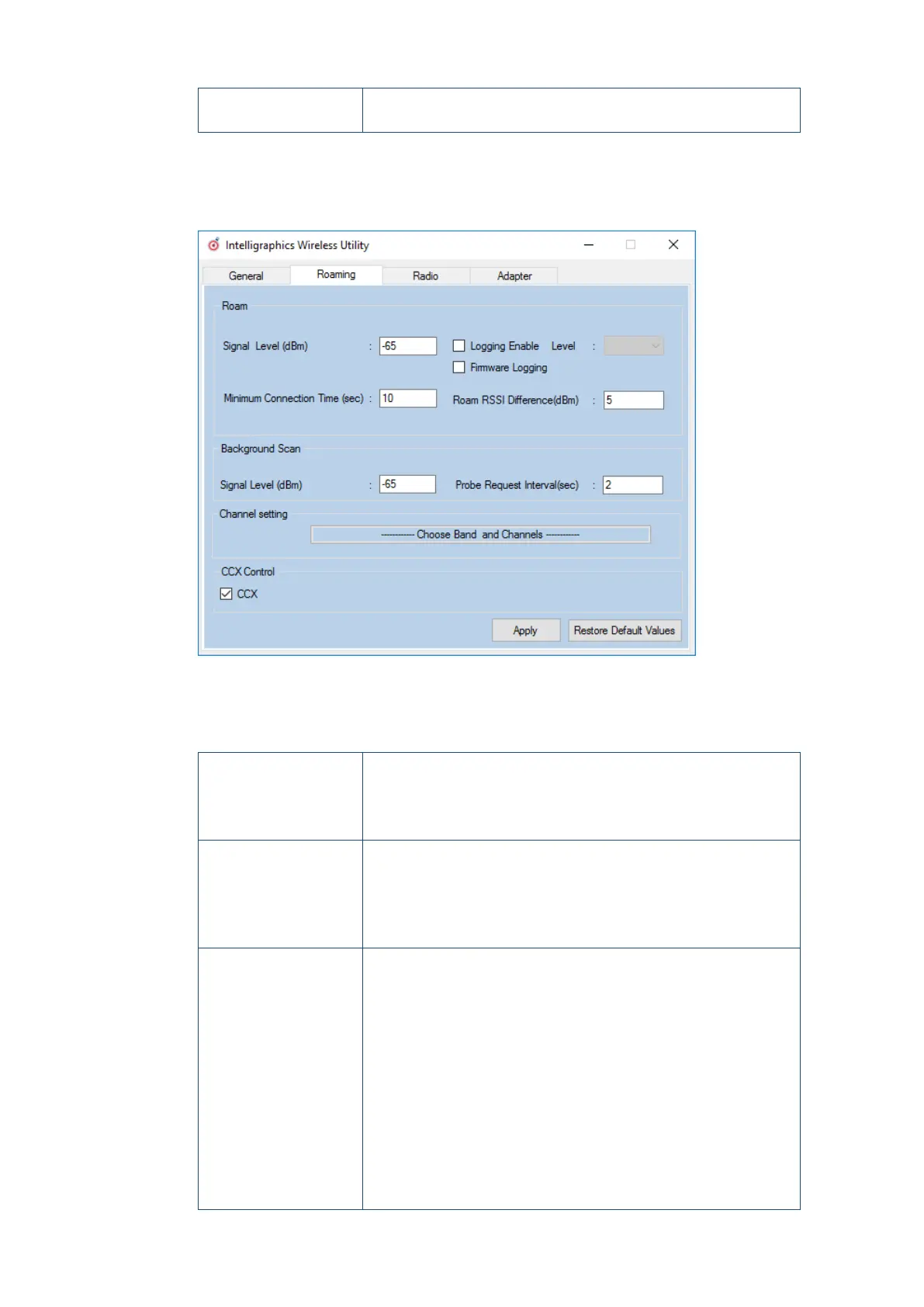
11.6.10.2. Roaming
The Roaming dialog is used to define the following parameters:
Figure 11.26: Roaming dialog in the Roam Management menu
Roam
Signal Level (dBm): This setting defines when the client is to be begin the roaming
process.
Possible values: -55 dBm to -80 dBm
Default value: -65 dBm (adjustable in 5 dBm increments)
Minimum Connection
Time (sec)
This setting defines how long the client is to remain connected to
the current access point before roaming to the new access point
starts.
Possible values: 5 to 25 seconds
Default value: 10 seconds
Logging Enable
Level
This setting can be used to define that the activities of the driver are
recorded in a log. Two levels are available: Critical and All.
Critical: If the debug level is set to Critical, only the critical
messages from the driver will be recorded.
All: If the debug level is set to All, all messages from the driver will
be recorded.
The log file is saved in the C:\WlanLogs folder and a current
timestamp is added.
If the log file is larger than 100 mb, a new file is created.
Note:
This option should only be enabled for short periods for analysis
purposes, not permanently!



 To Next Page