SWITCH SERVICE
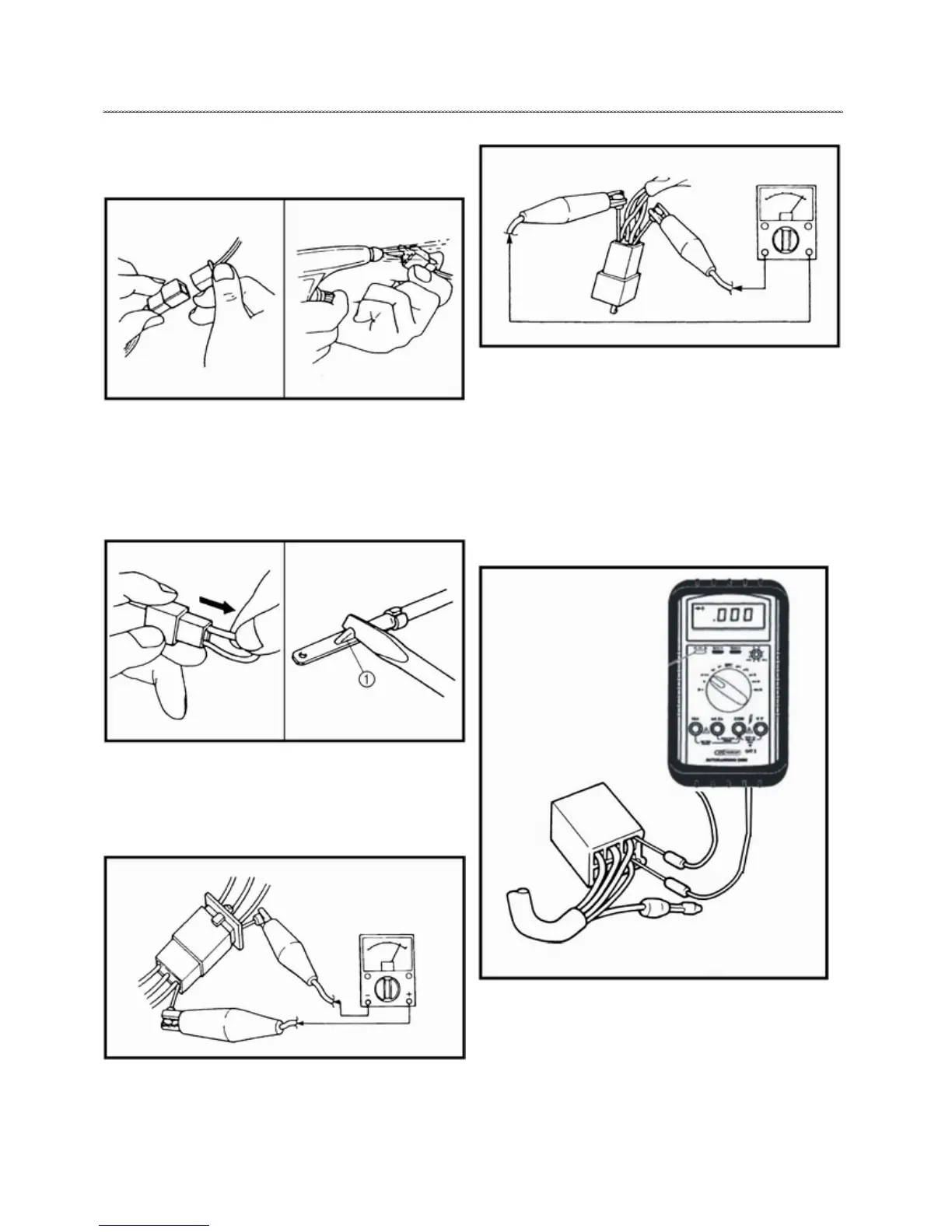
CHECK THE CONNECTION
Check the connectors for stains, rust, moisture, etc.
1.Disconnect connector.
2.Check connector moisture. Dry each terminal with an air
blower.
3. Check connector stains/rust. Connect and disconnect the
terminals several times.
4.Check connector leads looseness. Bend up the pin 1 and
connect the terminals.
5. Click two terminal together going to check connector
terminals.
6. Check wires continuity by multi-meter. If there is no
continuity, clean the terminals.
7. Perform steps 1 to 3 when checking the wire harness
continuity.
8. As a quick remedy, use a contact revitalizer available at
most part stores.
CHECK THE SWITCH
Use a multi-meter to check the terminals for continuity. If the
continuity is faulty at any point, replace the switch.
1. Set the multi-meter to “0” before starting the test.
2. The pocket tester should be set to the “.1”



 To Next Page