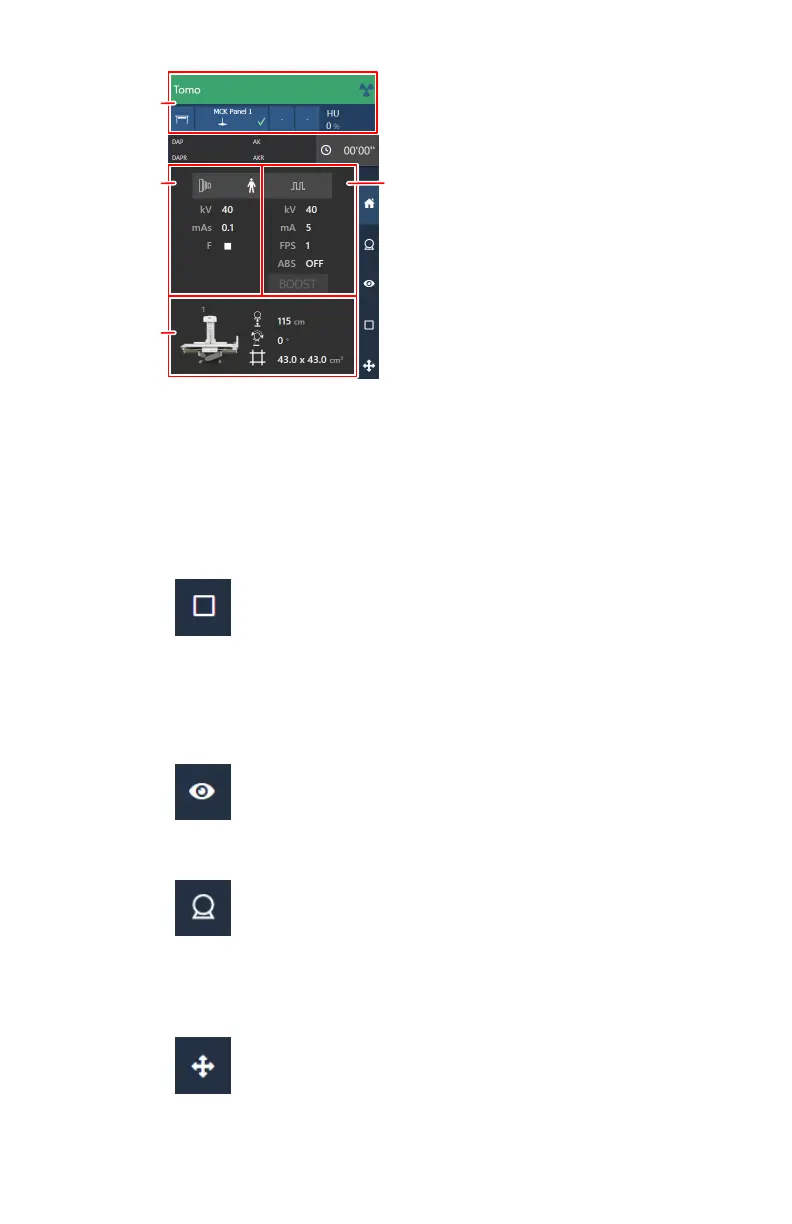
1.
X-ray modality settings
2.
Generator settings for the static image
3.
Generator settings for fluoroscopy
4.
Automatic position
Figure 64: Examination overview
a) Check the X-ray modality settings.
Figure 65: X-ray modality controls on the software console
b) Check the exposure settings.
The fluo group contains settings for fluoroscopy and for the static
image.
Figure 66: Generator controls for fluoroscopy
Figure 67: Generator controls for the static image
3. Move the X-ray system to the right position.
a) Check if a correct automatic position is selected.
Figure 68: Positioning controls on the software console
b) Move to the selected automatic position.
112
| DR 800 | Basic Workflow
0392C EN 20210309 1049



 To Next Page