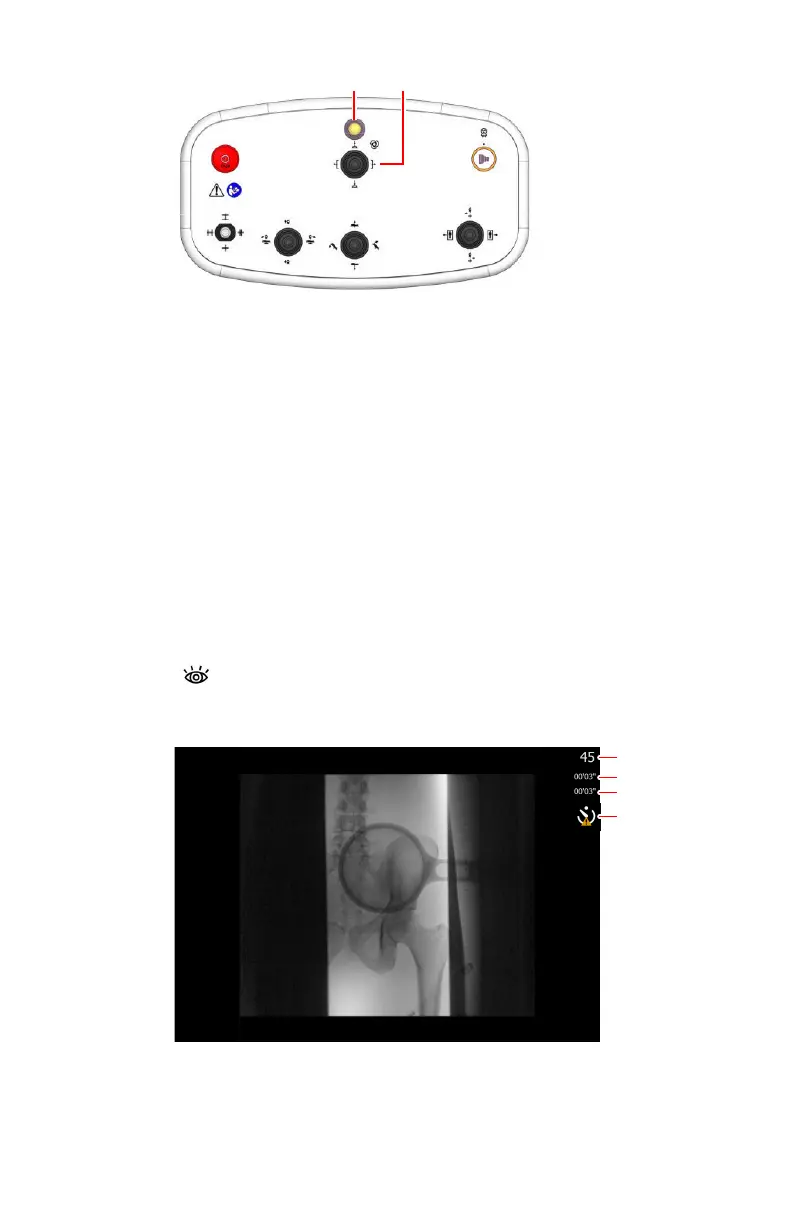
1.
Indicator light is blinking if an automatic position is selected, until
the automatic movement has finished
2.
Operate the joystick to move to the selected automatic position,
while the indicator light is blinking
Figure 69: Position controls
The actual and target position parameters are displayed on the
software console. When the target position is reached, the movement
stops and the indicator light on the console goes out.
c) Adjust the position using the position controls.
4. Position the patient.
a) Press and hold down the fluoroscopy pedal to view a real-time
fluoroscopy image in the dynamic image screen.
Information about the dynamic image is displayed next to the image.
1.
Current frame number
2.
Duration up till now of the current fluoroscopy sequence
3.
Total duration up till now of all fluoroscopy sequences in this
examination
DR 800 | Basic Workflow |
113
0392C EN 20210309 1049



 To Next Page