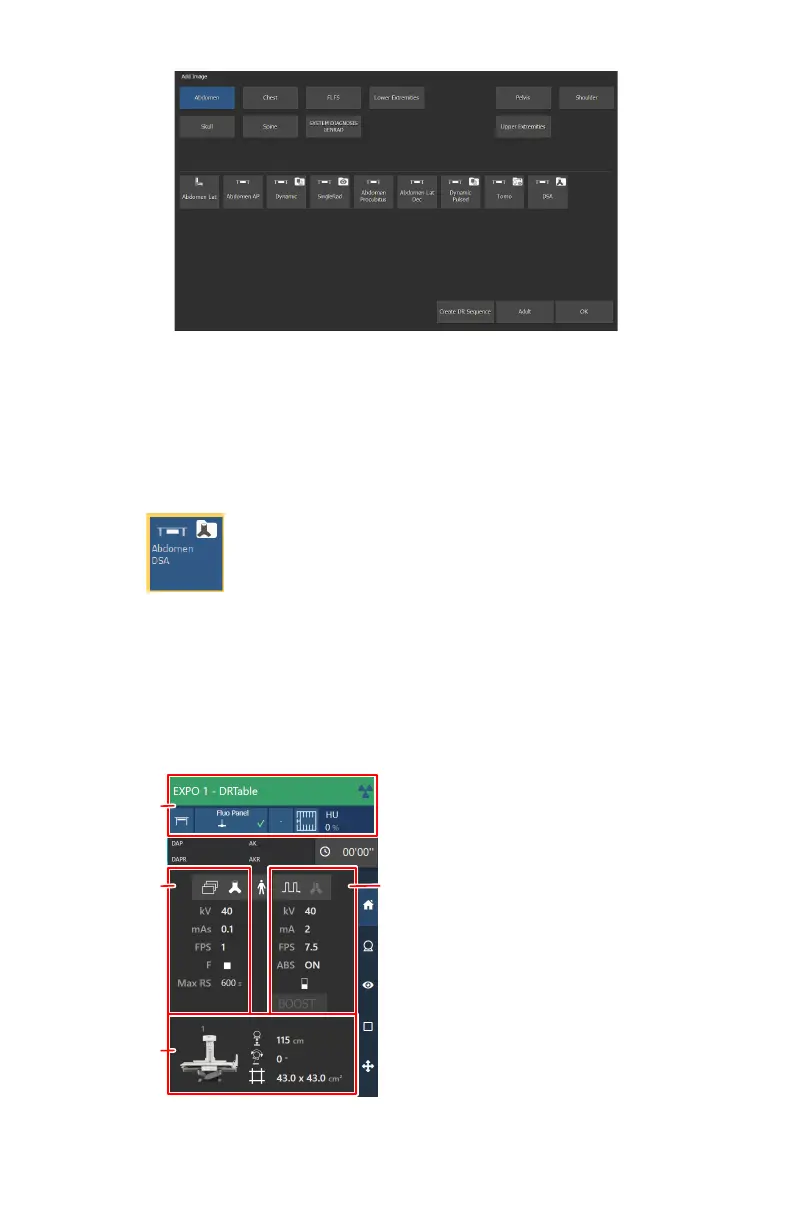
Figure 112: Add Image
b) Specify the exam group and exam type by clicking on the buttons.
c) Select an exam type that is configured as a DSA group and click OK.
The DSA group thumbnail is added to the Image Overview pane.
A DSA group thumbnail is indicated with an icon in the top right corner of
the thumbnail.
Figure 113: Thumbnail for a DSA group
2. Select the thumbnail for the DSA group in the Image Overview pane of
the Acquisition window.
The selected DR detector is activated. The default X-ray exposure
parameters and X-ray system position for the selected examination are
sent to the modality. The software console displays these settings in the
examination overview.
1.
X-ray modality settings
136
| DR 800 | Basic Workflow
0392C EN 20210309 1049



 To Next Page