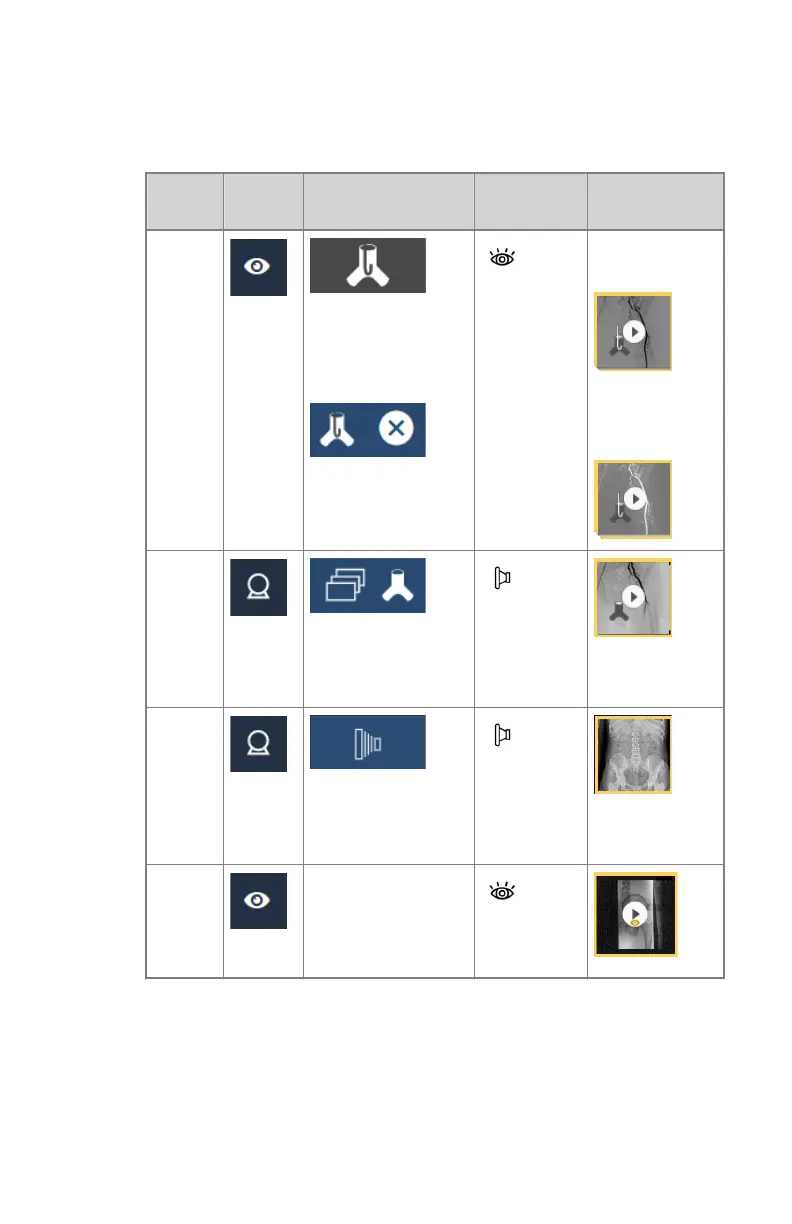
Any number of roadmapping examinations, DSA sequences, fluo
sequences or static images can be acquired, in any order.
Table 11: Supported workflows
Image
type
Settings Step 1: activate Step 2: start
exposure
Result
Road-
map-
ping
After the final expo-
sure, finish the
workflow using the
same button:
fluoroscopy
pedal
Roadmapping
mask:
One or more
roadmapping
sequences
DSA
exposure
button or ra-
diography
pedal
Static
image
exposure
button or ra-
diography
pedal
Fluoro-
scopy
not needed
fluoroscopy
pedal
The workflow for performing a roadmapping examination is explained in
the next steps. The other workflows are explained in other sections in this
manual.
7. In the fluoroscopy screen of the software console, click the button to start
the roadmapping workflow.
138 | DR 800 | Basic Workflow
0392C EN 20210309 1049



 To Next Page