Getting Started Set Up Your Phone 5
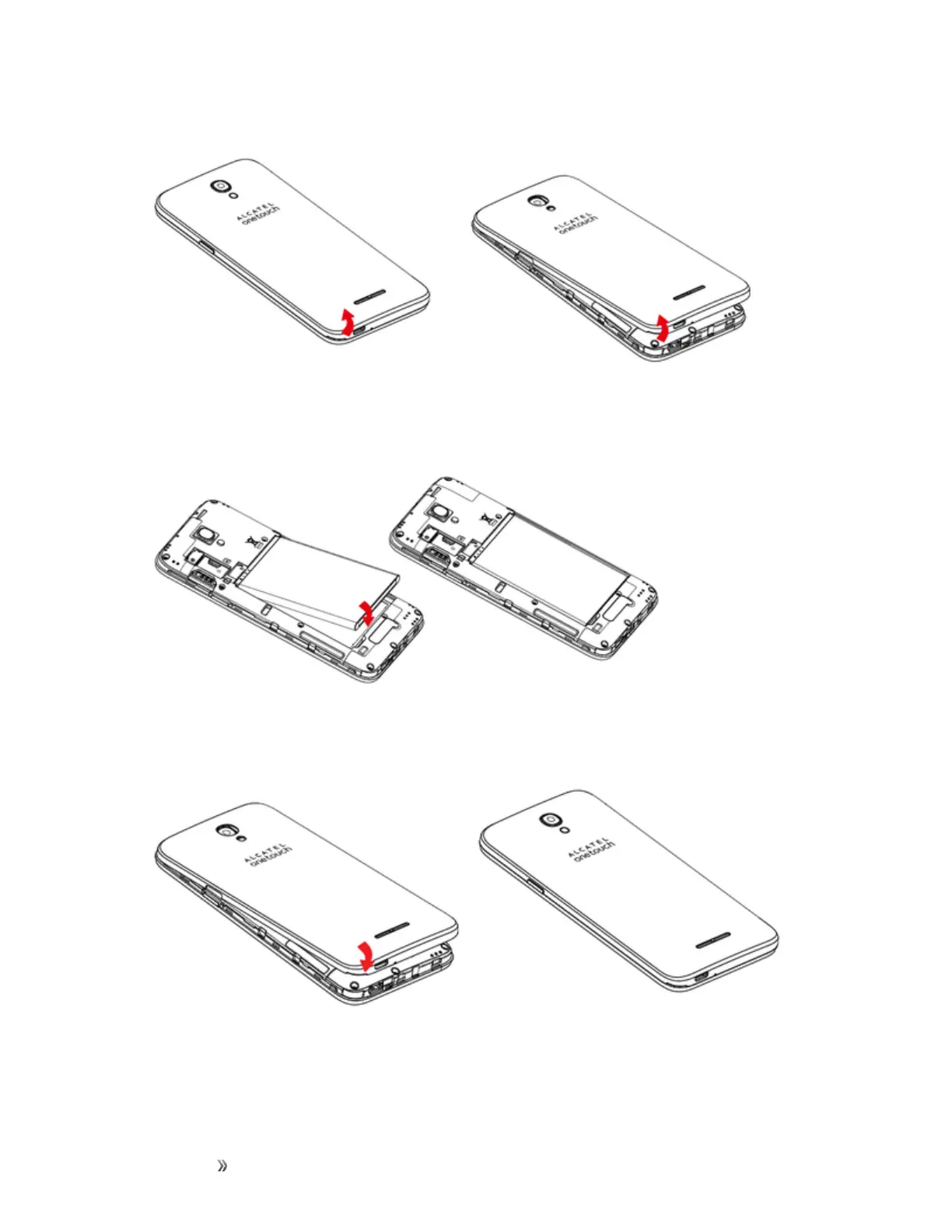
1. Removethebatterycover.
l Liftgentlyinthedirectionshown.
2. Insertthebattery.
l Alignthecontactsofthebatterywiththecontactsinthephone.
3. Attachthebatterycover.
l Makesureallthetabsaresecureandtherearenogapsaroundthecover.













 To Next Page