Settings Personal Settings 170
Important:Toprotectyourphoneanddatafromunauthorizedaccess,itisrecommendedthatyou
usethehighestsecuritylevelavailable(Passwordprotection).Itisalsorecommendedyou
frequentlychangeyourpasswordtoensurethesafetyofyourphoneandpersonaldata.
Use a Screen Unlock Pattern
1. FromtheScreenlocksettingsmenu,tap Pattern.
2. ReadtheinformationonthescreenandtapNext.
3. Studytheexamplepatternonthescreen,andthentapNext.
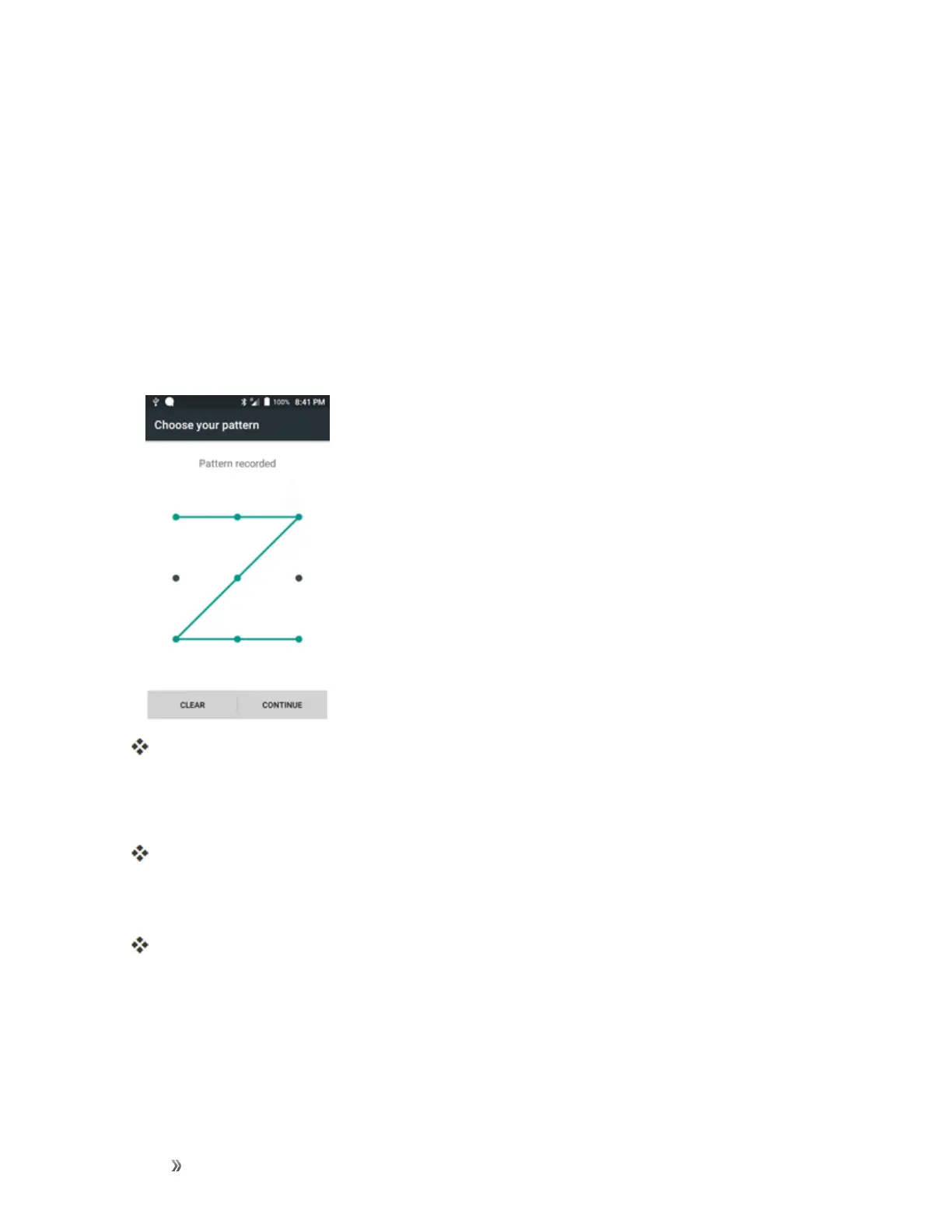
4. Drawthescreenunlockpatternbyconnectingatleastfourdotsinavertical,horizontal,or
diagonaldirection.Liftyourfingerfromthescreenwhenfinished.
Thephonerecordsthepattern.
5. TapCONTINUE.
6. Whenprompted,drawthescreenunlockpatternagain,andthentapConfirm.
Thescreenunlockpatternissaved.
7. EnterabackupPIN,tapContinue,re-enterthePIN,andtapOKtosaveyourscreenunlock
pattern.
Thescreenlockisset.
l Ifyoufailtodrawthecorrectunlockpatternonthescreenafterfiveattempts,youwillbe
promptedtowaitfor30secondsbeforeyoucantryagain.
Note:CleartheMake pattern visiblecheckboxifyoudonotwanttheunlockpatterntodisplayon
thescreenwhenyouunlockit.













 To Next Page