Settings Personal Settings 175
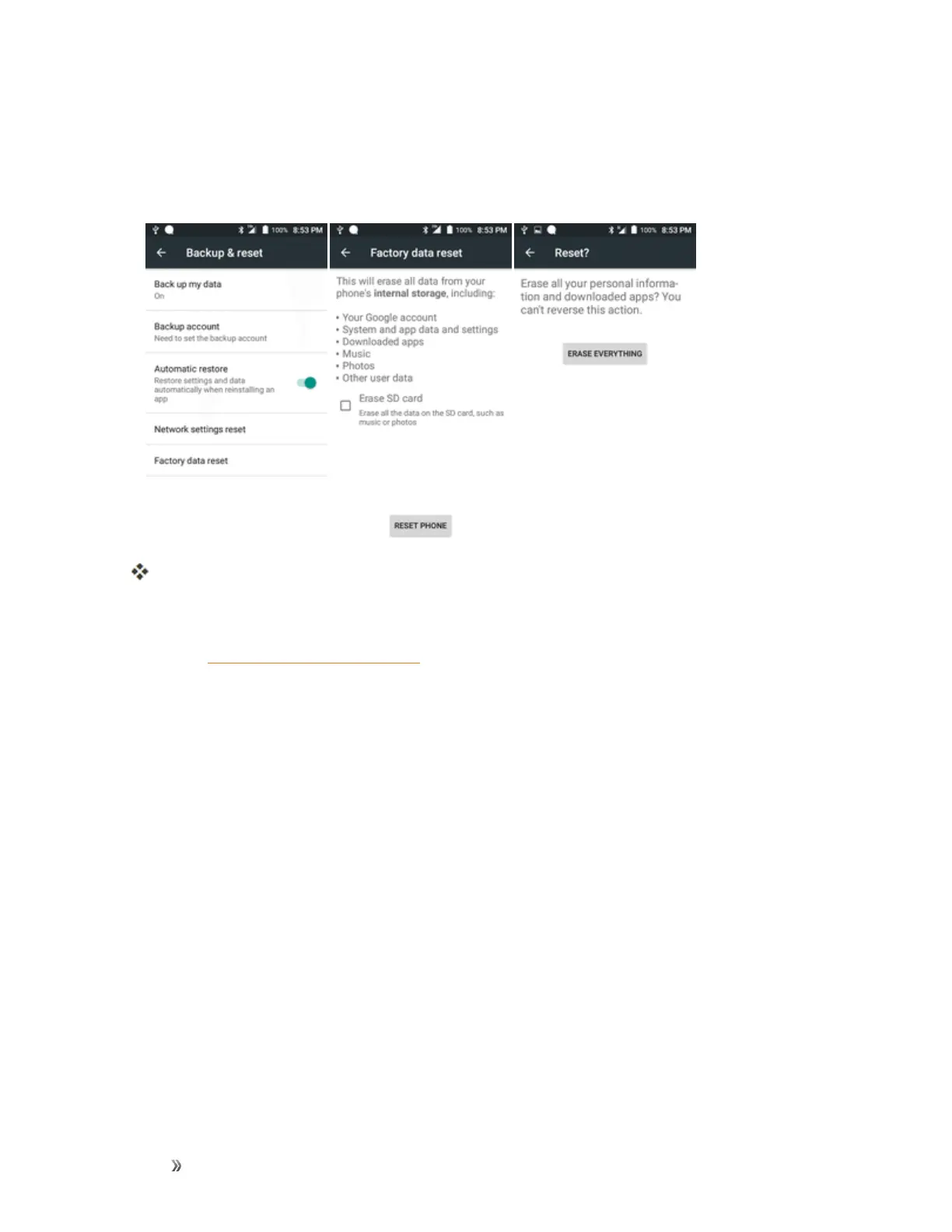
1. FromtheBackupandresetmenu,tapFactory data reset.
2. ReadthefactorydataresetinformationpageandtapRESET PHONE.
3. TapERASE EVERYTHING.
Yourphonewillpowerdownandresetitself,whichmaytakeupto10minutes.
l Oncethephonehasreset,itwillrunthroughtheHandsFreeActivationandupdate
processesagain.Whenfinished,youwillseetheWelcomescreenandSetupapplication.
SeeCompletetheSetupScreenstostartover.
Accounts
TheAccountssettingsmenuletsyouaddandmanageallyouremail,socialnetworking,andpicture
andvideosharingaccounts.













 To Next Page