Apps and Entertainment Camera and Video 126
6.
Tap toapplythechangestothepicture.
Thecroppedpictureissavedinthealbumasacopy.Theoriginalpictureremainsunedited.
Share Pictures and Videos
TheGalleryapplicationletsyousendpicturesandvideosusingemailormultimediamessages.You
cansharepicturesonyoursocialnetworks(suchasFacebook,Flickr,Picasa,andTwitter)and
sharevideosonYouTube.Youcanalsosendthemtoanotherphoneoryourcomputerusing
Bluetooth.
Send Pictures or Videos by Email
Youcansendseveralpictures,videos,orbothinanemailorGmailmessage.Theyareaddedasfile
attachmentsinyouremail.FormoreinformationaboutusingemailandGmail,seeCreateand
SendaGmailMessage.
1.
Fromhome,tapApps >Gallery .
Thealbumlistopens.
2. Tapanalbum(suchasCamera).
Thelistofpicturesandvideosforthealbumopens.
3. Tapthepicturesorvideosyouwanttoshare.
l Toselectmultipleitems,touchandholdanimagetoturnonmultipleselect.Tapalltheitems
youwanttoinclude.
4.
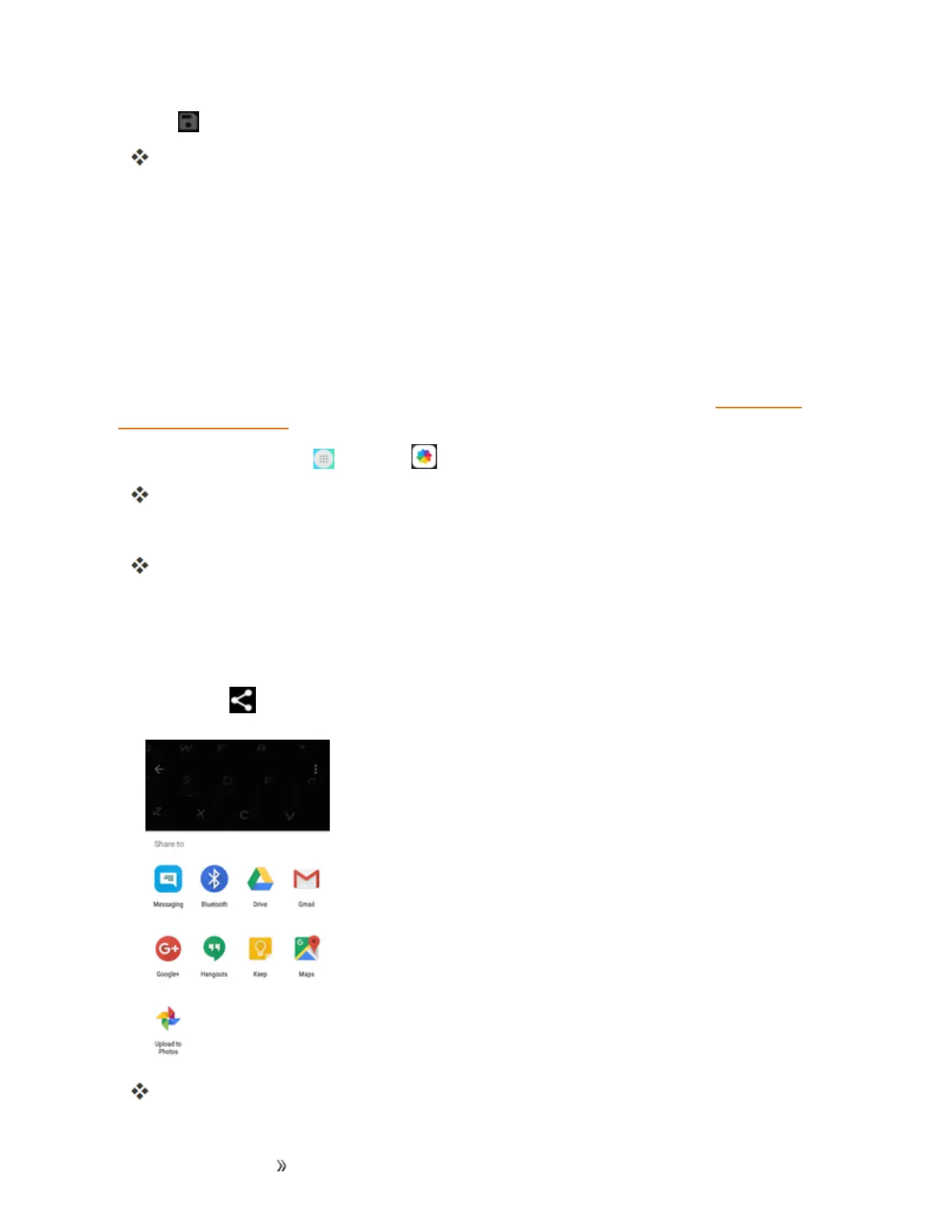
TapShare andthenontheShareviamenu,tapEmailorGmail.
Followonscreenpromptstocompleteandsendthemessage.













 To Next Page