Apps and Entertainment Camera and Video 124
AfterselectinganalbumfromtheAlbumstab,youcanbrowsethroughthepicturesandvideosof
thatalbum.Tapapictureorvideotoviewitinfullscreen.Bydefault,thepicturesandvideosinan
albumaredisplayedingridview.
Note:Whenviewingpictures,youcantouchandholdonapictureorvideotoopenaselection
menuandchoosewhattodowiththepictureorvideo.
Edit Pictures
Whetheryou’rebrowsingpicturesinfilmstriporgridviewintheGalleryapplication,youcantouch
andholdonapicturetoopenaselectionmenuandchoosetodeletethepicture,rotateorcropit,
andmore.
Rotate and Save a Picture
1.
Fromhome,tapApps >Gallery .
Thealbumlistopens.
2. Tapanalbum(suchasCamera).
Thelistofpicturesandvideosforthealbumopens.
3. Tapthepictureyouwanttorotate.
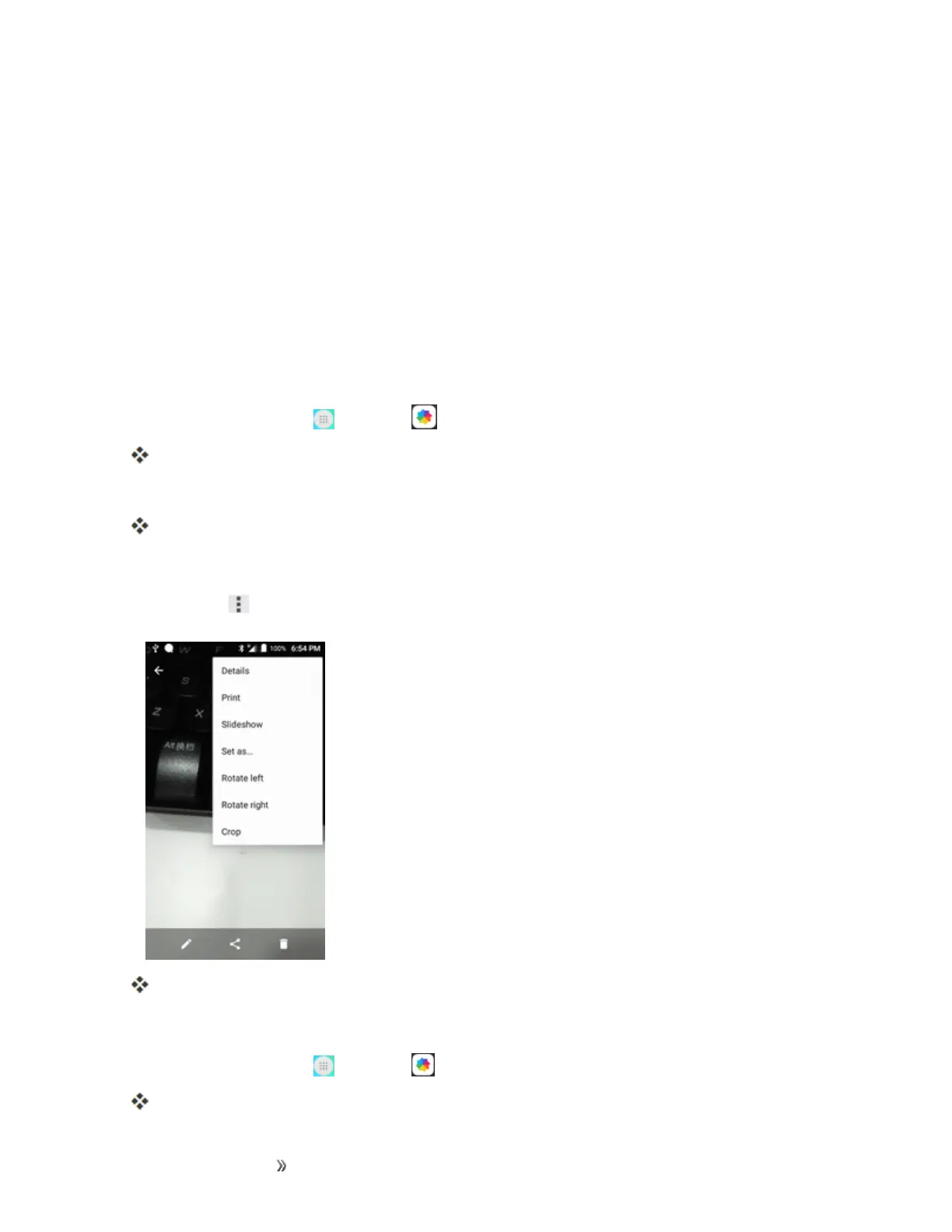
4.
TapMenu andthenselecteitherRotate leftorRotate right.
ThepictureisrotatedandsavedtothephoneorSDcard,dependingonyoursettings.
Crop a Picture
1.
Fromhome,tapApps >Gallery .
Thealbumlistopens.













 To Next Page