Getting Started Set Up Your Phone 4
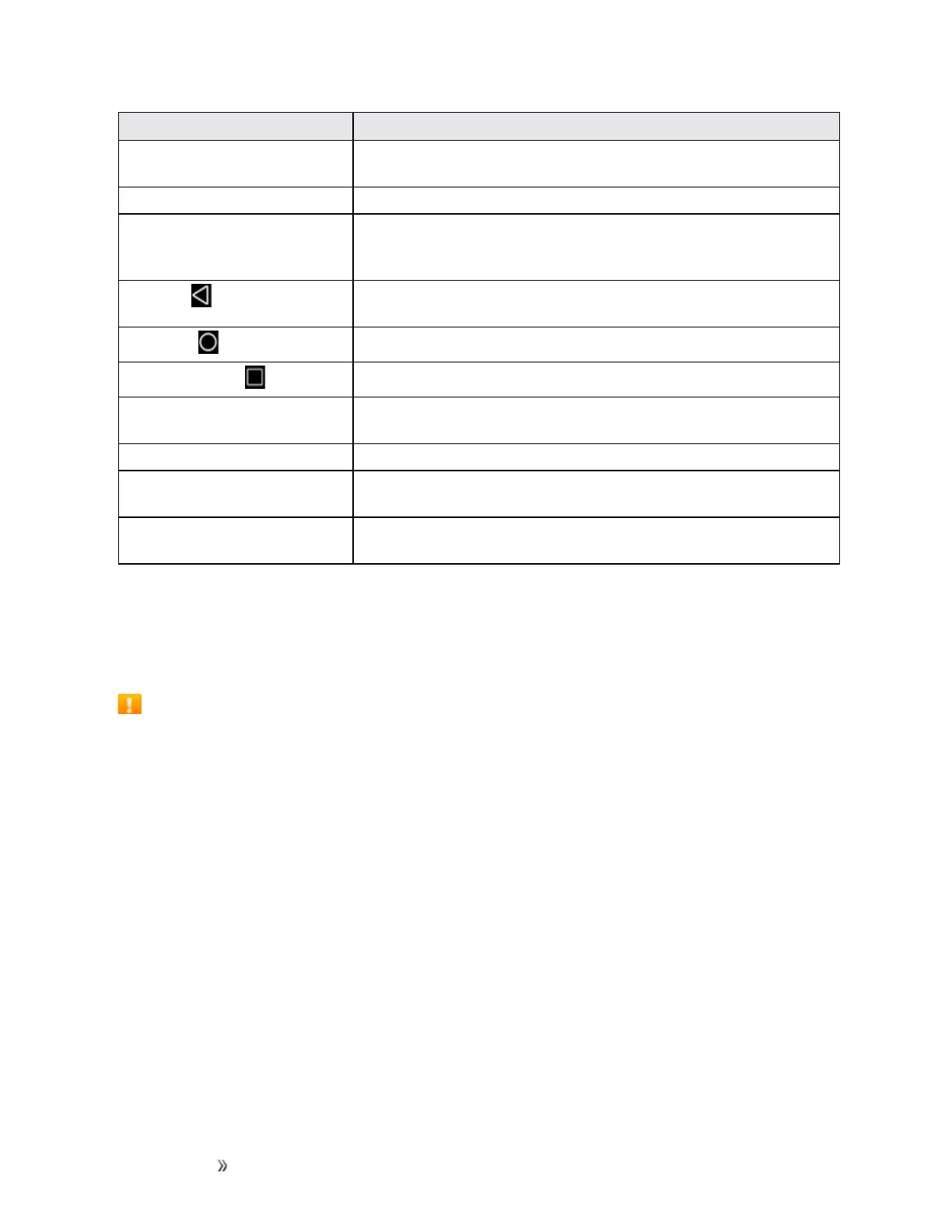
Part Description
Self camera lens Takespicturesandrecordsvideoswhilefacingthescreen,andallows
youtovideoconference.
Receiver Letsyouhearthecallerandautomatedprompts.
Touchscreen Displaysalltheinformationneededtooperateyourphone,suchasthe
callstatus,theContactslist,andthedateandtime.Alsoprovidesone-
touchaccesstoallofyourfeaturesandapplications.
Back key
Letsyoureturntothepreviousscreen,orcloseadialogbox,options
menu,theNotificationspanel,oronscreenkeyboard.
Home key
ReturnsyoutotheHomescreen.
Recent apps key
Displaysalistofrecentlyusedapplications.
Power/Lock key Letsyouturnthephoneonorofforturnthescreenonoroff,orrestartit,
orswitchyourphoneairplanemode.
Charger/Accessory jack AllowsyoutoconnectthephonechargerortheUSBcable(included).
Volume keys Allowsyoutoadjusttheringtoneormediavolumeoradjustthevoice
volumeduringacall.
3.5 mm headset jack Allowsyoutoplugineitherastereoheadsetoranoptionalheadsetfor
convenient,hands-freeconversations.
CAUTION!Insertinganaccessoryintotheincorrectjackmaydamagethephone.
Battery Use
Thefollowingtopicsexplainhowtoinsertandremoveyourphone’sbattery.
Battery Cautions
Storage:Avoidstoringorleavingbatterywithnochargeremaining.Savedinformationand
settingsmaybecomelostorchanged,orbatterymaybecomeunusable.Chargeonceeverysix
monthsbeforestoringorleavingunusedforalongperiod.
Bulges:Dependingonuse,bulgesmayappearnearendofbatterylife.Thisdoesnotaffect
safety.
Replacing Battery:Thebatteryisaconsumableitem.Itneedstobereplacedifoperatingtime
shortensnoticeably.Purchaseanewbattery.
Cleaning:Cleansoiledterminalsbetweenbatteryandphonewithaclean,drycottonswab.
Soiledterminalscanresultinapoorconnectionandpreventcharging,etc.
Insert the Battery
Followtheseinstructionstoinsertyourphone’sbatterysafelyandproperly.













 To Next Page