Making Connections Connectivity 117
2. Tapacontacttosend.
3.
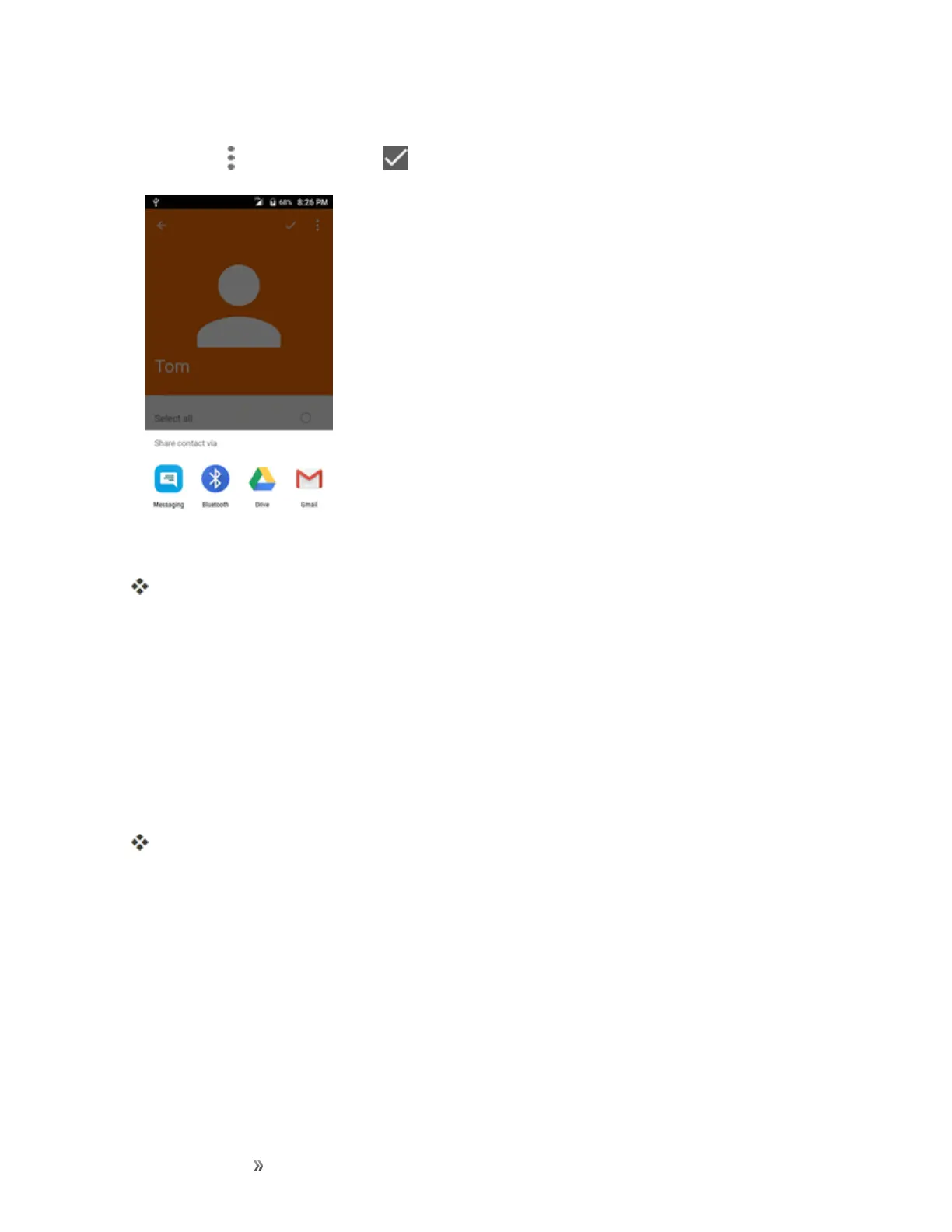
Tap Menu >Share contact > > Bluetooth.
4. Tapapaireddevicetoreceivethedata.
Thecontactinformationissent.
l Ifyouseeamessagetoconfirm,followtheonscreeninstructions.
Receive Information via Bluetooth
YourphoneiscapableofreceivingawidevarietyoffiletypeswithBluetooth,includingpictures,
musictracks,anddocumentssuchasPDFs.
1. WhenanotherdeviceattemptstosendafiletoyourphoneviaBluetooth,youwillseearequest
toacceptthefile.
2. TapAccept.
Thefileissenttoyourphone.
l Whenyourphonereceivesafile,youwillseeanotification.Toopenthefileimmediately,
pulldownthestatusbartodisplaythenotificationpanel,andthentapthenotification.
l Whenyouopenareceivedfile,whathappensnextdependsonthefiletype:
o
Mediafilesanddocumentsareusuallyopeneddirectlyinacompatibleapplication.For
example,ifyouopenamusictrack,itstartsplayingintheMusicapplication.
o
ForavCalendarfile,selectthecalendarwhereyouwanttosavetheevent,andthentap
Import.ThevCalendarisaddedtoyourCalendarevents.(Formoreinformationon













 To Next Page