Getting Started Your Phone's Home Screen 44
Item Description
Widget Widgetsareself-containedonscreenappsthatresideonyourphone’shome
screen.
Application icons Applicationiconsareshortcutstofavoriteapplications.Youcanaddand
removetheseshortcutsasyouwish.
Primary shortcuts Primaryshortcutsareapplicationshortcutsthatappearinthesamelocationon
allofyourphone’shomescreens.Thesearecustomizableexceptforthe
Applications(Apps)shortcut,whichremainsstatic.
Applications (Apps) list
key
Taptoopentheapplications(apps)list.Theappslistkeyisaprimaryshortcut
availablefromallhomescreens.
Recent Apps key
Taptodisplayalistofrecentlyusedapplications.
Home key
Presstodisplaythemainhomescreen.
Back key
Taptoreturntothepreviousscreen.
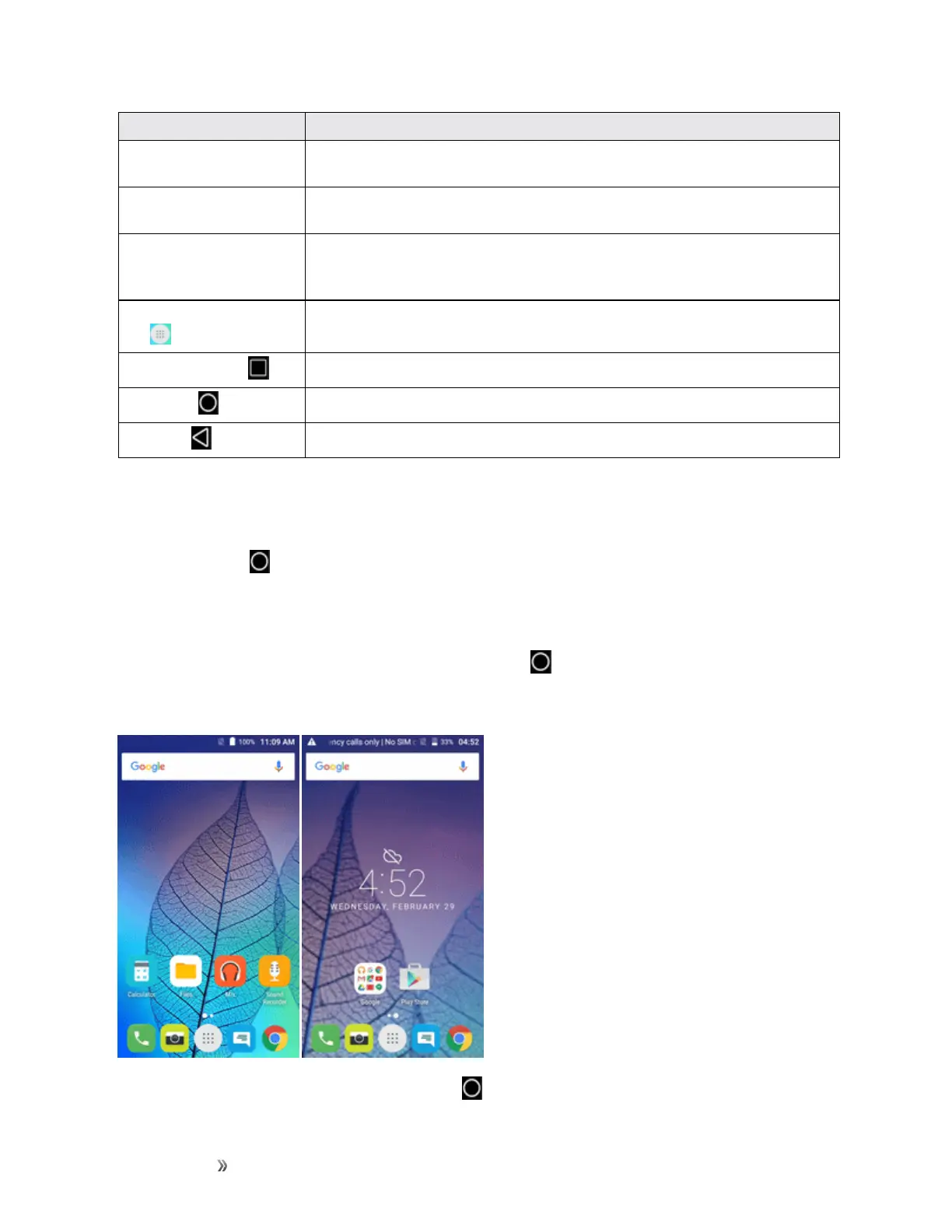
Note:Yourphone’shomescreenscyclethroughsothatyoucankeepswipinginonedirectionand
makeitbacktothemainhomescreen.Thesmallcirclesabovetheprimaryshortcutsletyouknow
yourcurrentscreenposition.
Tip:PressHome toreturntothemainhomescreenfromanyotherscreen.
Extended Home Screens
Inadditiontothemainhomescreen,yourphonefeaturesextendedhomescreentoprovidemore
spaceforaddingicons,widgets,andmore.PressHome todisplaythemainhomescreenand
thenslidethescreenrighttomovefromthemainscreentoanextendedscreen.Thereisanother
extendedscreenavailableinadditiontothemainhomescreen.
n
Whileonanextendedscreen,pressHome toreturntothemainhomescreen.













 To Next Page