Making Connections Contacts 79
Yourchangesaresavedtothecontactentry.
Note:Toselectatype(label)foraphonenumber,emailaddress,orpostaladdress(suchas
Mobile,Home,Work,etc.),tapthetypetotheleftofthefield.
Note:Toaddmorephonenumbers,emailaddresses,etc.,tapAdd newbelowtheentryfield.
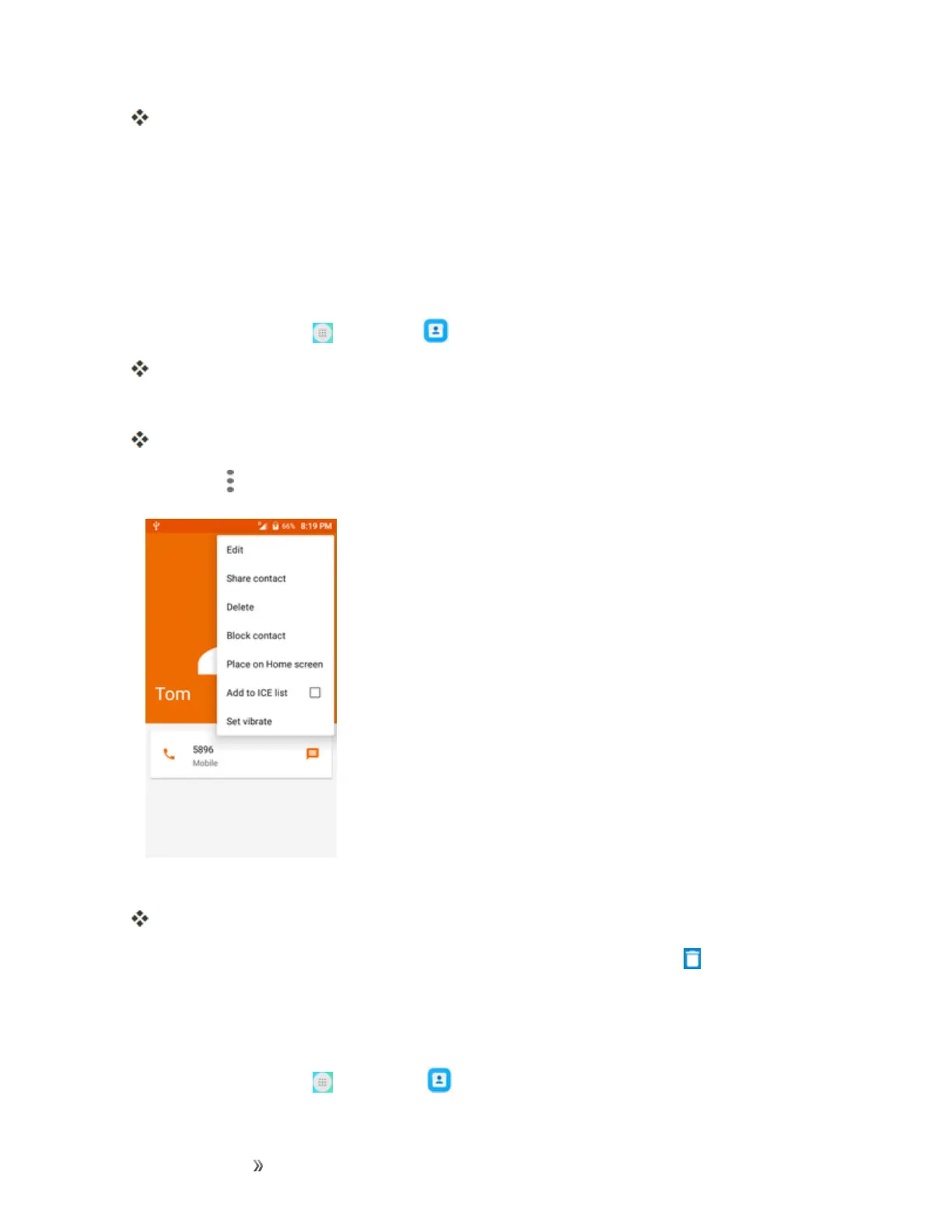
Delete a Contact
Youcandeleteacontactfromthecontactsdetailspage.
1.
Fromhome,tapApps >Contacts .
YouwillseetheContactslist.
2. Tapacontacttoviewitsdetails.
Thecontact’sdetailedlistingappears.
3.
TapMenu >Delete.
4. TapDELETE.
Thecontactisdeleted.
Tip:Youcanalsotouchandholdthecontactfromthecontactlistandthentap >DELETE.
Share a Contact
YoucanquicklysharecontactsusingBluetooth,Gmail,ortextmessaging.
1.
Fromhome,tapApps >Contacts .













 To Next Page