Getting Started Basic Operations 24
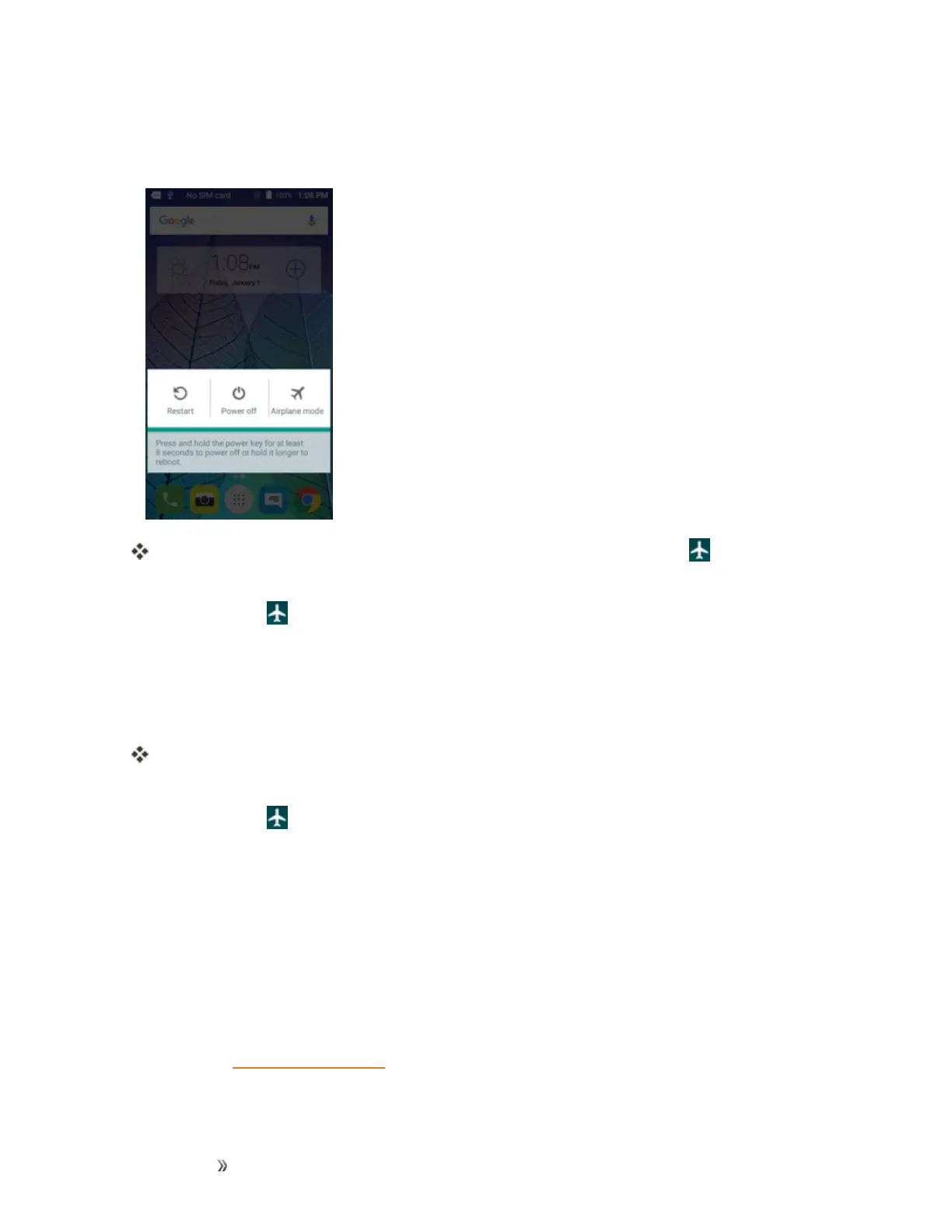
1. PressandholdthePower/Lockkeytodisplaythedeviceoptionsmenu.
2. TapAirplane mode.
Yourphoneisnowinairplanemode.Youwillseetheairplanemodeicon inthestatusbar.
Tip:Youcanalsoaccessairplanemodethroughthestatusbarmenu.Pulldownthestatusbarand
tapAirplane mode >Turn on.
Toturnoffairplanemode:
1. PressandholdthePower/Lockkeytodisplaythedeviceoptionsmenu.
2. TapAirplane mode.
Yourphone’swirelessconnectionfeaturesarenowrestored.
Tip:Youcanalsoaccessairplanemodethroughthestatusbarmenu.Pulldownthestatusbarand
tapAirplane mode .
Enter Text
YoucantypeonyourphoneusingoneoftheavailabletouchscreenkeyboardsorGooglevoice
typing.
Touchscreen Keyboards
YourphoneoffersyouachoiceofGoogletouchscreenkeyboardsforenteringtext.Thekeyboard
appearautomaticallyonscreenwhenyoutapatextentryfield,andtheycanbeusedineither
portraitorlandscapemode.YoucanalsousetheGoogleVoicetypingoptiontoentertextusing
yourvoice(seeGoogleVoiceTypingfordetails).
Themethodsavailableinclude:













 To Next Page