Apps and Entertainment Camera and Video 120
Camera and Video
Youcanusethecameraorvideocameratotakeandsharepicturesandvideos.Yourphonecomes
witha5megapixelcamerawithanautofocusfeaturethatletsyoucapturesharppicturesand
videos.
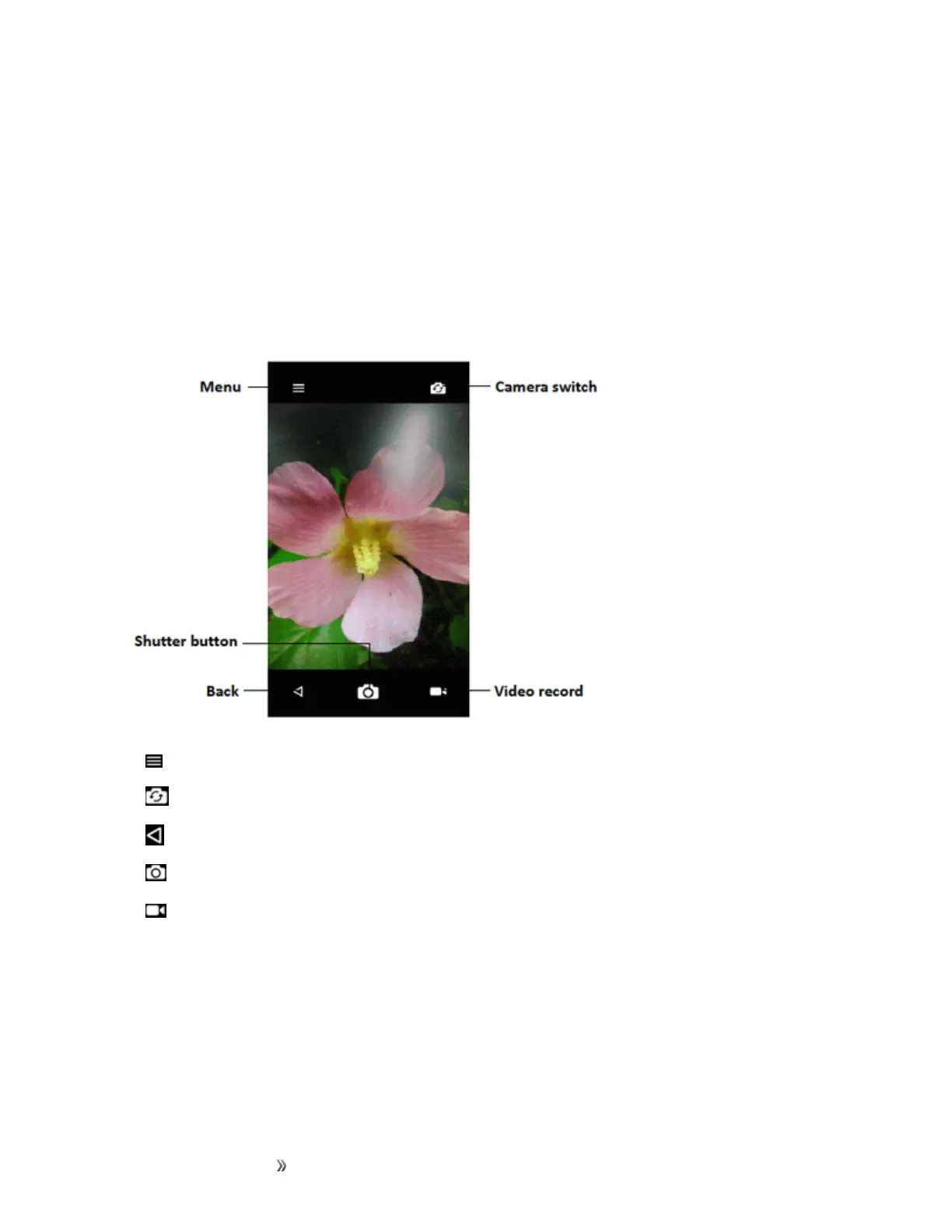
Camera Overview
Thecamera'sviewfinderscreenletsyouviewyoursubjectandaccesscameracontrolsand
options.
n Menu:Taptoselectcameramodeandsettingsoptions.
n
Camera switch:Switchbetweenthebackcameralensandthefront-facingcameralens.
n
Back:Taptoexitcamera.
n
Shutter button:Taptocatchanimage.
n Video record:Taptostart/pausevideorecord.
Learn More About Your Phone's Camera
Foranoverviewofyourphone'scameraanditsfeatures,youcanaccessmoreinformationthrough
thephone'ssettingsmenu.













 To Next Page