Getting Started Set Up Your Phone 9
inserted)islostorstolen.Fordetails,contactCustomerService.
n Alwayspoweroffthephonebeforeinserting/removingtheSIMcard.
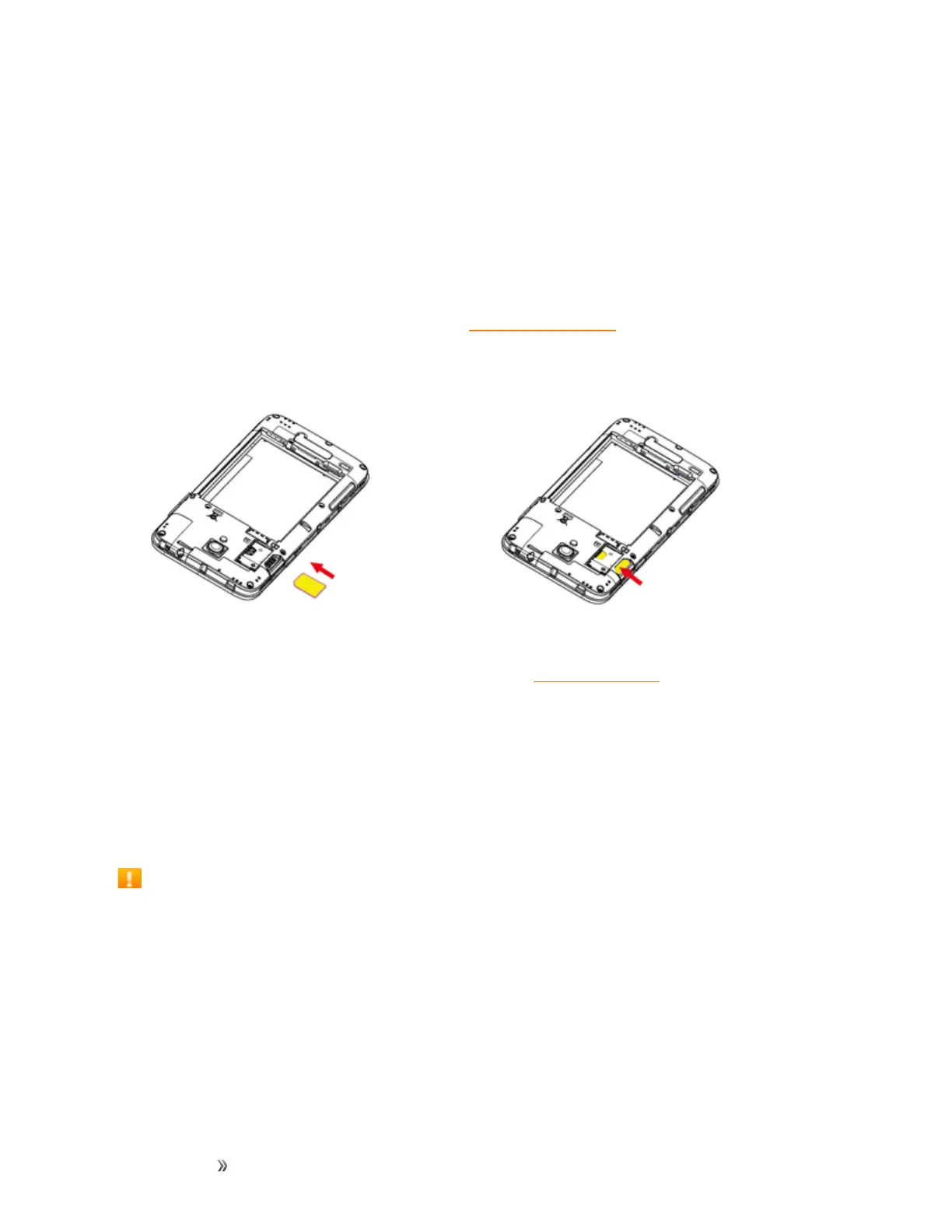
Insert SIM Card
FollowtheseinstructionstoinsertaSIMcard.Remembertopoweroffyourphonebeforeinserting
aSIMcard.
Note:Yourphone’sSIMcardispreinstalled.Theseinstructionsareforreferenceonly.
1. Removethebatterycoverandbattery.(SeeRemovetheBattery.)
2. InserttheSIMcard.
l InsertgentlywithgoldICchipfacingdownward.
3. Insertthebatteryandreplacethebatterycover.(SeeInserttheBattery.)
l Alignthecontactsofthebatterywiththecontactsinthephone.
l Makesureallthetabsaresecureandtherearenogapsaroundthecover.
SD Card
YourphonesupportstheuseofanoptionalSDcard(notincluded)toexpanditsstoragecapacity.It
supportscardsupto32GB.Somecardsmaynotoperateproperlywithyourphone.
SD Card Cautions
Data:InformationstoredonanSDcardcanbecomelostorchangedaccidentlyorasaresultof
damage.Itisrecommendedthatyoukeepaseparatecopyofimportantdata.Boostisnot
responsiblefordamagesfromdatathatislostorchanged.
Reading/Writing Data:Neverpowerofforremovethebatterywhilereadingorwritingdata.
Battery Level:Alowbatterychargemaypreventreading/writingtoanSDcard.
Handling SD Card:Use/storeSDcardsawayfromthereachofinfants,otherwiseitmay
causechokingifswallowed.













 To Next Page