Making Connections Messaging 90
2.
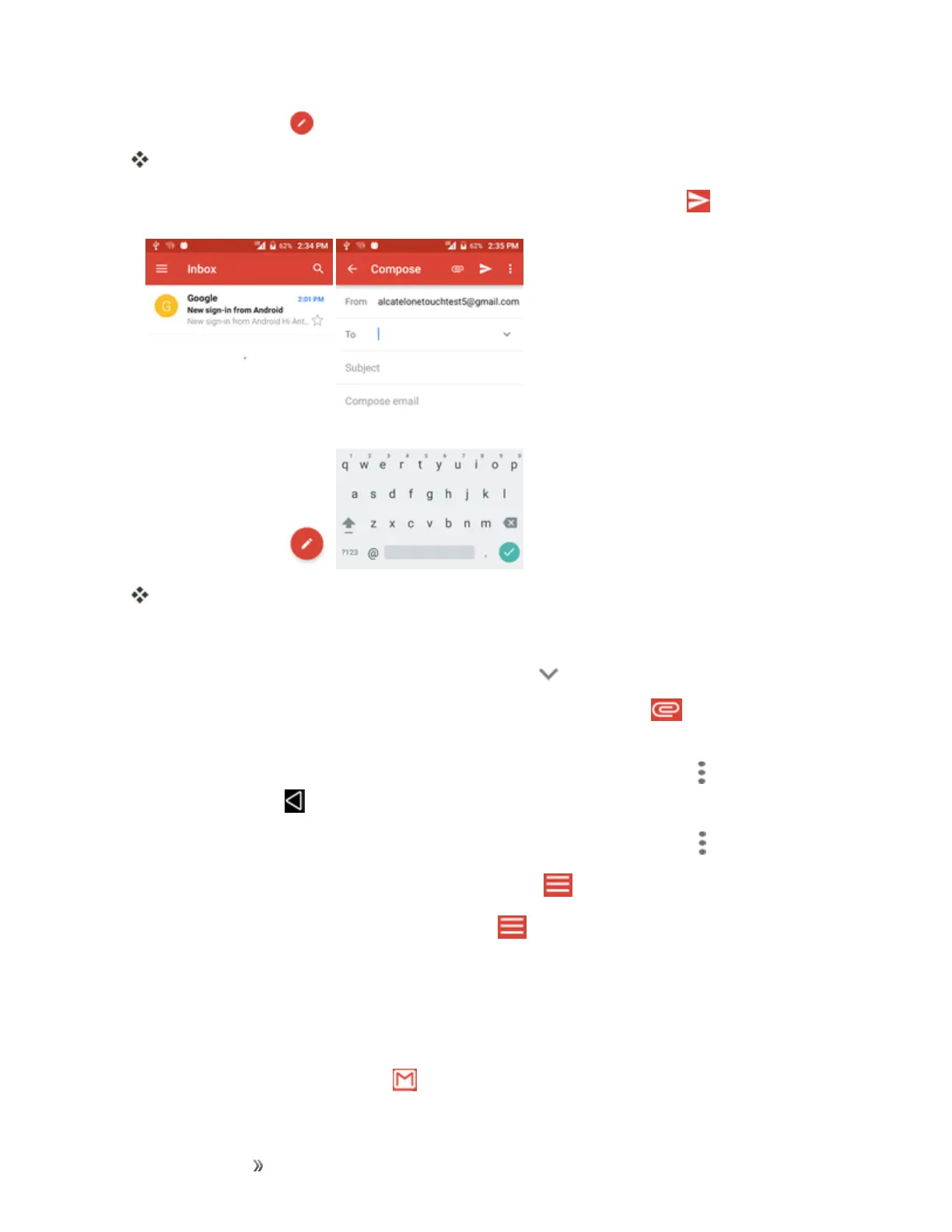
Fromtheinbox,tap tocomposeanewGmailmessage.
TheGmailcompositionwindowopens.
3.
Enterthemessagerecipient(s),subject,andmessage,andthentapSend .
TheGmailmessageissent.
Gmail Composition Options
n Adding Cc/Bcc:Inthemailcompositionwindow,tap nearTobar,andthenaddrecipients.
n
Attaching Pictures or Videos:Inthemailcompositionwindow,tap >Attach file.Locate
andthentapthepictureorvideoyouwanttoattach.
n
Save as a Draft (Send Later):Whilecomposingyourmessage,tapMenu >Save draft,or
pressthebackkey tosaveasadraft.
n
Delete Mail Being Composed:Inthemailcompositionwindow,tapMenu >Discard.
Note:Toviewyourdraftemailmessages,intheinbox,tap >Drafts.
Note:Toviewyoursentmessages,intheinbox,tap >Sent.
Check Received Gmail Messages
Yourphoneallowsyoutoaccess,read,andreplytoallyourGmailmessages.
Open Gmail Messages from Notifications
WhennewGmailarrives,youwillsee inthestatusbar.













 To Next Page