Getting Started Basic Operations 37
1.
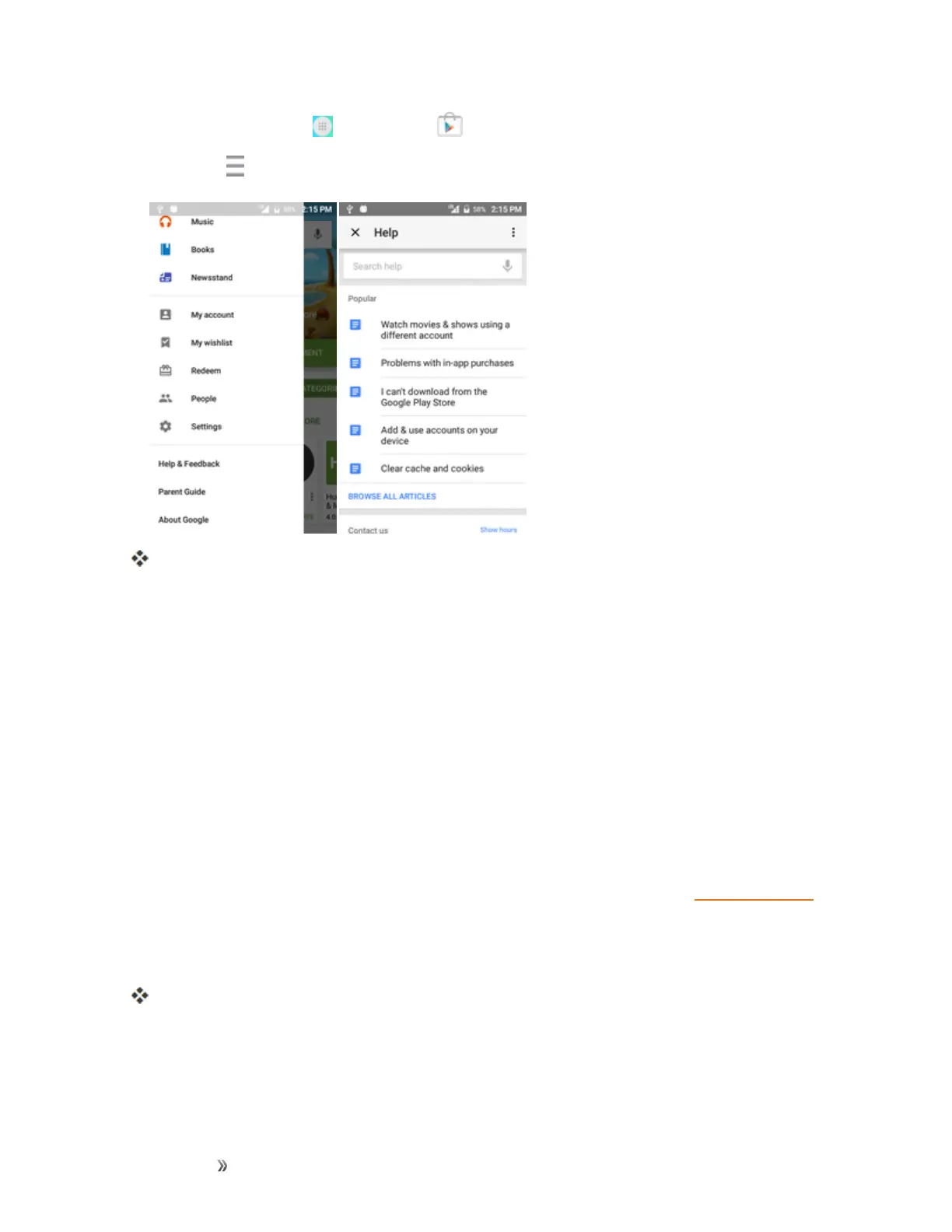
Fromhome,tapApps >Play Store .
2.
TapMenu >Help & Feedback.
TheWebbrowserwilltakeyoutotheGooglePlayHelpWebpage,whereyouwillfind
comprehensive,categorizedinformationaboutGooglePlay.
Lock and Unlock Your Screen
Yourphoneallowsyoutoquicklyturnthescreenoffwhennotinuseandtoturnitbackonand
unlockitwhenyouneedit.
Turn the Screen Off When Not in Use
n Toquicklyturnthescreenoff,pressthePower/Lockkey.PressingthePower/Lockkeyagain
orreceivinganincomingcallwillturnonyourphonescreenandshowthelockscreen.
Tosavebatterypower,thephoneautomaticallyturnsoffthescreenafteracertainperiodoftime
whenyouleaveitidle.Youwillstillbeabletoreceivemessagesandcallswhilethephone’sscreen
isoff.
Note:Forinformationonhowtoadjustthetimebeforethescreenturnsoff,seeDisplaySettings.
Turn the Screen On and Unlock It
1. Toturnthescreenon,pressthePower/Lockkey.
Thelockscreenappears.
2. Swipeyourfingeracrossthescreentounlockit.













 To Next Page