Getting Started Basic Operations 35
Purchaseappsatyourownrisk.Boostisnotresponsibleforanyharmtoyouorthirdparties
resultingfromtheuseofpurchasedapplications.
Request a Refund for a Paid App
Ifyouarenotsatisfiedwithanapp,youcanaskforarefundwithin15minutesofthepurchase.Your
creditcardisnotchargedandtheappisuninstalledfromyourphone.
Ifyouchangeyourmind,youcaninstalltheappagain,butyoucan’trequestarefundasecondtime.
1.
Fromhome,tapApps >Play Store .
2.
TapMenu >My Apps.
3. Taptheapptouninstallforarefund.Thedetailsscreenfortheappopens.
4. TapRefund,andthentapYestoconfirm.Yourappisuninstalledandthechargeiscanceled.
Update an App
Dependingonyoursettings,manyappswillupdateautomatically,oryoucanupdateappsdirectly
fromthePlayStoreapp.
Update an App Directly
1.
Fromhome,tapApps >Play Store .
2.
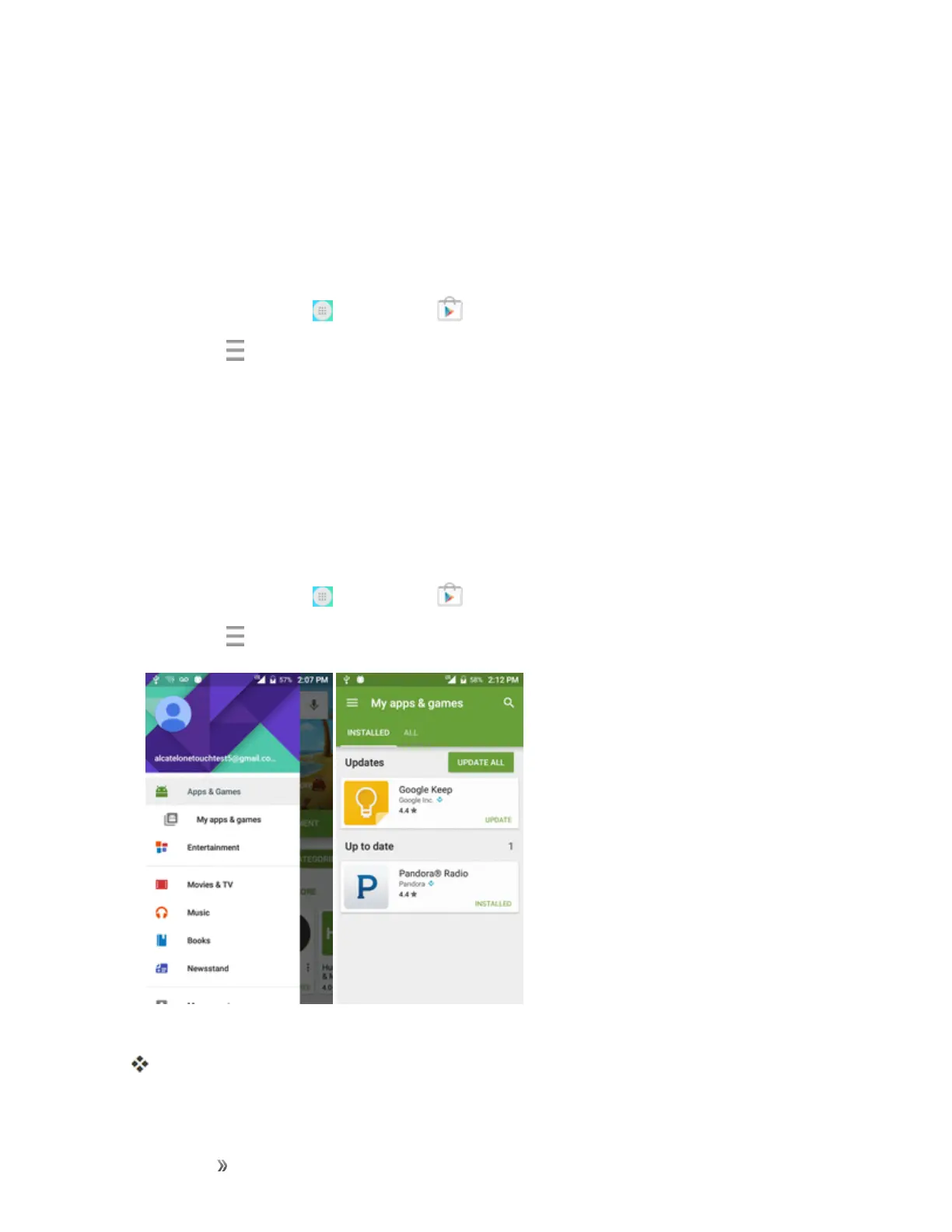
TapMenu >My Apps & games.
3. Taptheappyouwanttoupdate,andthentapUpdate>Accept.
Theappupdateisdownloadedandinstalled.













 To Next Page