Getting Started Basic Operations 20
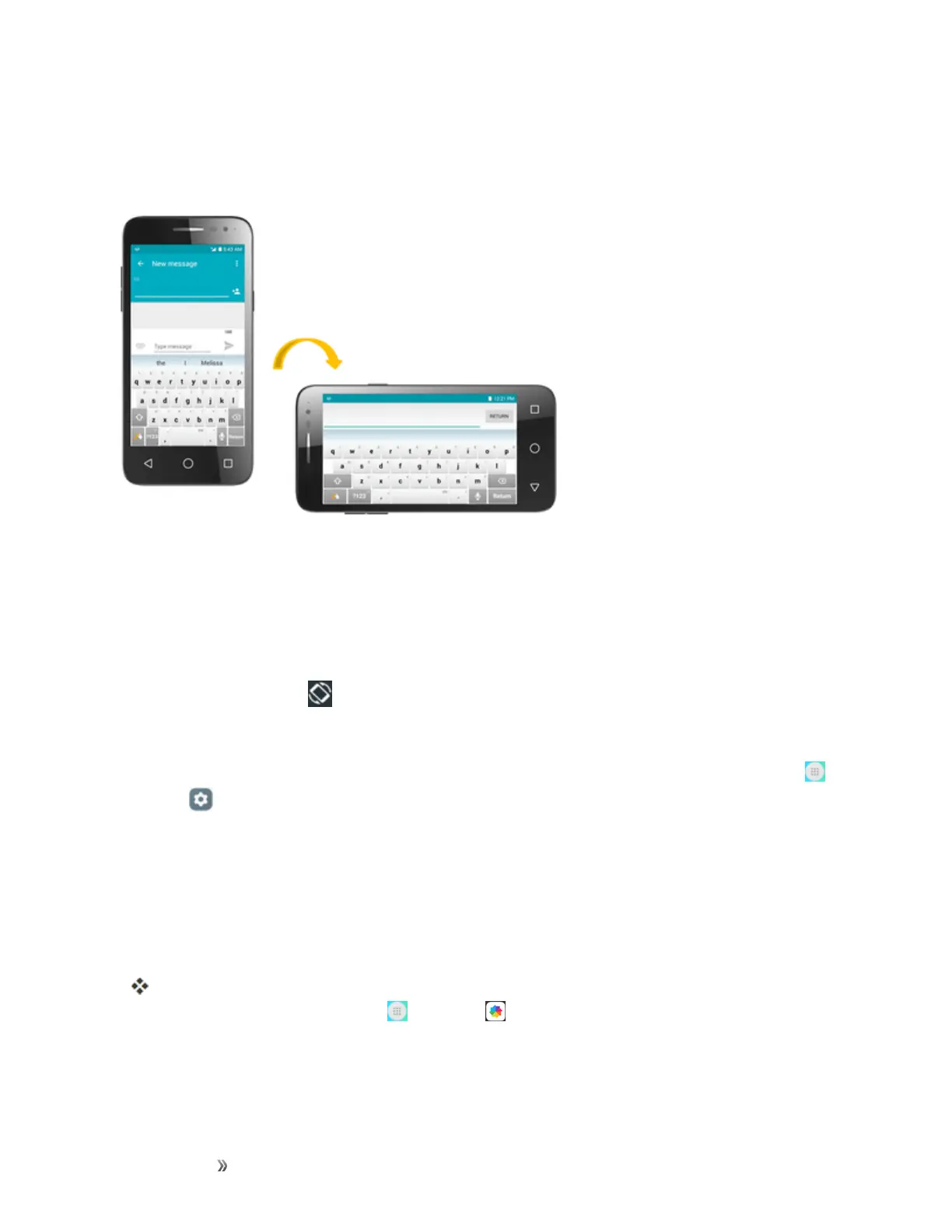
Portrait and Landscape Screen Orientation
Thedefaultorientationforyourphone’sscreenisportrait(vertical),butmanyappswillchangeto
landscapeorientation(widescreen)whenyourotatethephonesideways.
Note:Notallscreenswilladjustforlandscapeorientation.
Turn Screen Rotation On or Off
1. Pulldownthestatusbartodisplaythequicksettingsmenu.
2.
TapScreen rotation toturntheoptiononoroff.
l YoumayneedtoscrollleftorrighttoseetheScreenrotationoption.
Note:Youcanalsosettherotationoptionfromthemainsettingsmenu.Fromhome,tapApps >
Settings >Display>Auto-rotate screen >selectRotate screen contentsorStay in
portrait view.
Capture Screenshots
Youcanuseyourphone’spowerandhomekeystocapturescreenshots.
n PressandholdthePower/LockkeyandVolume down keyatthesametimetocapturea
screenshotofthecurrentscreen.
ThecurrentscreenshotwillbecapturedandstoredintheScreenshotsalbuminthephone’s
Gallery.Fromhome,tapApps >Gallery .













 To Next Page