Making Connections Phone Calls and Voicemail 63
Tip:Youcanalsoplaceacalldirectlyfromthecallloglist.Swipetheentryyouwanttocallfromleft
torighttoplaceacall.
Voicemail
Thefollowingtopicsdescribehowtosetupanduseyourphone'svoicemailandvisualvoicemail
features.
Voicemail Setup
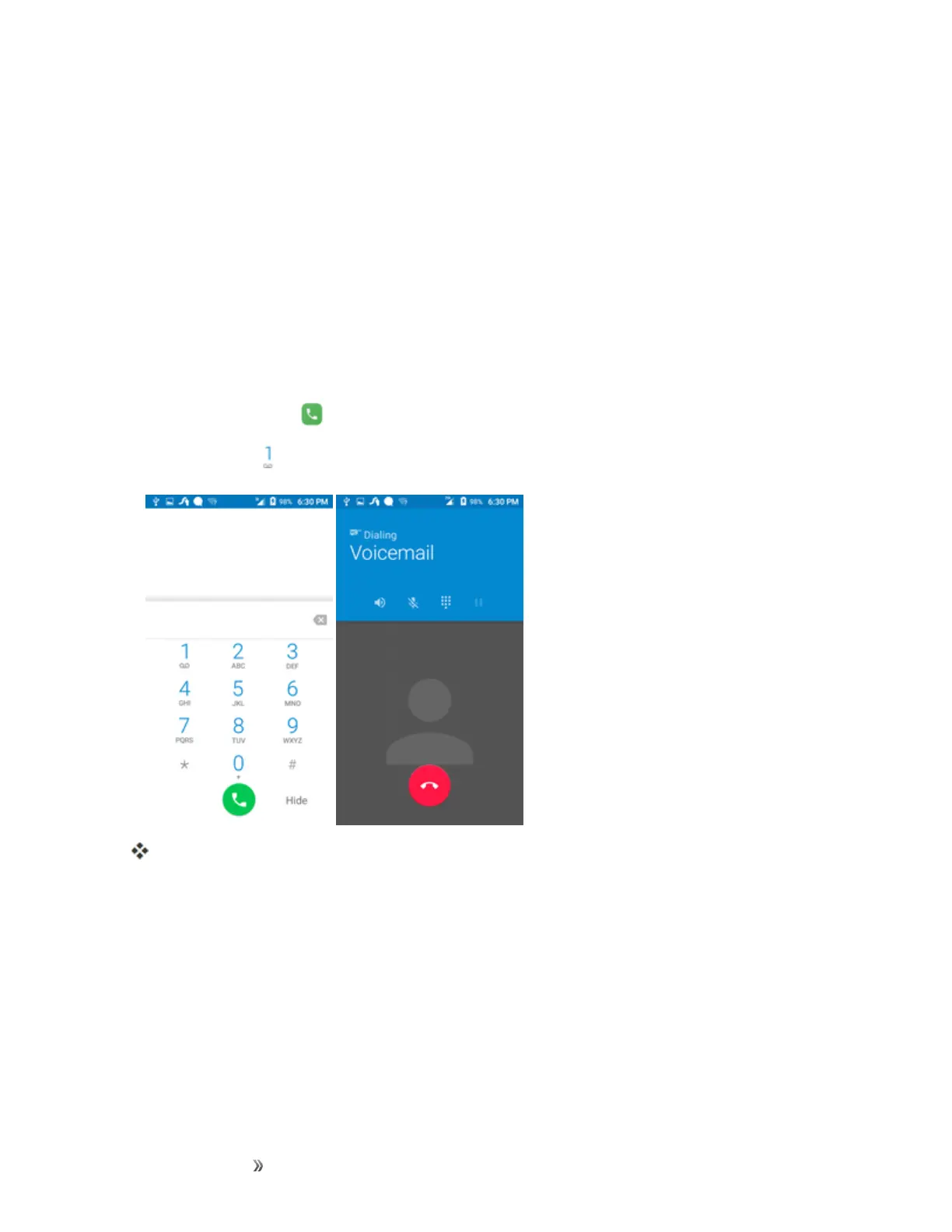
Followtheinstructionsbelowtosetupvoicemailonyourphone.Youshouldsetupyourvoicemail
andpersonalgreetingassoonasyourphoneisactivated.Alwaysuseapasscodetoprotectagainst
unauthorizedaccess.Yourphoneautomaticallytransfersallunansweredcallstoyourvoicemail,
evenifyourphoneisinuseorturnedoff.
1.
Fromhome,tapCall >Keypad.
2.
Touchandhold todialyourvoicemailnumber.
Yourphonedialsthevoicemailaccessnumber.
3. Followthesystempromptsto:
l Createyourpasscode.
l Recordyournameannouncement.
l Recordyourgreeting.
Important:Voicemail Passcode–Itisstronglyrecommendedthatyoucreateapasscodewhen
settingupyourvoicemailtoprotectagainstunauthorizedaccess.Withoutapasscode,anyonewho
hasaccesstoyourphoneisabletoaccessyourvoicemailmessages.













 To Next Page