Getting Started Basic Operations 34
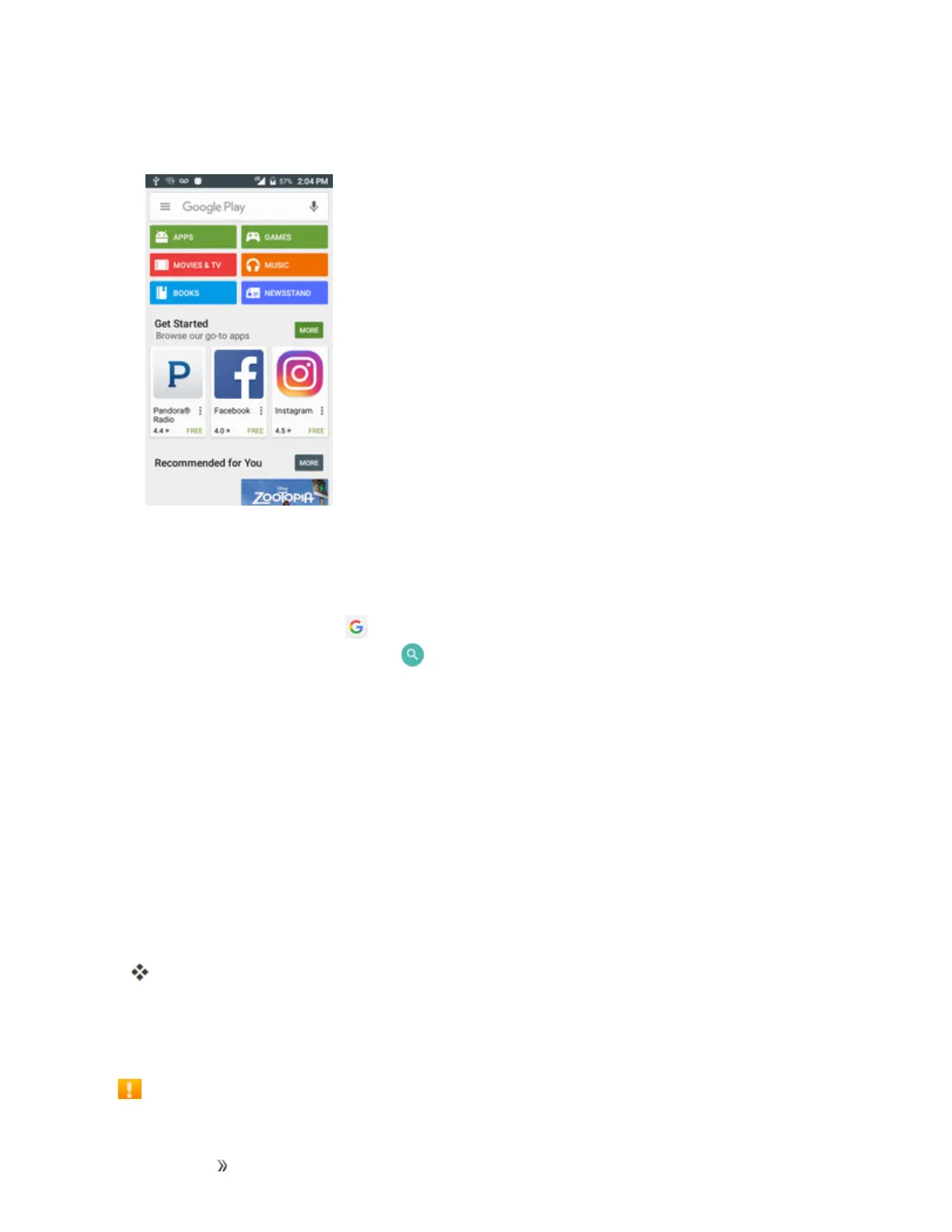
3. Browsethroughthecategories(Apps,Games,Movies & TV,Music,Books,or
Newsstand),findanitemyou'reinterestedin,andtapthename.
l Browsethroughfeaturedapps.Scrollthroughthelistoffeaturedappswhenyouopen
GooglePlay.
l BrowseappsrecommendedbyBoost.TapApps>Boost,andthenscrollthroughthelist.
l
Searchforanapp.Tap ontheGooglePlayhomescreen,enterthenameortypeofapp
you’relookingfor,andthentap onthekeyboard.
4. Tapanapptoreadadescriptionabouttheappanduserreviews.
5. TapInstall(forfreeapplications)ortheprice(forpaidapplications).
Note:Ifyouhavenotalreadydoneso,youwillneedtosetupapaymentmethodtopurchasepaid
appsfromGooglePlay.
6. Thesubsequentscreennotifiesyouwhethertheappwillrequireaccesstoyourpersonal
informationoraccesstocertainfunctionsorsettingsofyourphone.Ifyouagreetothe
conditions,tapACCEPT(forfreeapps)orACCEPTandthenBUY(forpaidapps)tobegin
downloadingandinstallingtheapp.
l Ifyouhavenotalreadysetupapaymentmethod,tapCONTINUEandthenfollowthe
promptstoarrangepaymentandcompletethepurchase.
Theselectedappisdownloadedandinstalledonyourphone.
Warning: Read the notification carefully!Beespeciallycautiouswithapplicationsthathave
accesstomanyfunctionsorasignificantamountofyourdata.OnceyoutapOKonthisscreen,you
areresponsiblefortheresultsofusingthisitemonyourphone.
Purchasing Applications













 To Next Page