Settings Connections Settings 158
1.
Fromhome,tapApps >Settings .
2.
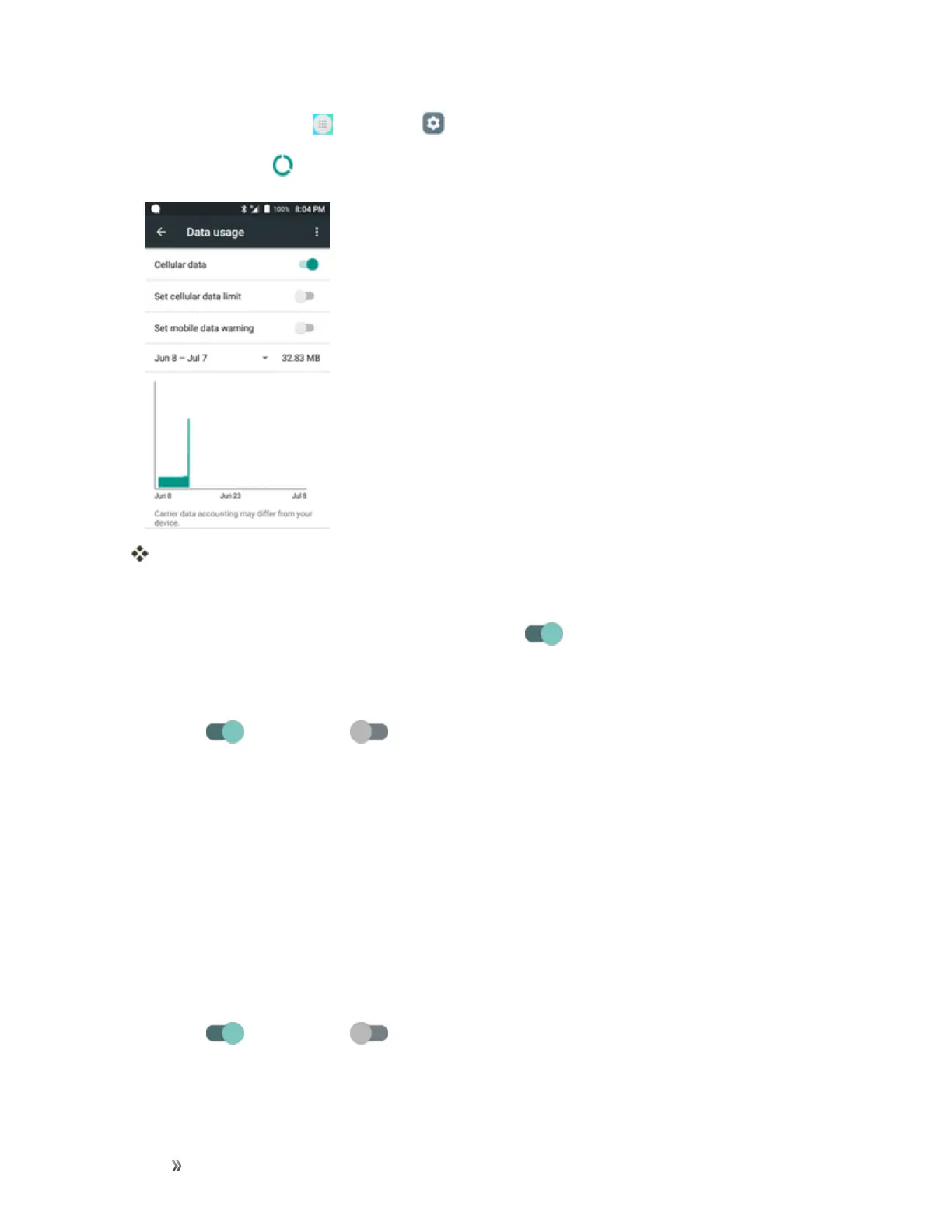
TapData usage .
Thedatausagewindowopens.
Data Usage Settings Operations
n
Cellular data:InDatausagewindow,taptheslider forMobiledatatoenabletheservice.
l Whenenabled,confirmationappearsforyourphonetobediscoverablebyotherdevices.
Followtheonscreeninstructions.
l
Tap toenableand todisable.
n Set Amount for Alert when Data Usage Increases:FromtheDatausagewindow,inserta
checkmarknexttoSet mobile data warning,andthendragthehorizontalwarningsliderup
anddowntosetanamount.
l Datausageamountsareapproximate.Actualamountsmaydiffer.
l ThissettingisavailablewhenMobiledataisenabled.
n Enable Restrictions on Mobile Data Usage:FromtheDatausagewindow,tapSet cellular
data limittoenablerestriction.
l Whenenabled,confirmationappearsforyourphonetobediscoverablebyotherdevices.
Followtheonscreeninstructions.
l
Tap toenableand todisable.
l Withrestrictionturnedon,dragthehorizontalLimitsliderupordowntosetthedatausage
limit.













 To Next Page