Making Connections Phone Calls and Voicemail 60
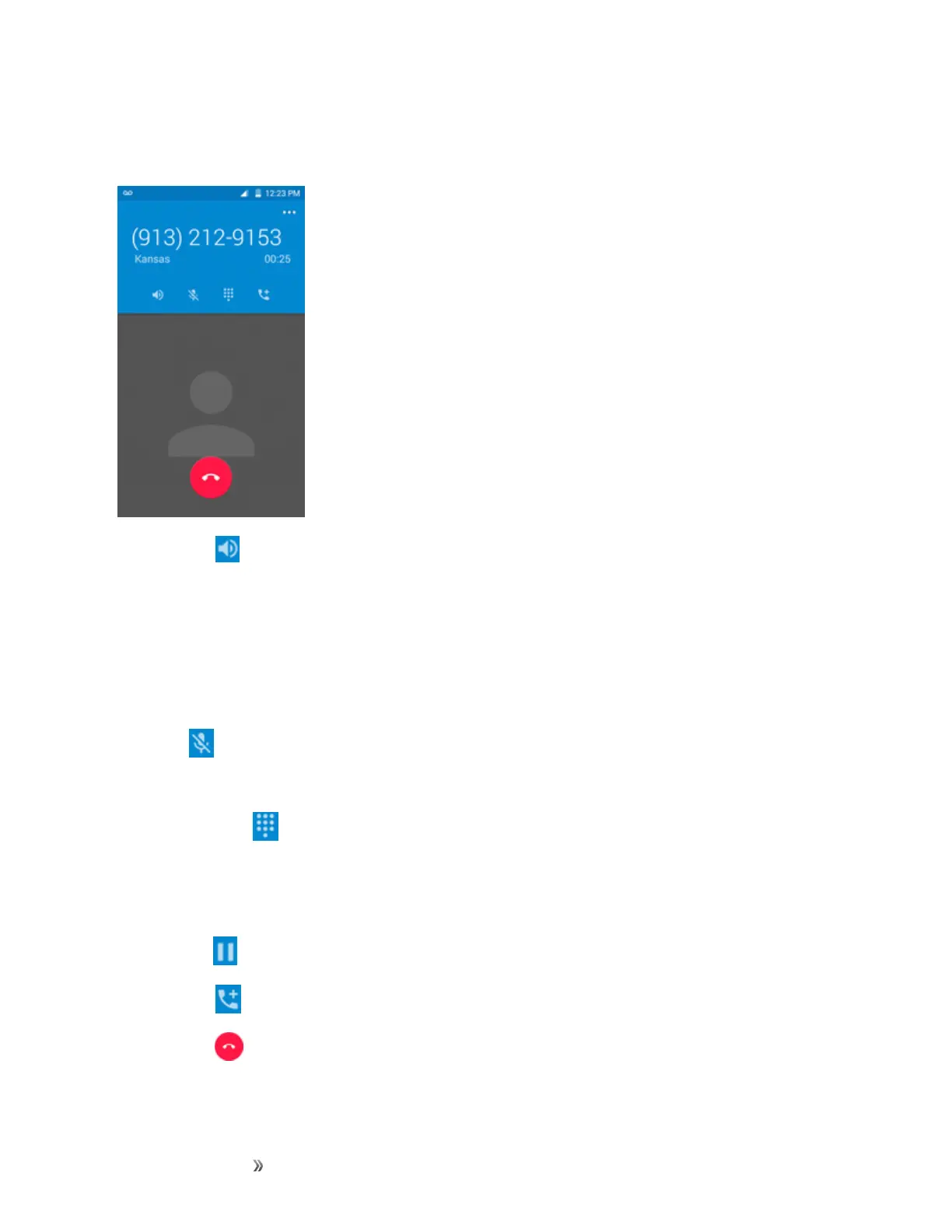
In-Call Screen Layout
Tapoptionstoactivatethemduringacall.
n
Speaker :Routethephone’saudiothroughthespeaker(On)orthroughtheearpiece(Off).
l ActivateSpeakertoroutethephone’saudiothroughthespeaker.(Youcanadjustthe
speakervolumeusingtheVolumekey.)
l DeactivateSpeakertousethephone’searpiece.
Warning:Becauseofhighervolumelevels,donotplacethephonenearyourearduring
speakerphoneuse.
n
Mute :Mutethemicrophoneduringanactivecall.Tapagaintounmutethemicrophone.
Note:IfMuteisactivated,thespeakermodeisdeactivated.
n
Keypad/Hide :Toggletheappearanceoftheonscreenkeypad.Showthekeypadtoenter
additionalnumbers,forexample,anextensionoraccesscode.
l Forexample:Whenyoucallyourbank’s800number,usethekeypadtoenteryouraccount
numberandPIN.
n
On hold :Taptoholdthecurrentcall.
n
And call :Taptoinitiateaconferencecall(3-waycall).
n
End call :Endthecurrentcall.













 To Next Page