MM-400A
8. Operation Screens
8-61
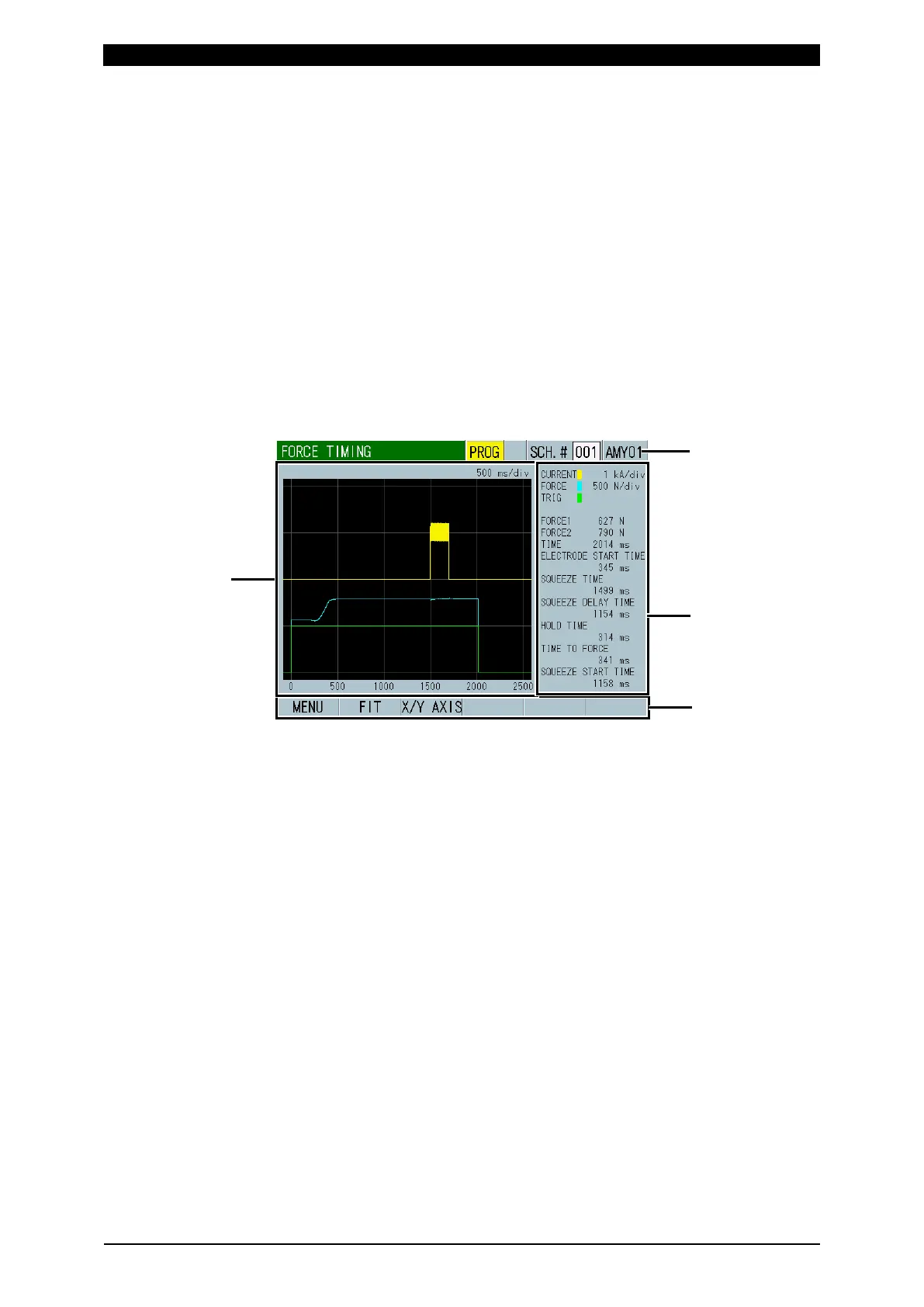
k. FORCE TIMING Screen
The FORCE TIMING screen is for checking the timing from when the force starts,
the current flows, until when the force ends. Displays waveforms and measured
values.
Note: This function is used on the MM-400A’s force/displacement-equipped
specification only.
Note1: Set the followings in advance.
Set TRIGGER to FORCE in the BASIC SETUP (1) screen and MODE to
NORMAL in the SYSTEM SETUP (1) Screen.
Also, the force waveform can be displayed when the force reaches the
preset force trigger level and the current reaches the current trigger level,
and then both force and current are measured.
Note2: This screen is shown only when the FORCE TIMING screen is selected from
the MENU screen. To display the next force timing, go to the
MEASUREMENT, WAVEFORM or ALL CYCLE screen and display the
FORCE TIMING screen after measurement.
(1) SCH.#
Shows the measurement schedule number used (1 to 127). On the other hand,
you can change schedules by selecting this field and inputting a value.
(2) Schedule name
Shows the name of SCH.#. This can be set in the BASIC SETUP (1) screen.
(3) Waveform display
Shows the current
*2
, force
*2
and force external trigger
*1
waveforms.
(4) Force time
Shows the following items: ((1) to (6) correspond to the numbers in the figure
on the next page.)
Force 1 (FORCE1)
*3
: Mean force over force calculation interval 1
Force 2 (FORCE2)
*3
: Mean force over force calculation interval 2
Force Time (TIME)
*3
: Time from when the force signal exceeds the force
trigger level to when the signal reaches the force end level



 To Next Page