MM-400A
8. Operation Screens
8-130
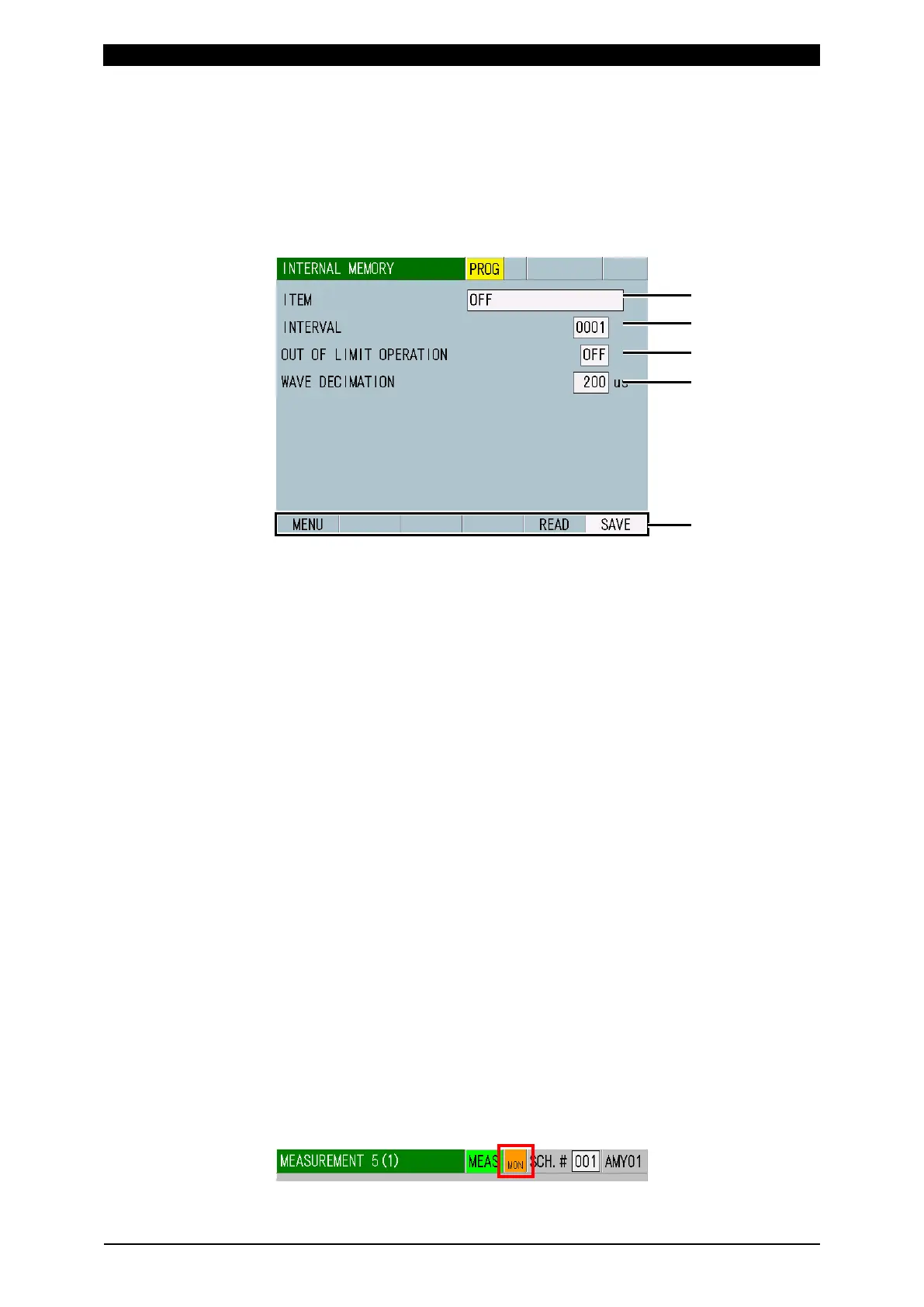
q. INTERNAL MEMORY Screen
q-1. INTERNAL MEMORY Screen
Waveforms and all cycle data are saved in the built-in flash memory.
Waveforms and all cycles are deleted when the power supply is turned off. Since
120 waveforms and all cycles in total (guide) can be saved in the built-in flash
memory even after the power is turned off, you can load the saved data to check
them.
(1) ITEM
Selects the data to save.
• OFF
No data is saved.
• WAVEFORM
Outputs the waveforms of four items selected in the VIEW screen. You can
set waveform decimation for output interval of the waveform sample value.
Note that if you set an interval smaller than the data sampling interval stored
in the instrument, the data will be output at the internally stored interval. You
can select the waveforms to save with waveform ON/OFF in the VIEW
screen. Touching the SAVE key saves them in the internal memory.
• CURRENT ALL CYCLE
Saves current all cycles by touching the SAVE key.
When ISO17657 is selected for CALCULATION in the BASIC SETUP (3)
screen, no data is saved.
• FORCE ALL CYCLE
Saves force all cycles by touching the SAVE key. Available only for the
force/displacement-equipped specification.
(2) INTERVAL (*)
You can set an interval automatically saved in the built-in flash memory each
measurement (1 to 1,000). Saves irrespective of a save interval in the event of
Upper limit error, Lower limit error (excluding Upper/lower limit error at
envelope), Overrange error, Impulse error, or Parity error. When (3) OUT OF
LIMIT OPERATION is set to ON, a save interval does not work in the event of
above errors.
(Note) In writing, “MON” is shown in orange at the upper part of a screen, and
no measurement can be performed during that time. The flash memory used in
the internal memory has a write limit (100,000). An error message “E15:
INTERNAL MEMORY ERROR” appears if the write limit is exceeded.



 To Next Page