MM-400A
8. Operation Screens
8-41
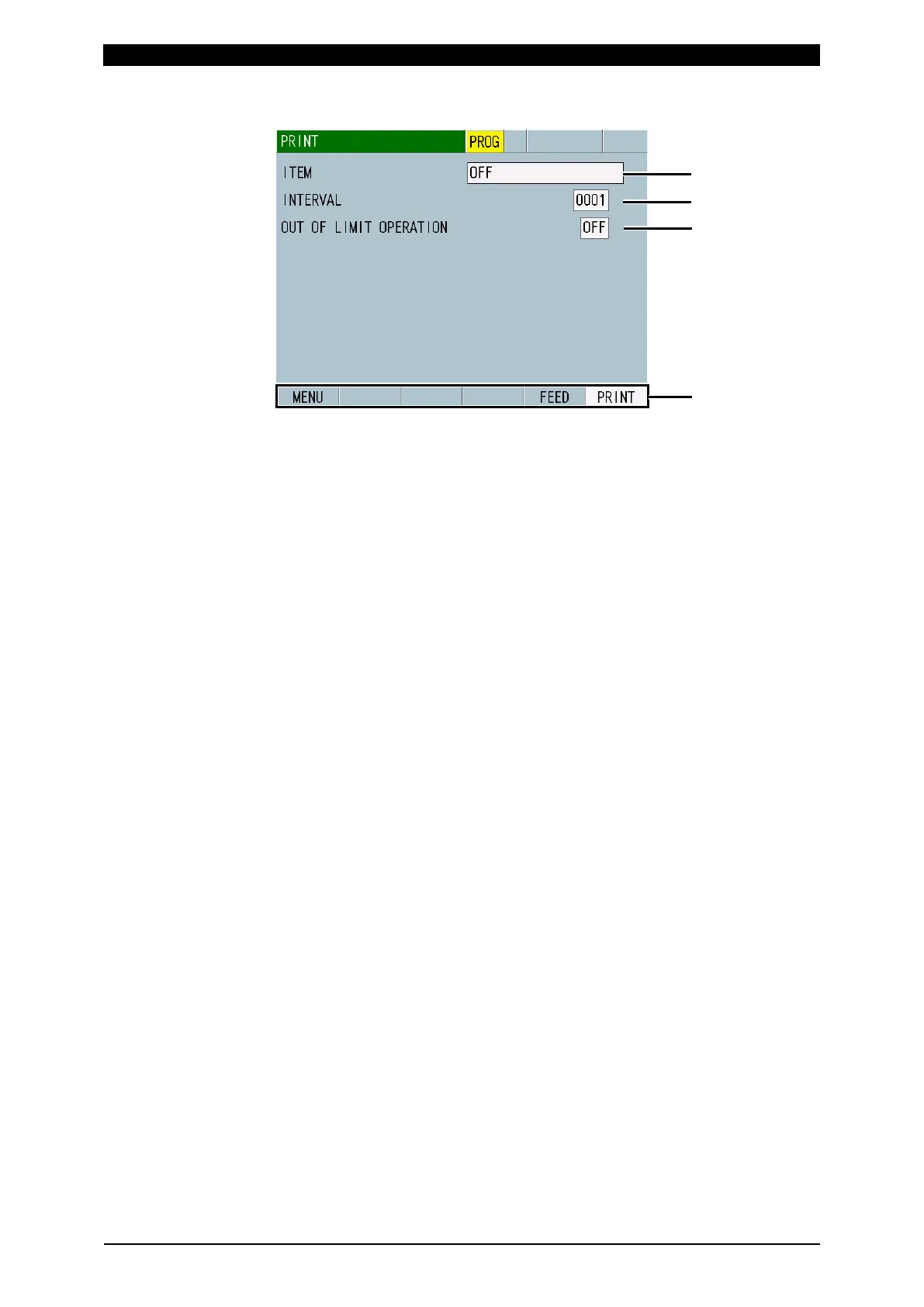
h. PRINT Screen
(1) ITEM
Select an item to print from the following:
• OFF
No printing
• MEASUREMENT
Prints the measured values of ten items selected in the VIEW screen. Prints
after the end of measurement or when PRINT is touched. Print timing
changes depending on the Print Interval and Error Print conditions.
When SEAM is selected for MODE in the SYSTEM SETUP (1) screen, no
printing is made.
• WAVEFORM
Prints the waveforms of four items selected in the VIEW screen. The vertical
and horizontal scales applied to the printed waveforms are those set in the
WAVEFORM screen. You can select the waveforms to print with waveform
ON/OFF in the VIEW screen. Prints after the end of measurement or when
PRINT is touched. Print timing changes depending on the Print Interval and
Error Print conditions.
When SEAM is selected for MODE in the SYSTEM SETUP (1) screen, no
printing is made.
• CURR ALL CYCLE
Prints current all cycles. Prints after the end of measurement or when PRINT
is touched. Print timing changes depending on the Print Interval and Error
Print conditions.
When SEAM is selected for MODE in the SYSTEM SETUP (1) screen or
ISO17657 is selected for CALCULATION in the BASIC SETUP (3) screen,
no printing is made.
• FORCE ALL CYCLE
Prints force all cycles. Available only for the force/displacement-equipped
specification. Prints after the end of measurement or when PRINT is touched.
Print timing changes depending on the Print Interval and Error Print
conditions.
When SEAM is selected for MODE in the SYSTEM SETUP (1) screen, no
printing is made.
• HISTORY
Prints history selected in HISTORY AREA (20**/**/** to 20**/**/**) among
measured values saved in the HISTORY screen. To print, first select this
item, and then touch PRINT.
When SEAM is selected for MODE in the SYSTEM SETUP (1) screen, no
printing is made.



 To Next Page