MM-400A
8. Operation Screens
8-42
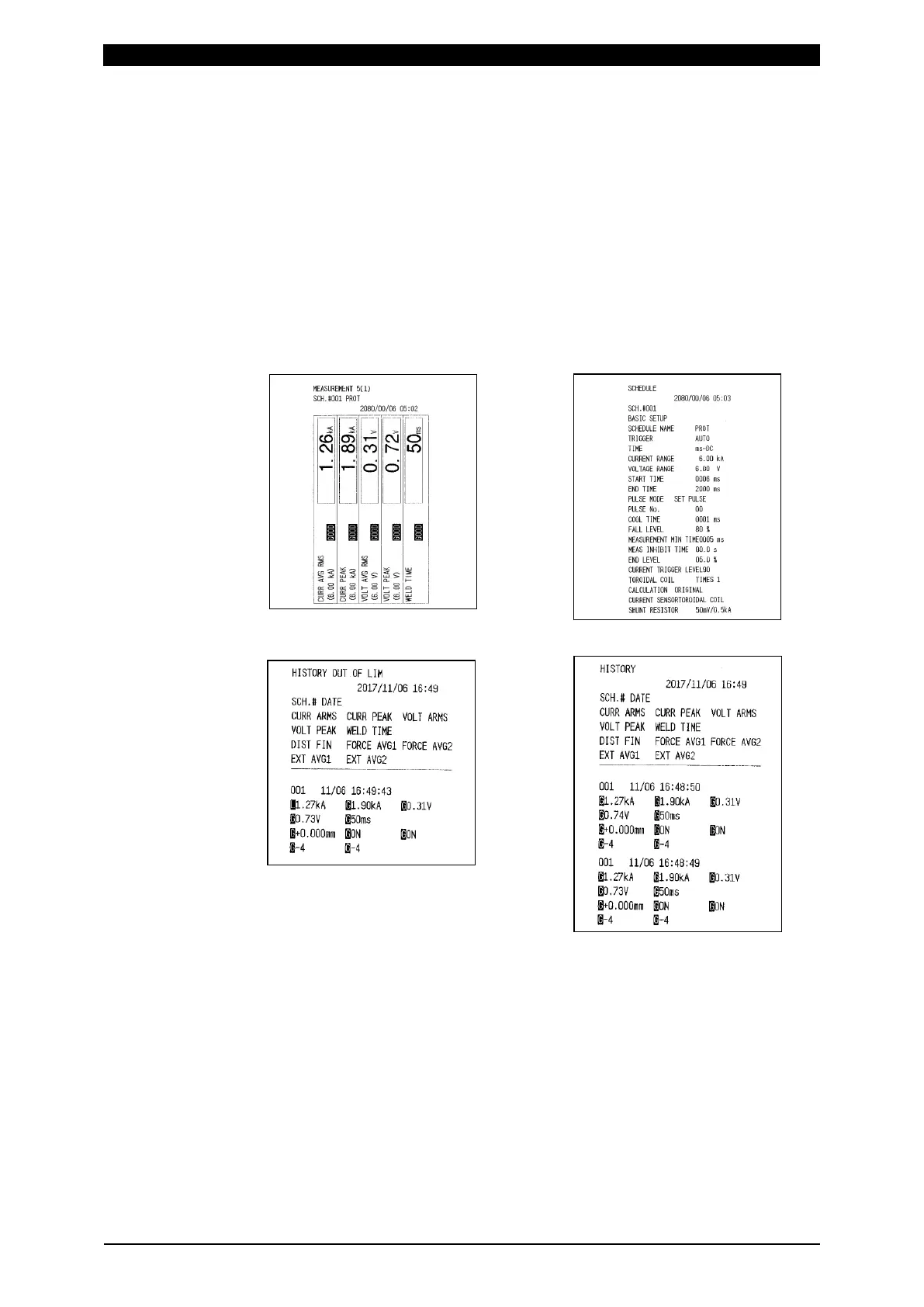
• HISTORY OUT OF LIM
Prints history selected in HISTORY AREA (20**/**/** to 20**/**/**) among
measured values with Upper limit error, Lower limit error, Overrange error,
Impulse error, or Parity error saved in the HISTORY screen. To print, first
select this item and touch PRINT.
When SEAM is selected for MODE in the SYSTEM SETUP (1) screen, no
printing is made.
• SCHEDULE
Prints schedule data whose range is set in SCHEDULE AREA. To print, first
select this item, and then touch PRINT.
• DISPLAY
Prints screen image prior to the PRINT screen. To print, first display the
screen to print. Then, return to the PRINT screen by MENU and touch
PRINT.
Print example of DISPLAY
Print example of SCHEDULE
Print example of
HISTORY OUT OF LIM
Print example of HISTORY
(2) INTERVAL (*)
You can set a print interval (1 to 1,000). Prints irrespective of a print interval in
the event of Upper limit error, Lower limit error (excluding Upper/lower limit
error at envelope), Overrange error, Impulse error, or Parity error. The setting
of print interval is valid only when MEASUREMENT, WAVEFORM, CURR ALL
CYCLE, or FORCE ALL CYCLE is selected for ITEM. When OUT OF LIMIT
OPERATION is set to ON, a print interval does not work.



 To Next Page