MM-400A
7. Basic Operation
7-1
7. Basic Operation
(1) Startup
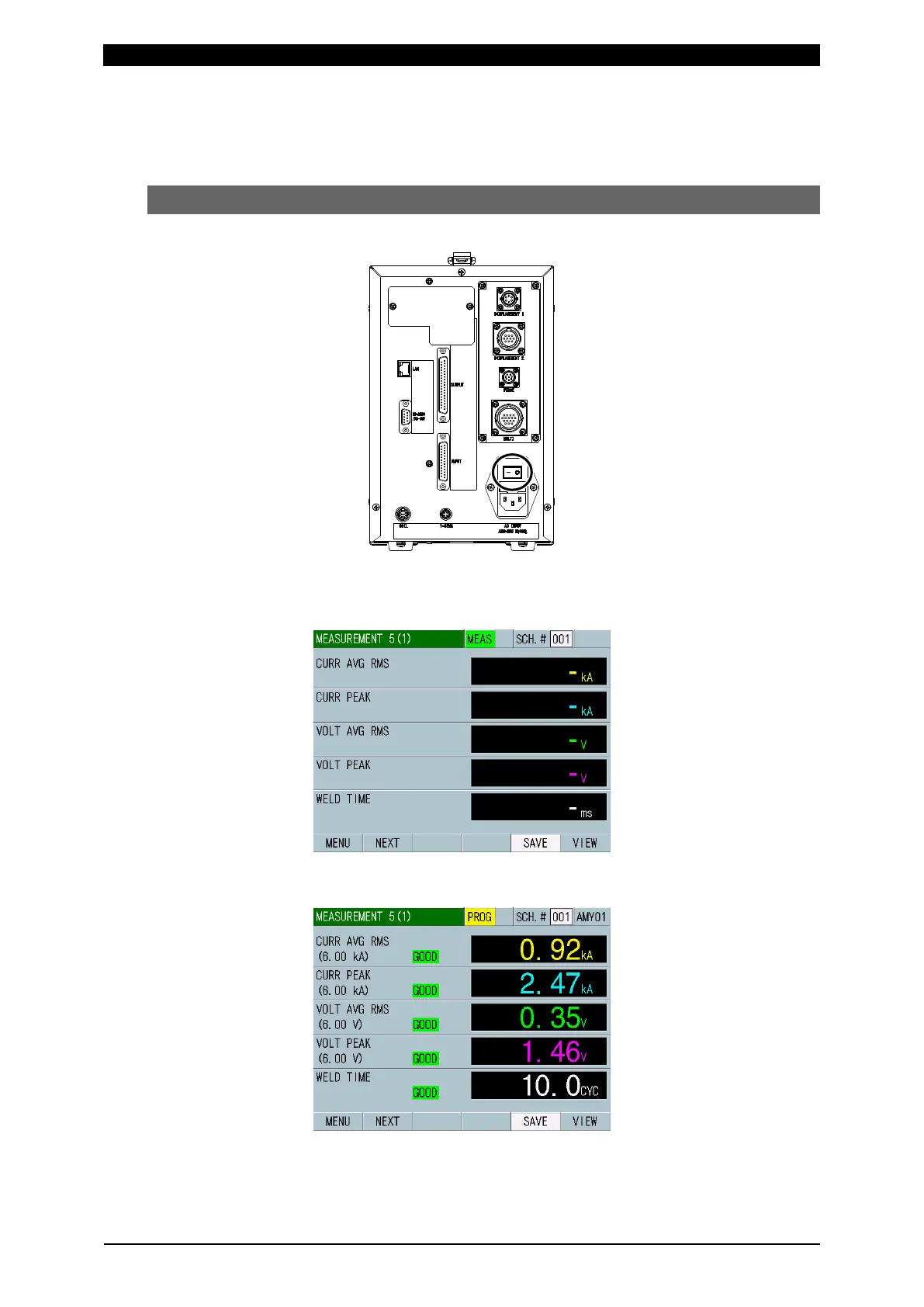
1) Set the main power switch on the rear panel to the ON position (– side).
The MEASUREMENT 5(1) or MEASUREMENT 10 screen appears on the
display after a while. (The MEASUREMENT 5(1) screen appears first used
after shipment.)
To display a waveform or change or check the setting, touch MEAS to change
it to PROG. (Alternately switched by touching.)



 To Next Page