MM-400A
8. Operation Screens
8-137
s. SEAM SETUP Screen
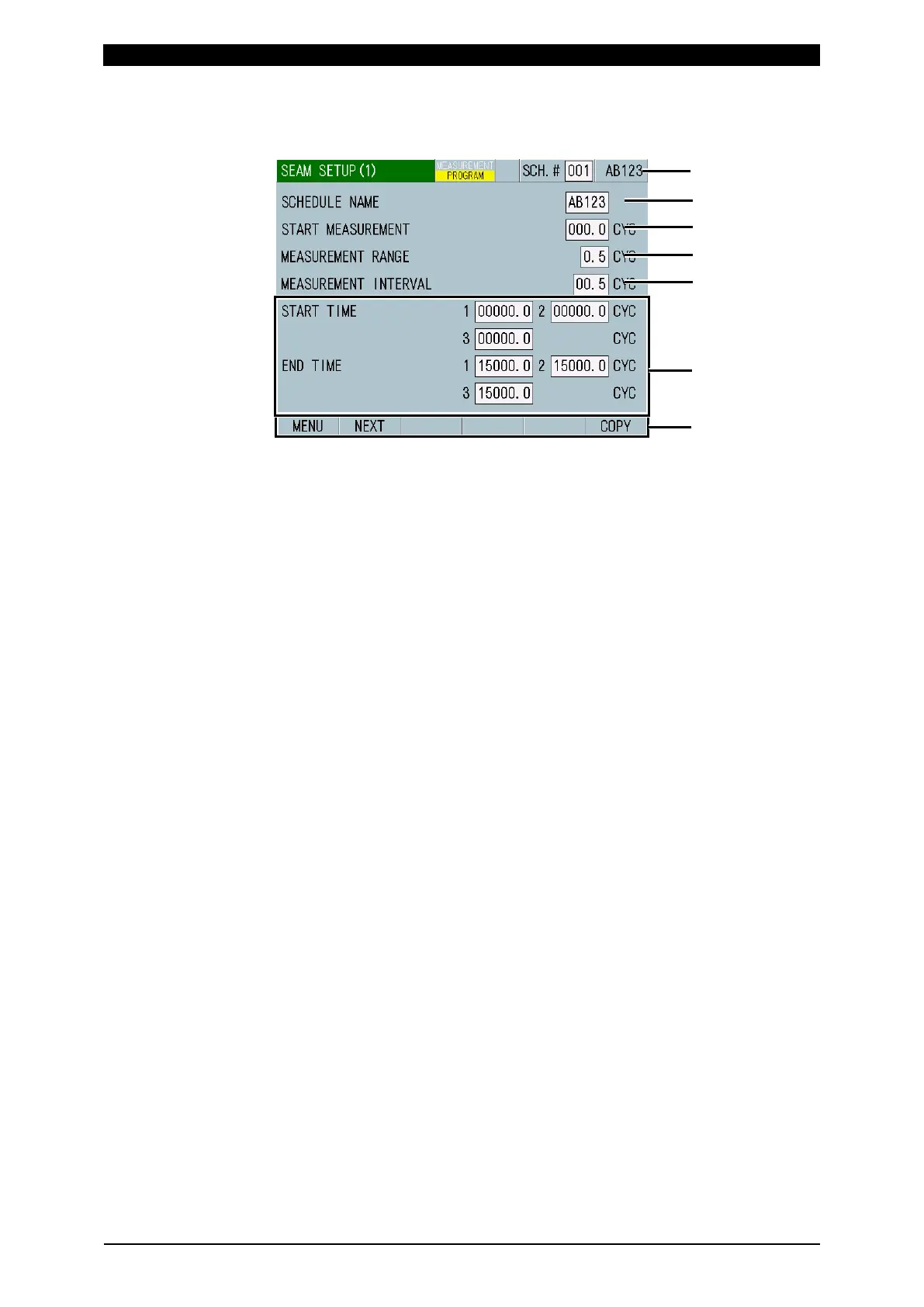
s-1. SEAM SETUP (1) Screen
(1) SCH.#
Shows the measurement schedule number used (1 to 127). On the other hand,
you can change schedules by selecting this field and inputting a value.
(2) SCHEDULE NAME
Inputs the name for the set schedule. Up to five alphanumeric characters can
be input.
(3) START MEASUREMENT
Set the time to start the seam welding in time or cycle from the welding start.
When the TRIGGER and TIME settings are changed, START
MEASUREMENT may be initialized. Set START MEASUREMENT again.
(Refer to "s-3. SEAM SETUP (3) Screen.")
CYC-AC, CYC-DC: 0.0 to 120.0 CYC
ms-DC, ms-AC: 10 to 2,000 ms (in units of 10 ms)
SHORT ms-DC: 1 to 200 ms
(4) MEASUREMENT RANGE
Calculates the measured value in this range to use it for judgment. When the
cooling time is included, the measured value falls correspondingly.
When the TRIGGER and TIME settings are changed, MEASUREMENT
RANGE may be initialized. Set MEASUREMENT RANGE again. (Refer to "s-3.
SEAM SETUP (3) Screen.")
CYC-AC, CYC-DC: 0.5 to 6.0 CYC
ms-DC, ms-AC: 10 to 100 ms (in units of 10 ms)
SHORT ms-DC: 1 to 10 ms
(5) MEASUREMENT INTERVAL
Shifts the measurement range at this interval. (The cooling time is included.)
When the TRIGGER and TIME settings are changed, MEASUREMENT
INTERVAL may be initialized. Set MEASUREMENT INTERVAL again. (Refer
to "s-3. SEAM SETUP (3) Screen.")
CYC-AC, CYC-DC: 0.5 to 12.0 CYC
ms-DC, ms-AC: 10 to 200 ms (in units of 10 ms)
SHORT ms-DC: 1 to 20 ms



 To Next Page