MM-400A
8. Operation Screens
8-136
(3) Waveform
Waveform display items can be selected in the VIEW screen.
(4) Judgment display
Shows the judgment results of CURRENT at the upper part and VOLTAGE at
the lower part. Shows the judgment result of three range sections
(JUDGEMENT1 to 3) for CURRENT and VOLTAGE respectively.
Shows GOOD when the waveform is within the range, NG UPPER when it
exceeds the upper limit, and NG LOWER when it falls below the lower limit
even if 1 section. When it is out of both upper and lower limits at the same time,
NG LOWER is preferentially displayed. Also, when the measured value
exceeds the measurable range, OVER is displayed.
(5) Function keys
MENU: Touching this displays the MENU screen.
FIT and X/Y AXIS: Same as the function keys in the WAVEFORM screen.
Refer to “d. WAVEFORM Screen.”
CURSOR: Touching this displays the cursor of the vertical axis and cursor
command at the function key. (Refer to (5)-1.)
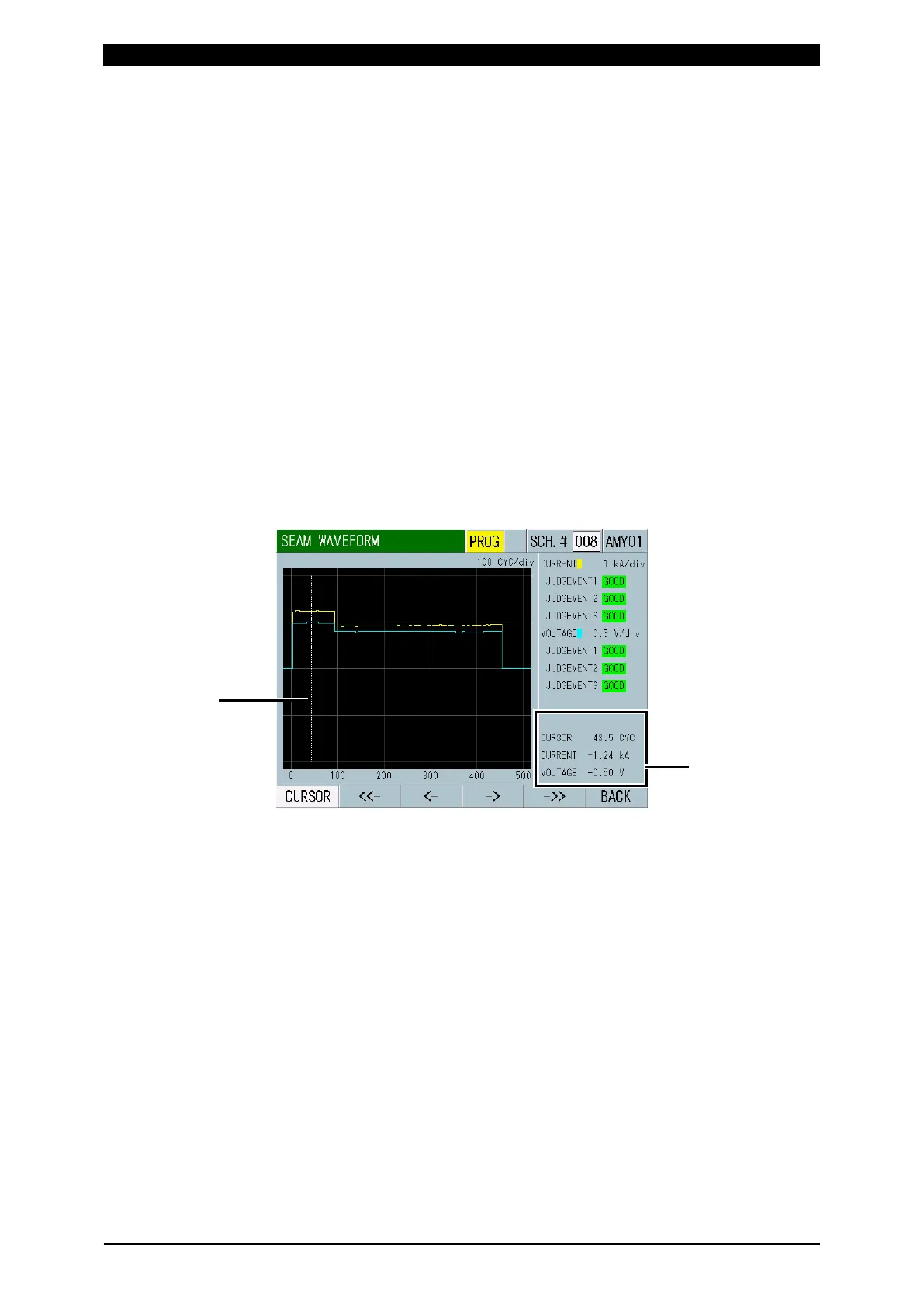
(5)-1 Cursor command
Shows the current time axis information of the cursor and the measured values
of the waveforms at the point in time indicated by the cursor.
You can move the white line (cursor) on the grid right and left by touching the
function keys.
<- ->: Touching this moves the cursor right and left by 1 dot. The cursor
moves only while the key is touched.
<<- ->>: Touching this moves the cursor right and left by 50 dots.



 To Next Page