MM-400A
8. Operation Screens
8-14
d. WAVEFORM Screen
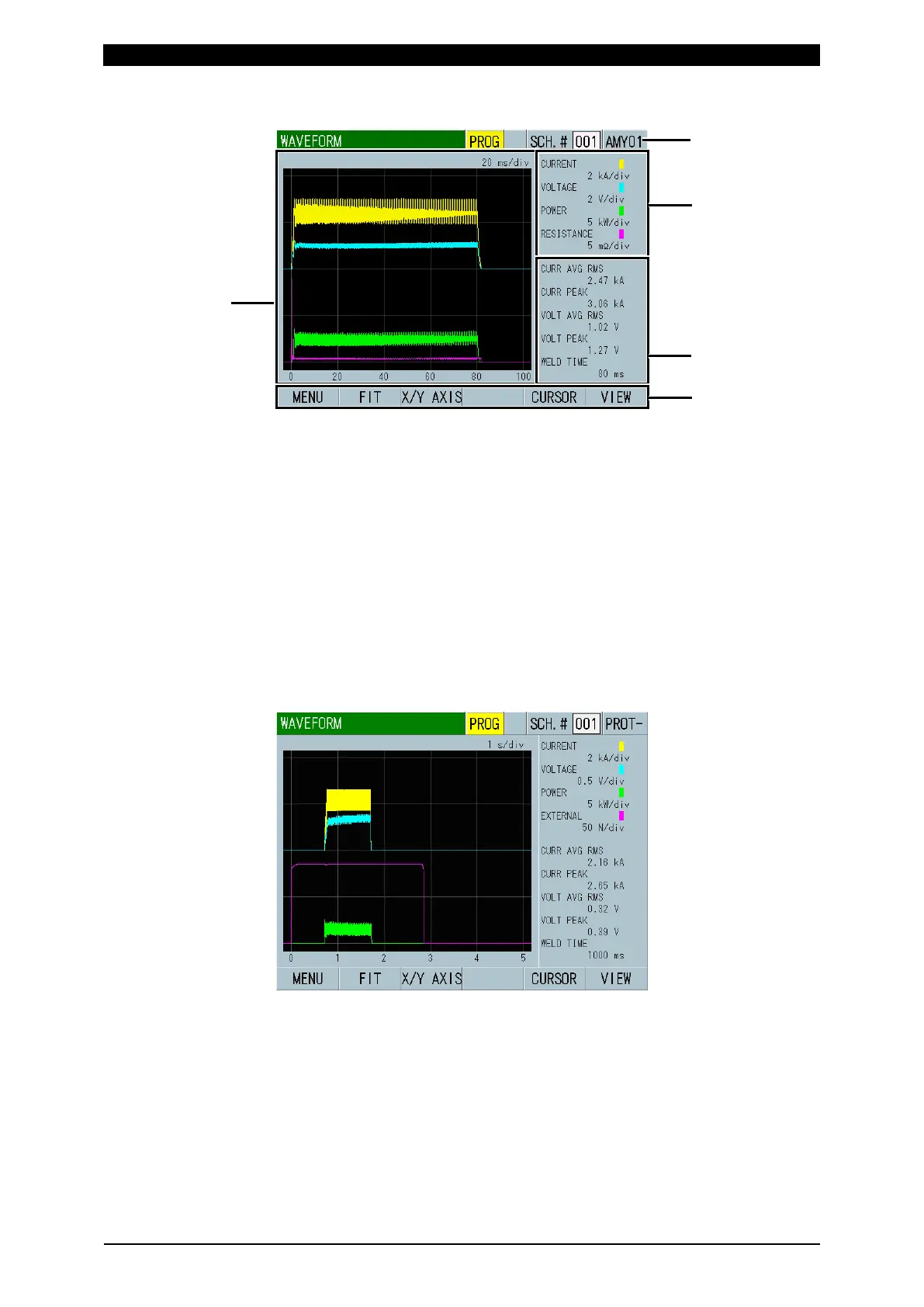
(1) SCH.#
Shows the measurement schedule number used (1 to 127). On the other hand,
you can change schedules by selecting this field and inputting a value.
(2) Schedule name
Shows the name of SCH.#. This can be set in the BASIC SETUP (1) screen.
(3) Waveform
Shows the waveforms of four items on the grid. Waveform display items can
be selected in the VIEW screen.
(Note) When EXTERNAL is selected for waveform display item, you need to
select VOLTAGE or CURRENT for INPUT in the EXTEND SETUP (7) screen.
Waveform example when the external input is voltage (WAVEFORM 3)
Displays ON (+0 V) to 500 N (+10 V) with a load cell amplifier prepared
separately.



 To Next Page