MM-400A
8. Operation Screens
8-40
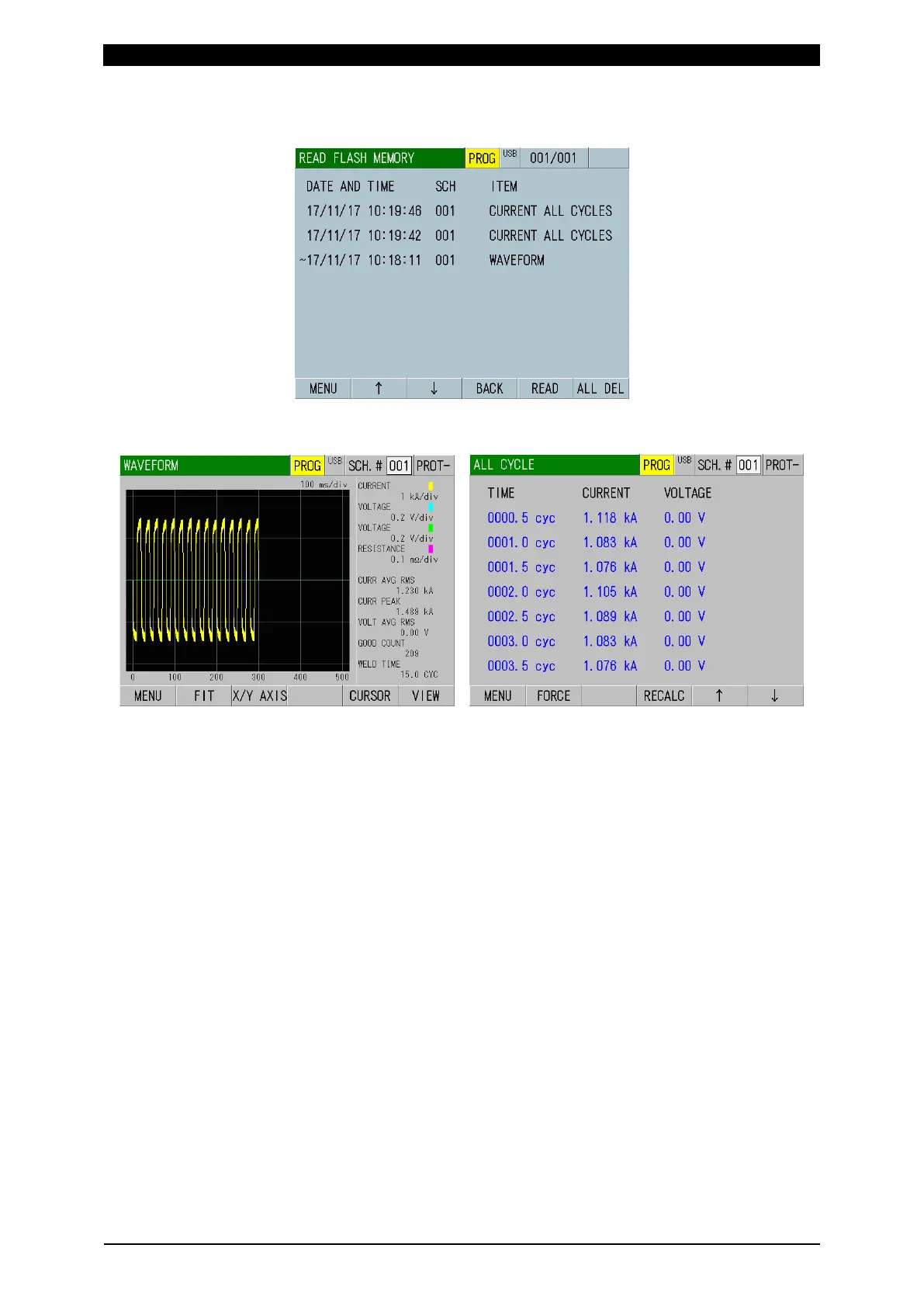
4) Select data by touching directly on the list and touch the READ key. Once the
READ key is touched, other history data are all deleted.
5) Move to the screen of the loaded item (WAVEFORM or ALL CYCLE screen) to
check data.
Waveform data loaded by 17/11/17 10:18:11 All cycle data loaded by 17/11/17 10:18:11
(Caution) Items to load cannot be checked simultaneously. For example, even
when you move to the ALL CYCLE screen after loading the waveform, data is
not shown. Select CURRENT or FORCE ALL CYCLE in step 1) again and
perform steps 2) to 5).



 To Next Page