MM-400A
8. Operation Screens
8-96
(5) START TIME / END TIME
By specifying an arbitrary range, you can measure mean force. Set START
TIME and END TIME in the range from 0 to 10,000 ms. As for force, there are
three input fields for each item because you can specify three ranges for a
single measurement and measure the force at three locations.
(6) RISE LEVEL / FALL LEVEL
Set RISE LEVEL and FALL LEVEL as the ratio to the peak (10 to 90%). This
setting applies to the time measurements in the FORCE TIMING screen.
(7) Function keys
MENU: Touching this displays the MENU screen.
NEXT: Touching this displays the EXTEND SETUP (5): FORCE (2/2) screen.
PREV: Touching this displays the EXTEND SETUP (3): DISPLACEMENT (3/3)
screen.
DIST: Touching this displays the EXTEND SETUP (1): DISPLACEMENT (1/3)
screen.
FORCE: Touching this displays the EXTEND SETUP (5): FORCE (2/2)
screen.
EXTERNAL: Touching this displays the EXTEND SETUP (6): EXTERNAL
(1/2) screen.
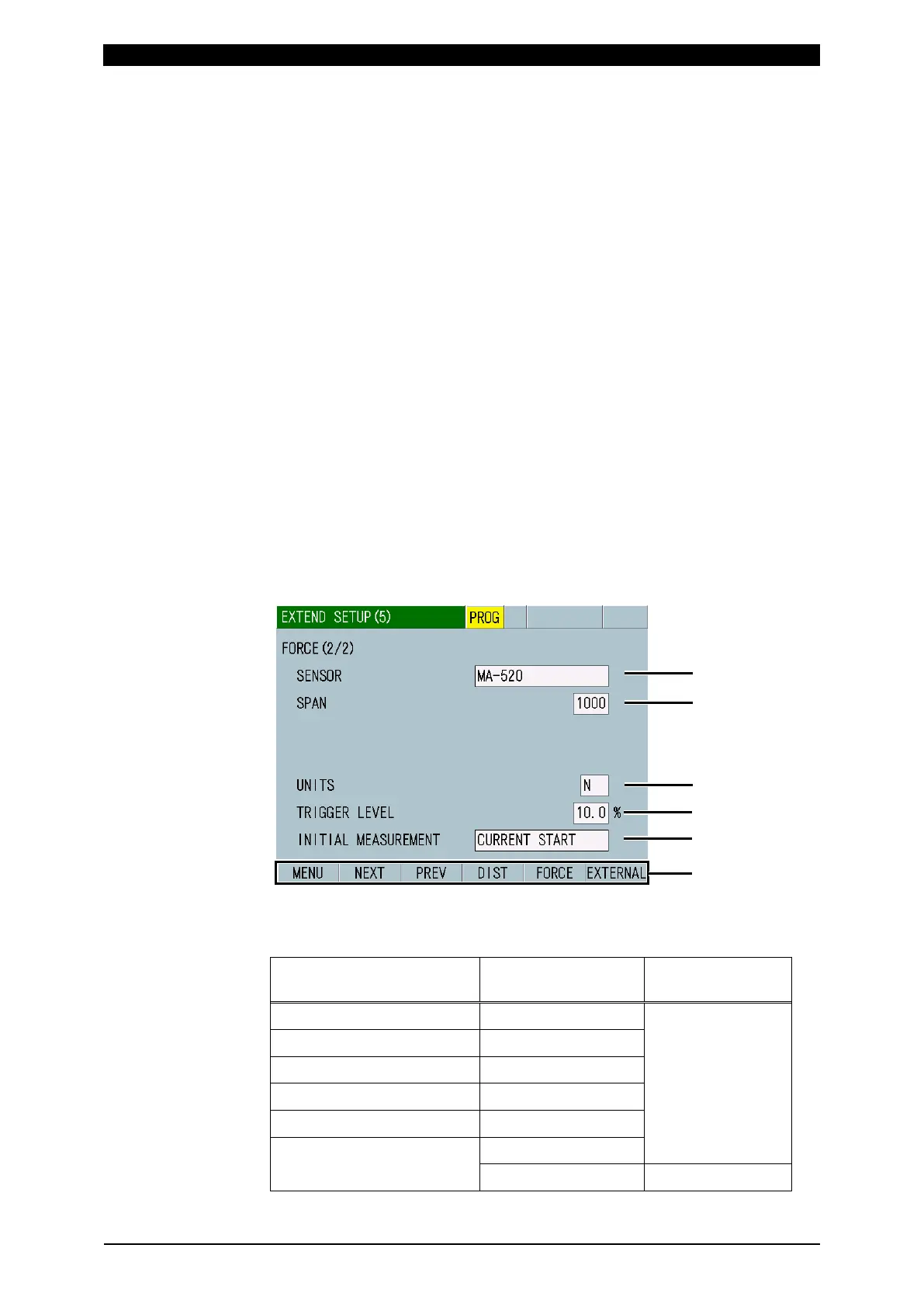
m-5. EXTEND SETUP (5) Screen: FORCE (2/2)
(1) SENSOR
Select the connected force sensor from the following.
Force sensor SENSOR setting TRIGGER LEVEL
MA-520-01, MA-520B-00 MA-520
Absolute value
MA-521-01, MA-521B-00 MA-521
MA-522-01, MA-522B-00 MA-522
MA-770A-00 MA-770
MA-771A-00 MA-771
Sensors other than above RATED SETTING1
RATED SETTING2 Relative value



 To Next Page