MM-400A
8. Operation Screens
8-121
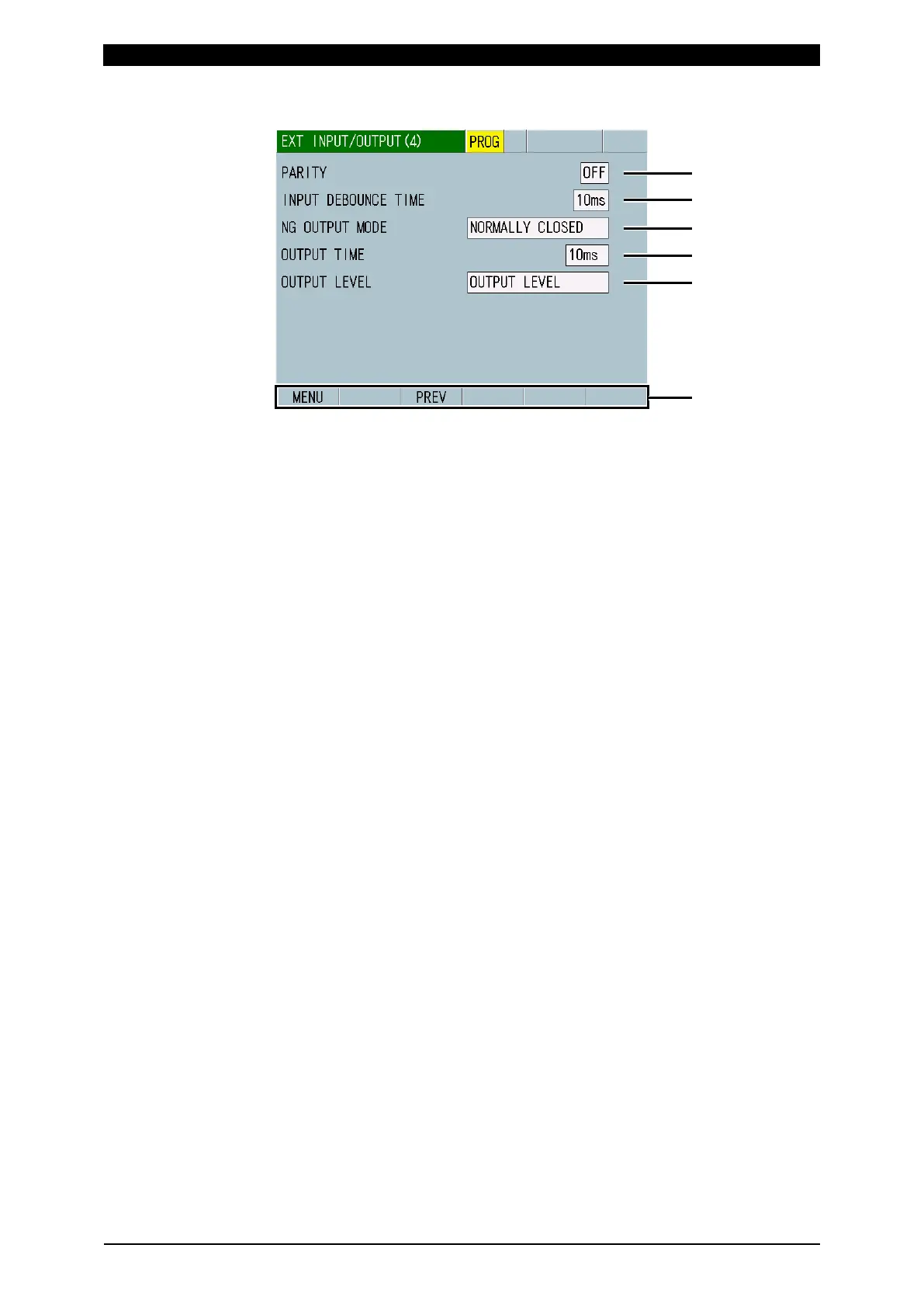
o-3. EXT INPUT/OUTPUT (4) Screen
(1) PARITY
Select whether to use parity terminals. When you select ON, be sure that the
total number of schedule selection and parity terminals that are closed is odd.
(2) INPUT DEBOUNCE TIME
Set a delay time from the signal input to when the signal settles down. This
setting makes it possible to eliminate input signal chatter.
(3) NG OUTPUT MODE
Set a mode for the output terminals. Among OUTPUT 1 to 12 selected items,
1) to 13), 15) to 17), 19) to 20) and 33) to 62) are applied. GOOD, PREGOOD,
COUNT, POWER ON, READY, and force/displacement/external level signal
work as NORMALLY OPEN irrespective of the NG OUTPUT MODE setting.
NORMALLY CLOSED: Open at output
NORMALLY OPEN: Closed at output
(4) OUTPUT TIME
Select an output time. Among OUTPUT 1 to 12 selected items, 1) to 20) and
31) to 59) are applied.
10ms: Output time of 10 ms
100ms: Output time of 100 ms
HOLD: Holds output and cancels output at the start of next measurement, the
start of no-current check, or in the event of an error reset.
(5) OUTPUT LEVEL
Select the output method of force/displacement/external level signal. The pulse
output time is in conformity with OUTPUT TIME, but it becomes 100 ms when
HOLD is selected.
OUTPUT PULSE: Pulse output
OUTPUT LEVEL: Level output
(6) Function keys
MENU: Touching this displays the MENU screen.
PREV: Touching this displays the EXT INPUT/OUTPUT (3) screen.



 To Next Page