MM-400A
8. Operation Screens
8-134
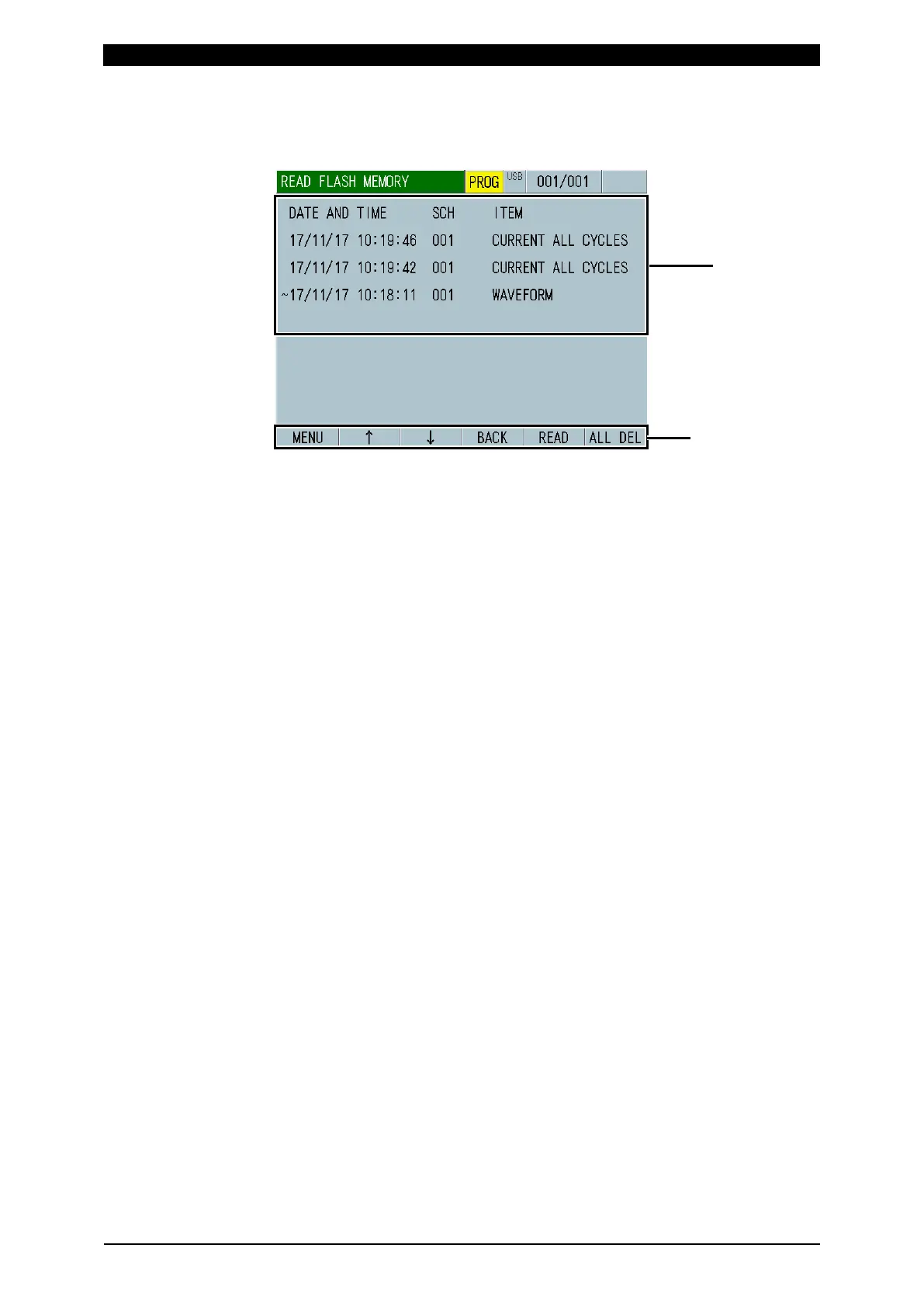
q-2. READ FLASH MEMORY Screen
Histories of WAVEFORM, CURRENT ALL CYCLE and FORCE ALL CYCLE saved
in the built-in flash memory are displayed.
(1) Loaded data display
Shows the measured values stored in the built-in flash memory.
When you touch this data directly, it is selected by a line-based cursor. Touch
the READ key again to read data. Note that only one selected among
WAVEFORM, CURRENT ALL CYCLE and FORCE ALL CYCLE can be read.
(2) Function keys
MENU: Touching this displays the MENU screen.
: Touching this moves a page of the screen.
BACK: Touching this returns to the INTERNAL MEMORY screen.
READ: Touching this reads data selected with a blue cursor.
ALL DEL: Touching this clears all measured values from the built-in flash
memory.



 To Next Page