MM-400A
9. Measurement
9-2
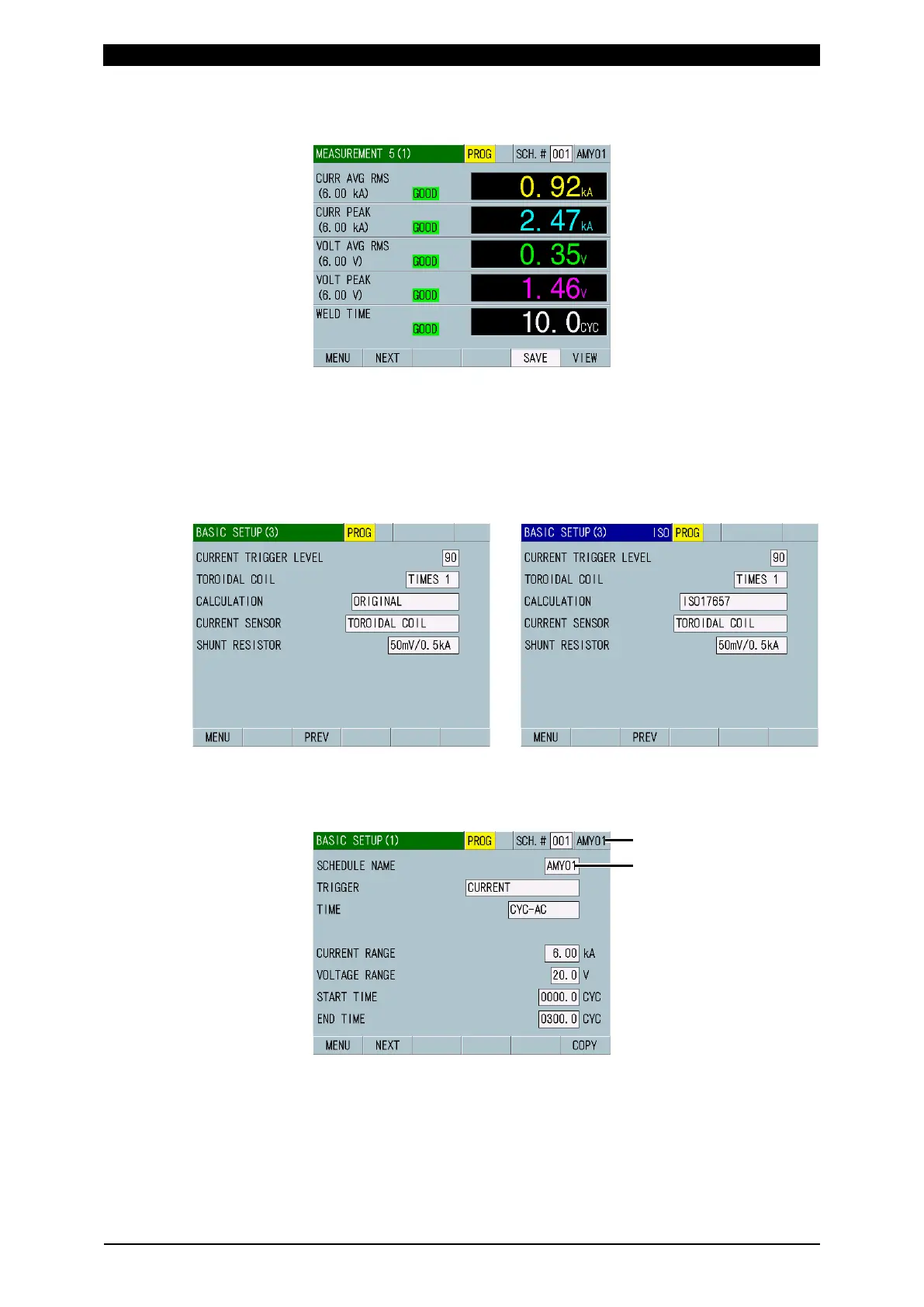
To change or check the setting, touch MEAS to change it to PROG.
(Alternately switched by touching.)
4) Touch the MENU key.
The MENU screen appears. Select BASIC SETUP.
5) For ISO17657-compliant calculation, change ORIGINAL to ISO17657 in the
BASIC SETUP (3) screen.
When ISO17657 is selected, the upper-left portion of the screen changes from
green to blue on all screens and “ISO” is displayed.
Original mode ISO17657 mode
6) The BASIC SETUP (1) screen appears. You can set the schedule name for a
schedule.
SCHEDULE NAME is displayed.



 To Next Page