MM-400A
9. Measurement
9-8
4) Touch the MENU key.
The MENU screen appears. Select BASIC SETUP.
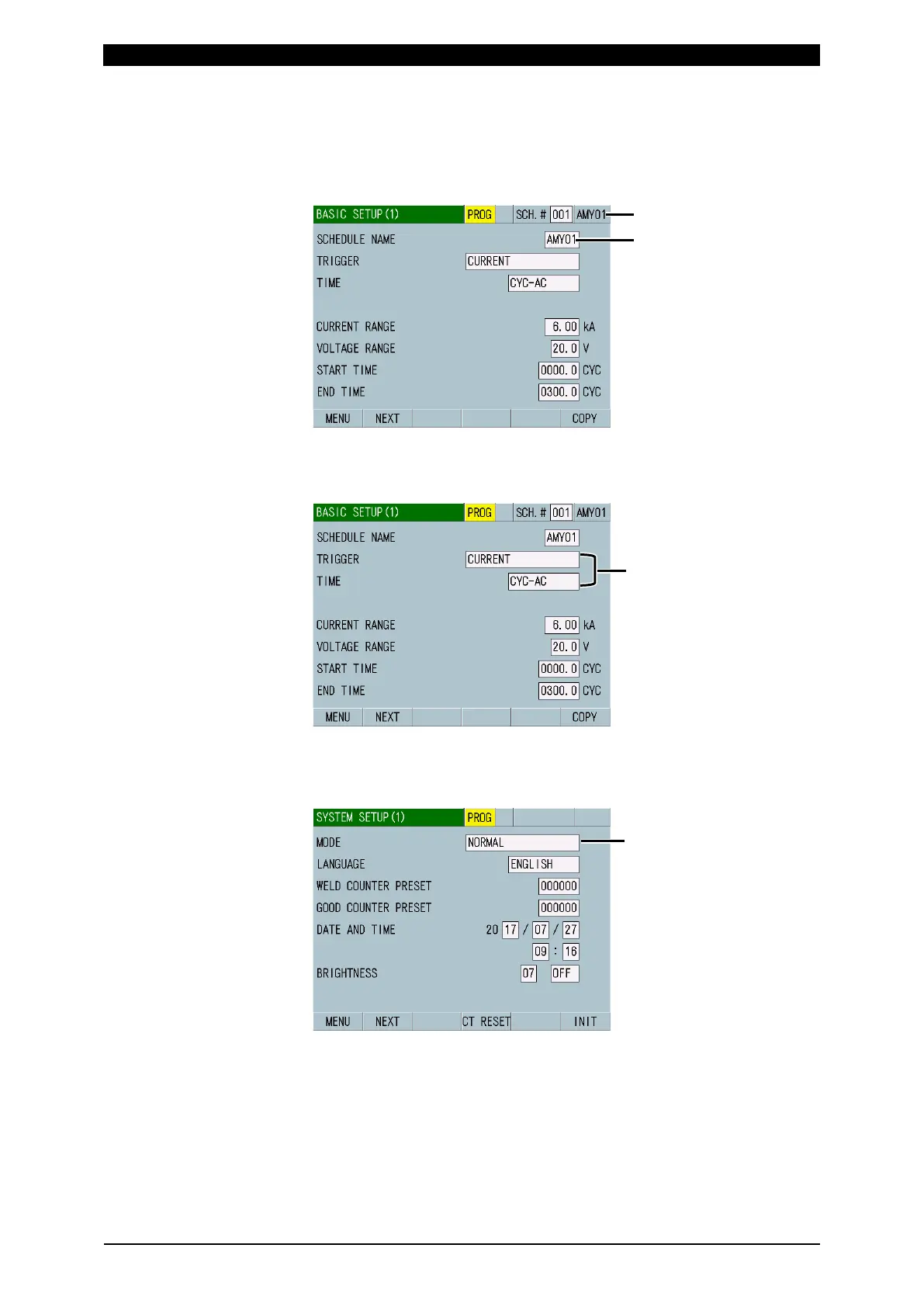
5) The BASIC SETUP (1) screen appears. You can set the schedule name for a
schedule.
6) Select CURRENT for TRIGGER in the BASIC SETUP (1) screen, and select a
time of welding current to select. (For more information, refer to (2) l-1 in
Chapter 8.)
7) Touch the MENU key and select SYSTEM SETUP.
Select NORMAL for MODE in the SYSTEM SETUP (1) screen. (For more
information, refer to (2) n-1 in Chapter 8.)
: -AC for AC welding
-DC for DC welding
SCHEDULE NAME is displayed.



 To Next Page