MM-400A
9. Measurement
9-23
4) Touch the MENU key.
The MENU screen appears. Select BASIC SETUP.
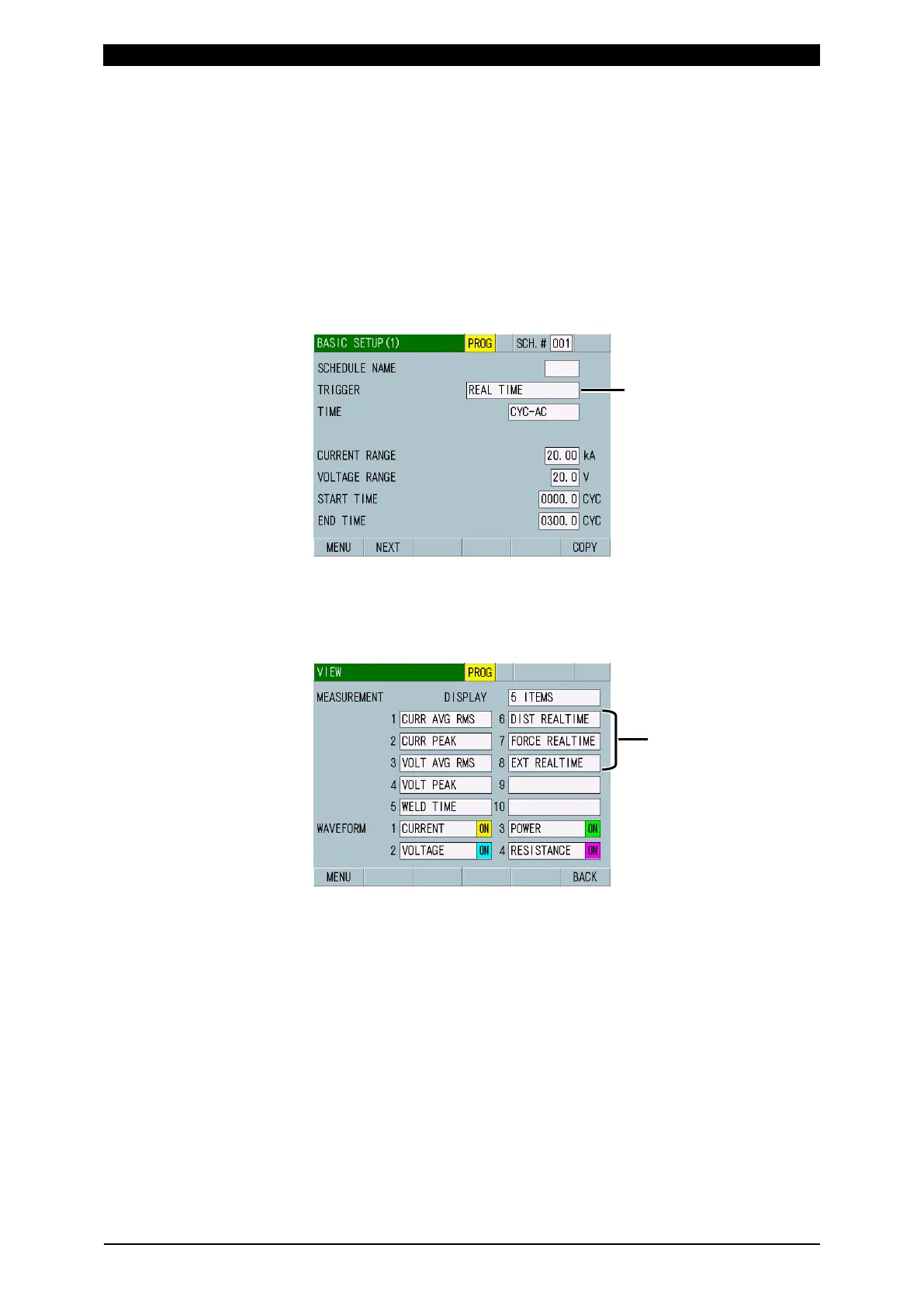
5) Select REAL TIME for TRIGGER in the BASIC SETUP (1) screen. (For more
information, refer to (2) l-1 in Chapter 8.)
When the TRIGGER setting is changed if the TIME setting is SHORT ms-DC
or LONG CYC-AC, upper and lower limits for measurement items WELD TIME
and FLOW TIME and TIME, START TIME, END TIME, COOL TIME, and
MEASUREMENT MIN TIME on the BASIC SETUP screens are initialized.
Save settings in the USB memory as necessary so that you can restore the
settings by reading them. (For saving schedules and reading them, refer to (2)
i in Chapter 8.)
6) Touch the MENU key to select VIEW.
Set items to measure to DIST REAL TIME, FORCE REAL TIME and EXT
REAL TIME in any of MEASUREMENT 1 to 10 on the VIEW screen. (For more
information, refer to (2) c in Chapter 8.)
7) Touch the MENU key to select MEASUREMENT.
8) Touch PROG to change it to MEAS. Measured values of the respective
sensors are displayed in items of DIST REAL TIME, FORCE REAL TIME and
EXT REAL TIME.
9) By specifying the number of the schedule which REAL TIME is set for
TRIGGER in the BASIC SETUP (1) screen with SCH of external input/output
signals, measurement can be performed constantly.
DIST REAL TIME
FORCE REAL TIME
EXT REAL TIME



 To Next Page