MM-400A
13. Error List and Maintenance
13-8
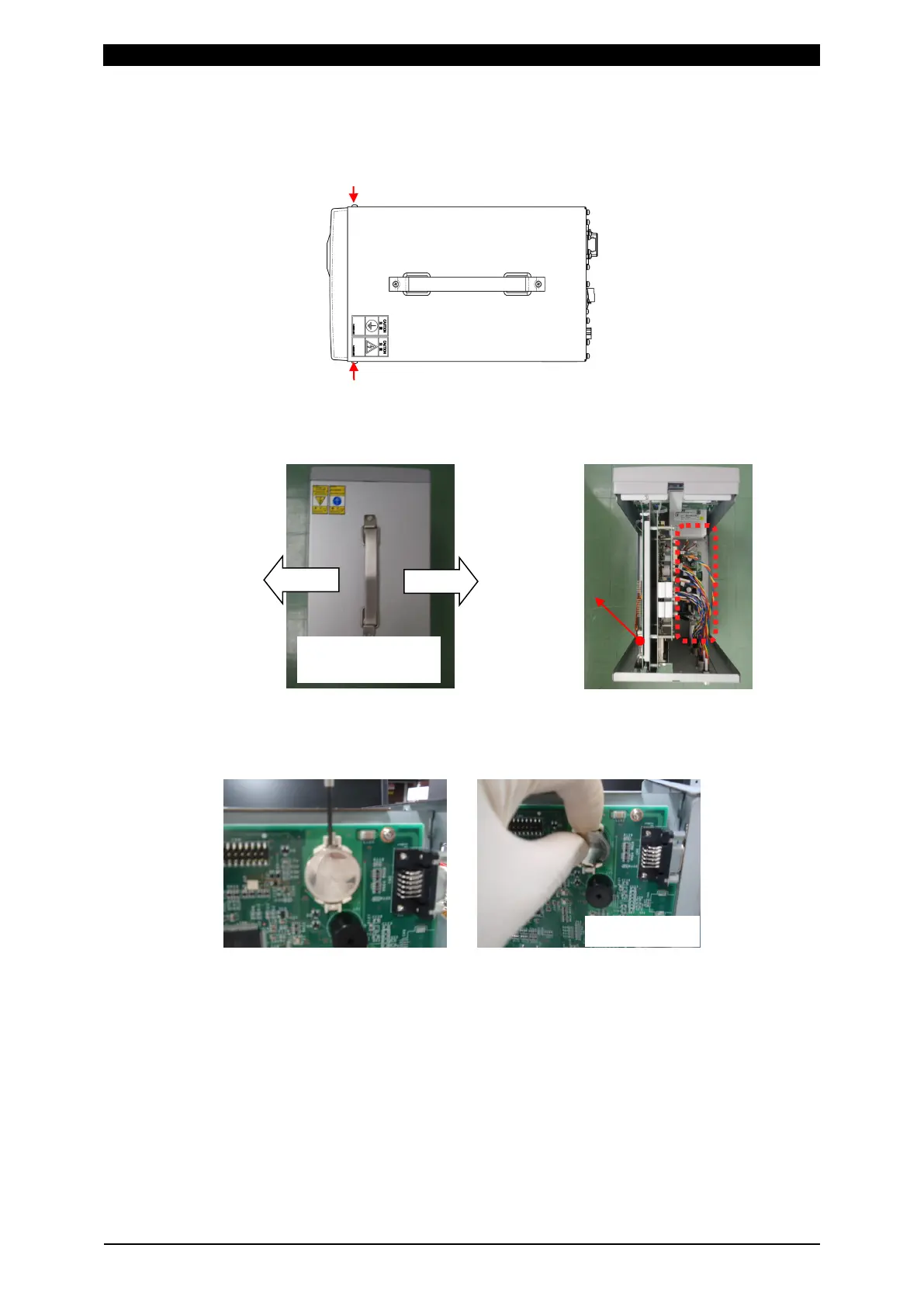
3) After one minute from turning OFF the power switch and disconnecting a
plug from the outlet, remove seven screws on the rear and sides of the
MM-400A with a Phillips screwdriver.
4) Expand the sheet metal cover laterally and pull it upward to remove it.
5) Lift up an old battery with a non-conductive tool having dull tip like a plastic
screwdriver to replace it with a new one not to touch the power supply part.
6) When inserting a new battery, insert it in the battery holder with its positive
(+) side facing up.
7) Expand and insert the cover and mount it on the body.
8) Tighten seven screws with 0.63 N・m of general torque.
9) Turn the power on.
10) Start the equipment. When “E04: BATTERY VOLTAGE LOW” appears,
press the [RESET] button. Confirm that the battery error disappears and
set a schedule again to return to a normal use.
Expand laterally
and pull up



 To Next Page