MM-400A
8. Operation Screens
8-55
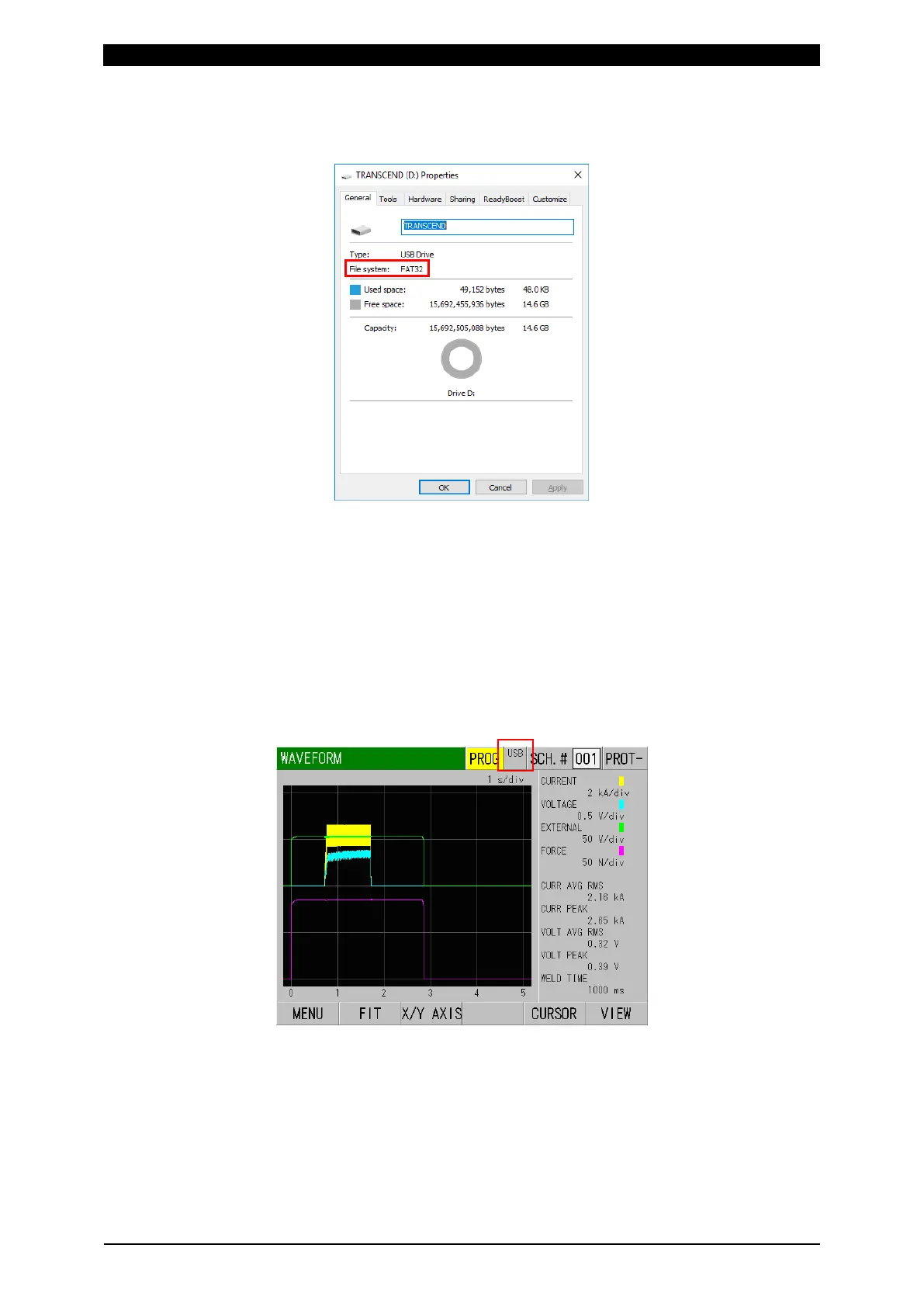
In advance, point a mouse cursor to the USB drive in the Explorer on a Windows
computer etc. and right-click [Properties (R)] to check the USB in use by the file
system.
(Note 3) About using a brand-new USB memory
Before using a brand-new or freshly-formatted USB memory on the MM-400A, create
a file in advance on a Windows computer, etc. and save it in USB.
If there is not file to save, an empty text file doesn’t matter. It can be created by
right-clicking in the Explorer to execute “New” – “Text Document.” Create a text file and
change the filename.
(Note 4) About the display of USB memory
When a usable USB is inserted in the MM-400A, “USB” is shown at the upper portion
of the screen. To save data, be sure to confirm this display.
(Note 5) About the use of USB memory
Store data saved in the USB memory into a computer periodically without leaving the
saved data. When deleting all files after storing data, perform (Note 3).
Also, the USB memory has a write-in life, so when it takes time to write-in longer than
before or garbled character is generated in the written file, replace it.
The life of the USB memory can be extended by moving data at short intervals without
leaving the saved data and using it with large free space.



 To Next Page