3.1 Usage Precautions
3-5
3
Measurement
Setting Sound
Connect the A0086C as in Figure 3.1.2-1.
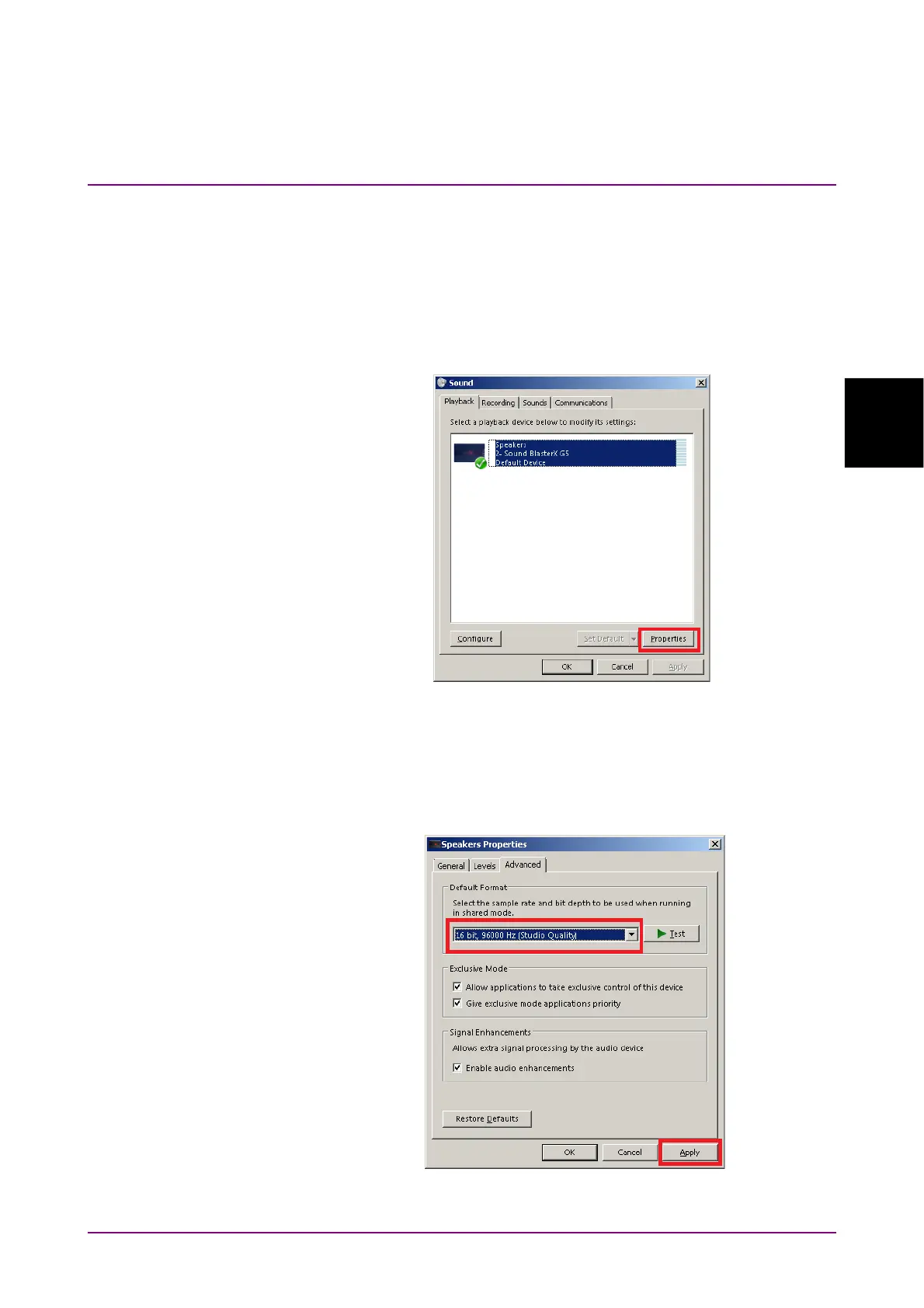
Open the Windows Start menu on the bottom left and select Control
Panel > Sound.
When “Sound BlasterX G5” is displayed as Speakers on the Playback tab
as the following figure, select the icon.
Then click the Properties button on the bottom right corner.
Figure 3.1.2-3 Sound Dialog Box
Select the Advanced tab on the Speakers Properties dialog box and set
Default Format to 16 bit, 96000 Hz. Click Apply on the bottom right and
then click OK.
Figure 3.1.2-4 Speakers Properties Dialog Box



 To Next Page