i2000SR interface module Service Manual
Page 118 of 212 625798100.APS.5.doc
STEPS REFERENCES
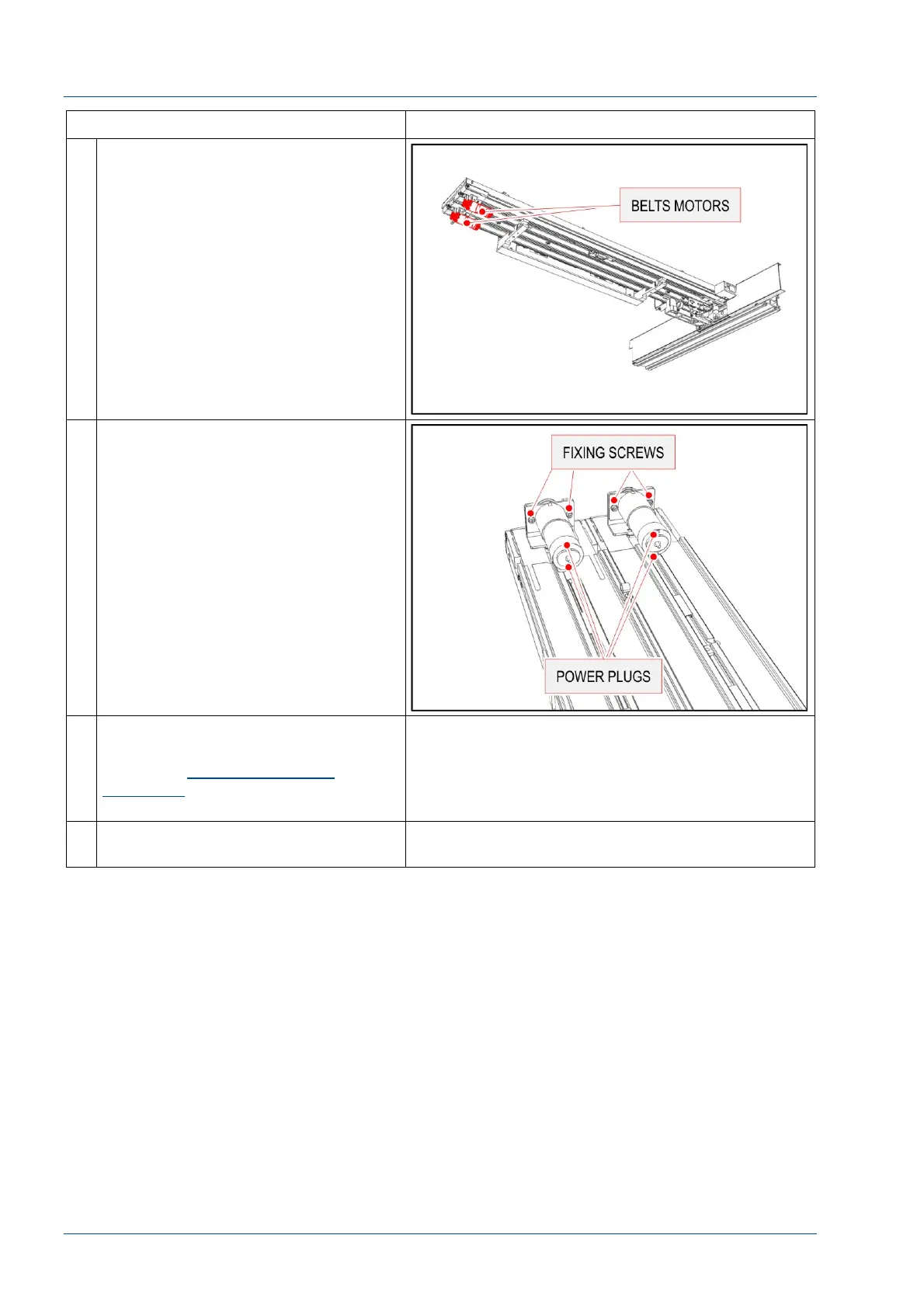
9 At the end of the track, locate the two
belt drive motors.
10 Remove the two power wires from
the motor connectors.
Unscrew the two bolts that fasten the
motor bracket to the driver group and
remove the motor.
11 Replace the motor with a new one
and fasten the two bolts.
Follow the
Verification of belt
tensioning
procedure to verify the
belt tension.
12 Use the steps above to reassemble
covers.



 To Next Page